Software Updates
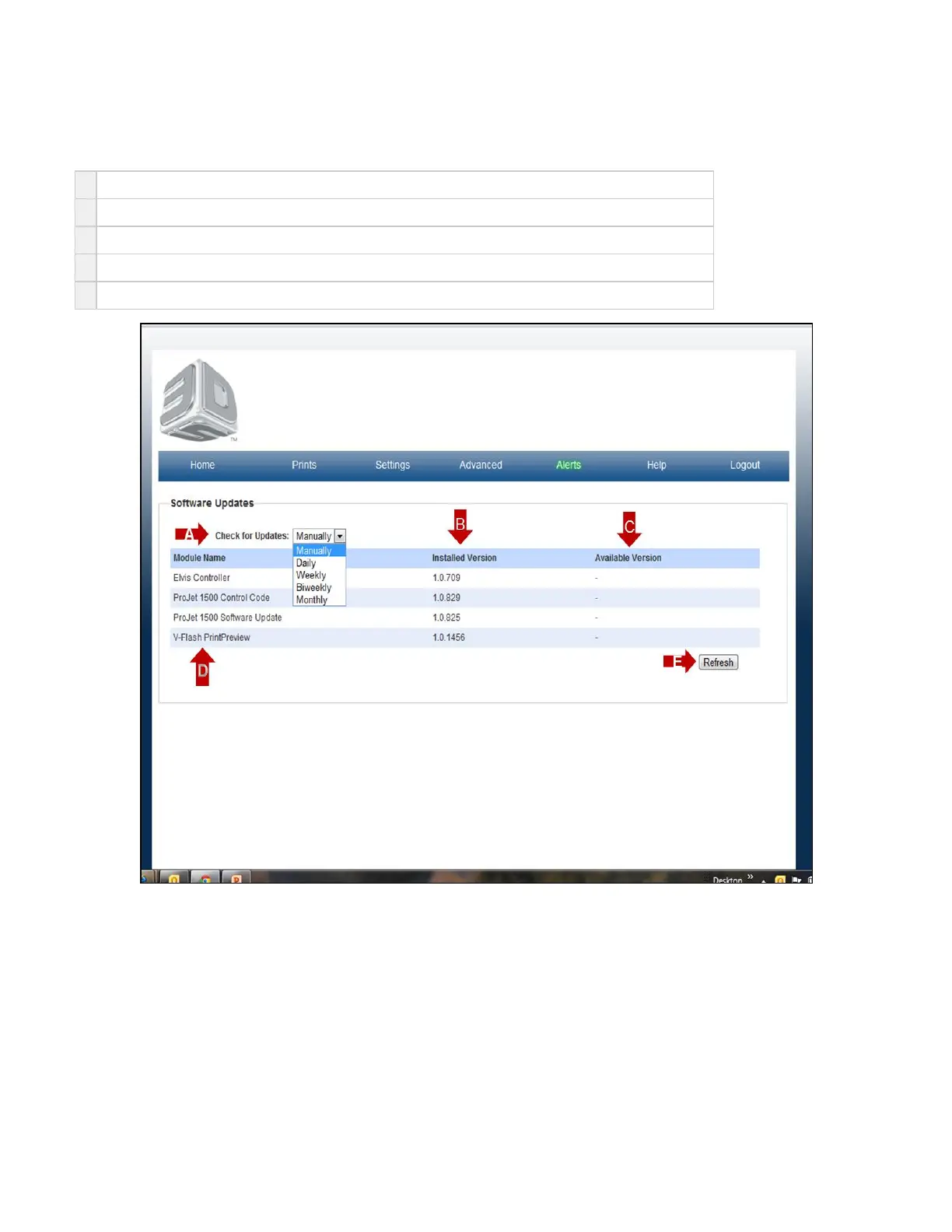
On the "Home" page, click on "Advanced" and select "Softwarer Updates" in the drop down menu to view available software.
A
Check for updates can be set manually or daily through monthly.
B
Installed Versions show the version of software previously donloaded to you printer.
C
Available Versions are new releases of software. The link will be shown in blue. Click on the link to download.
D
Module Name is the software name and type of software that has previously been downloaded to your printer.
E Click on the to obtain help for this particular screen.?



 To Next Page