UV Shutter Motion
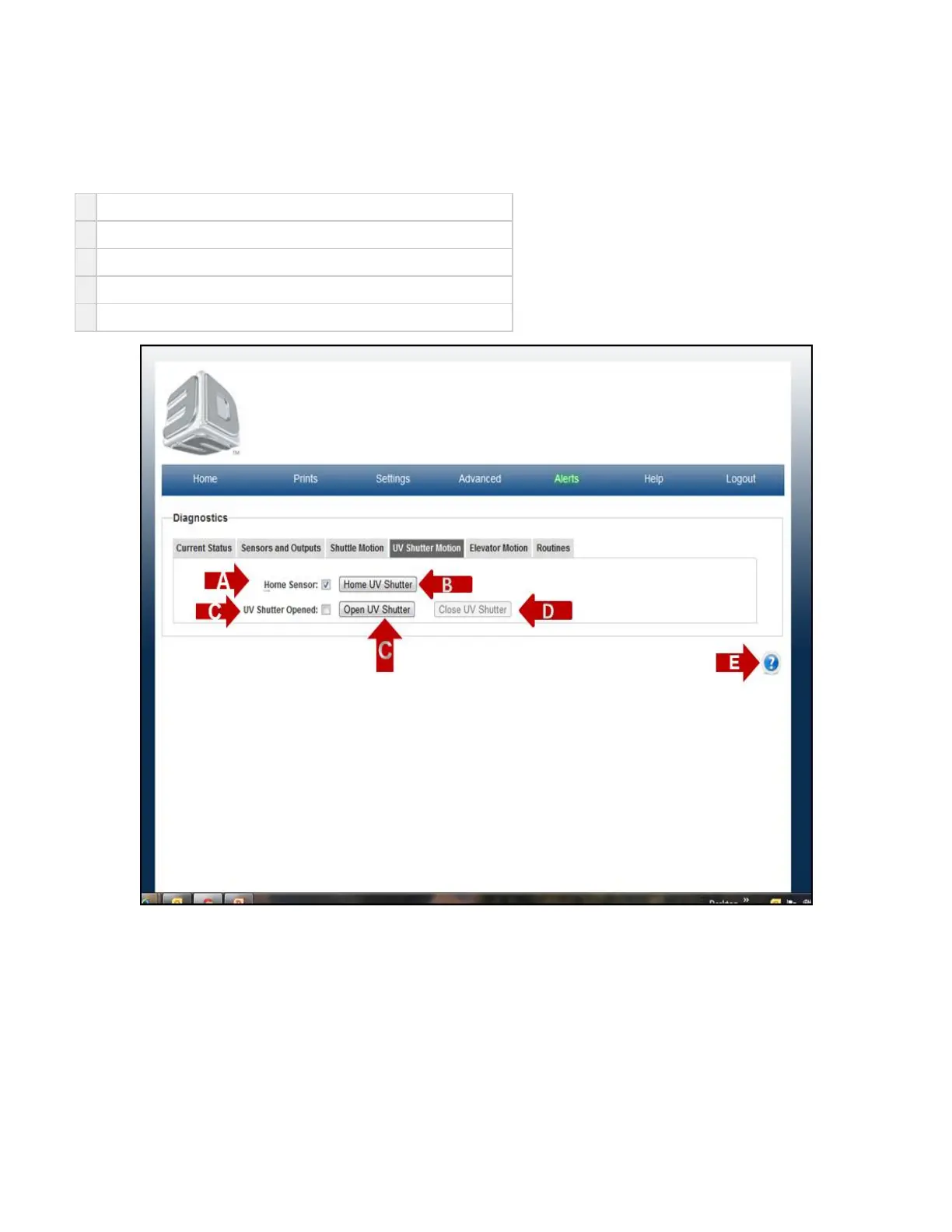
On the "Home" page, click on "Advanced" and select "Diagnostic" in the drop down menu to view "UV Shutter Motion" screen.
The purpose of the Shuttle Motion page is to allow the user to open, close and home the UV Shutter door.
A
Home Sensor is a readout of the sensor HW when manually enabled.
B
Home UV Shutter is a routine to home and close the UVShutter door.
C
Open UV Shutter opens the UVShutter door to open operating position
D
Close UV Shutter closes the UVShutter door to closed operating position.
E Click on the to obtain help for this particular screen.?



 To Next Page