Print Tracking (TSV Report)
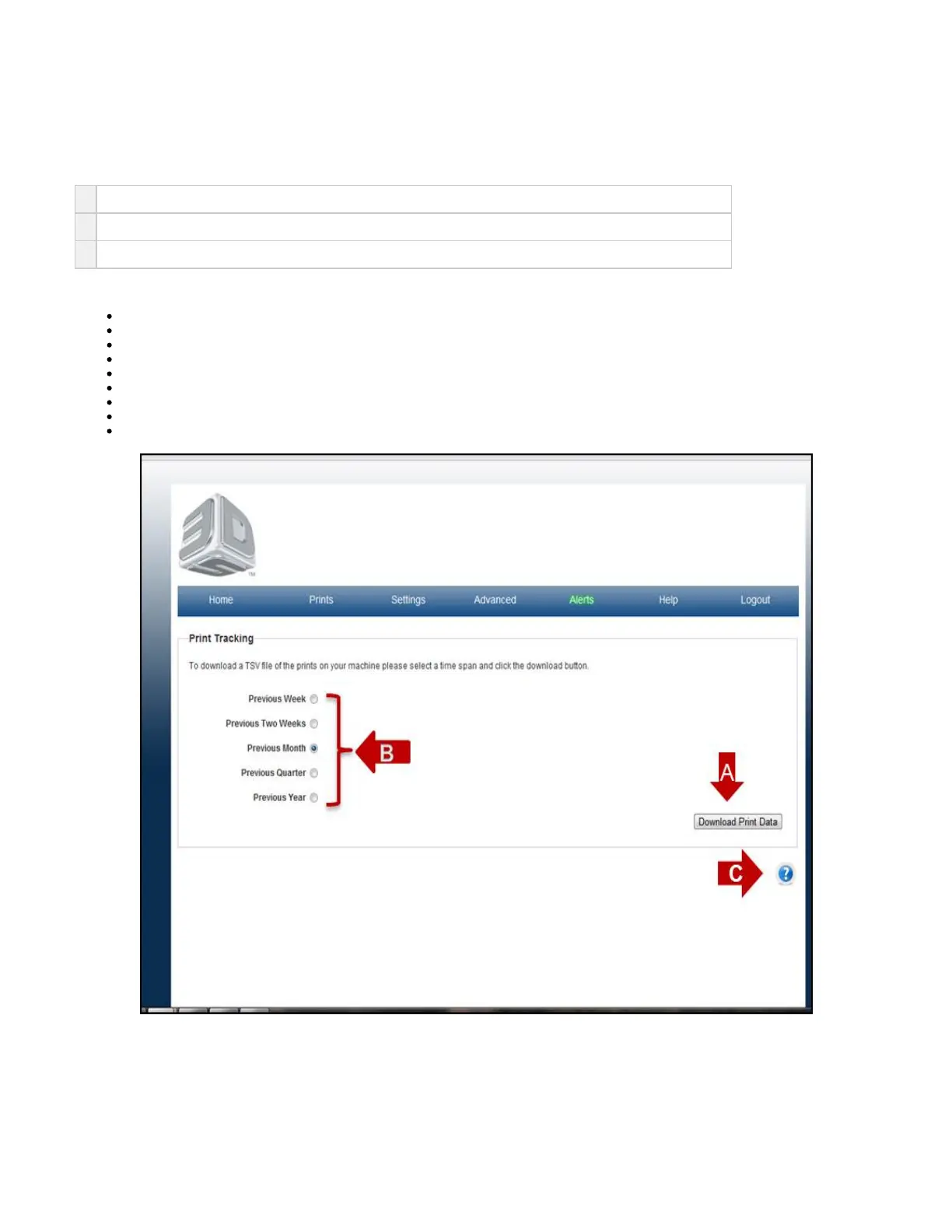
On the "Home" page, click on "Print" and select "Tracking" in the drop down menu to view "Print Tracking" screen.
The purpose of the Print tracking page is to allow for the user to open and view a history of prints on the printer.
A
The information can be retrieved by pressing the Download Data button and opening the TSV file in spreadsheet.
B
The data can be retrieved from durations of Previous Week up to Previous Year.
C Click on the to obtain help for this particular screen.?
The information on the print tracking page are indentified in following catagories:
Print Name
Print Submitter
Project
Print State
Start Time
Duration- time for build to complete
Material- type of material
Material used- Amount (mL)
Height (in)



 To Next Page