06.5.2 Network Setup for Online Printer Registration
It is important to have the components installed described in before network installation. During printer's initialization, it willPrinter Preparation
detect if the material cartridge, material cover and other parts described in Printer Preparation are installed. This will prevent errors occurring
during initialization.
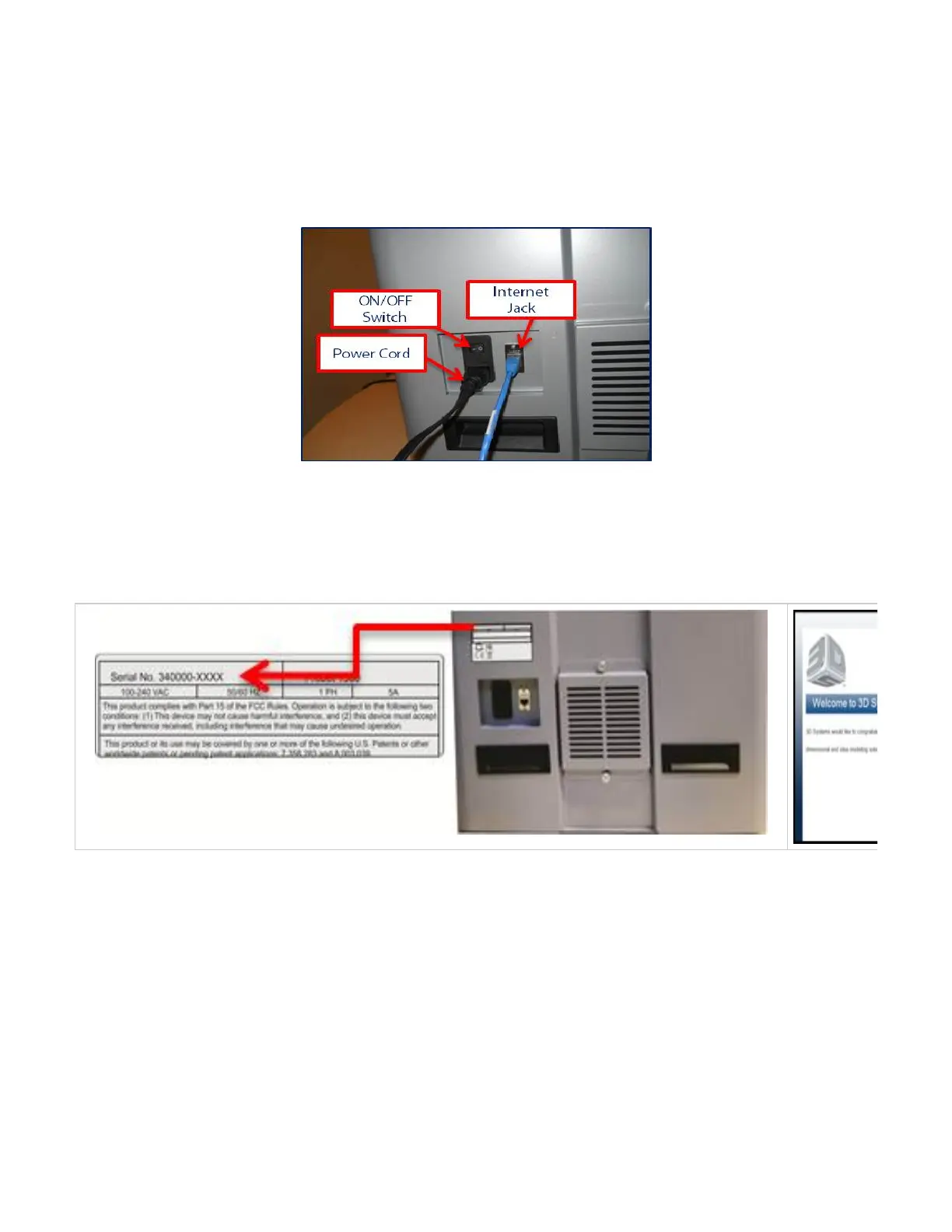
Plug the power cord into printer's power supply and to the facility outlet.
Plug the internet cable into the printer's internet cable jack and into your PC.
Toggle the switch to "ON."
NOTE: Once powered on, the printer will initialize for approximately 3 minutes.
The printer does not have a monitor so therefore all interaction is done through the client's workstation.
Once workstation is connected to the printer, enter the printer's serial number (on the back of printer) into Google Chrome, Foxfire web browser
as specified in . Enter the printer's serial number into the browser; ( . Once connected toClient's Computer & Network Interface http://340000-XXXX
your printer, the welcome screen will appears. Follow the step by step software instructions to register your printer.
Follow to configure your printer.Printer Network Configuration & User Profile



 To Next Page