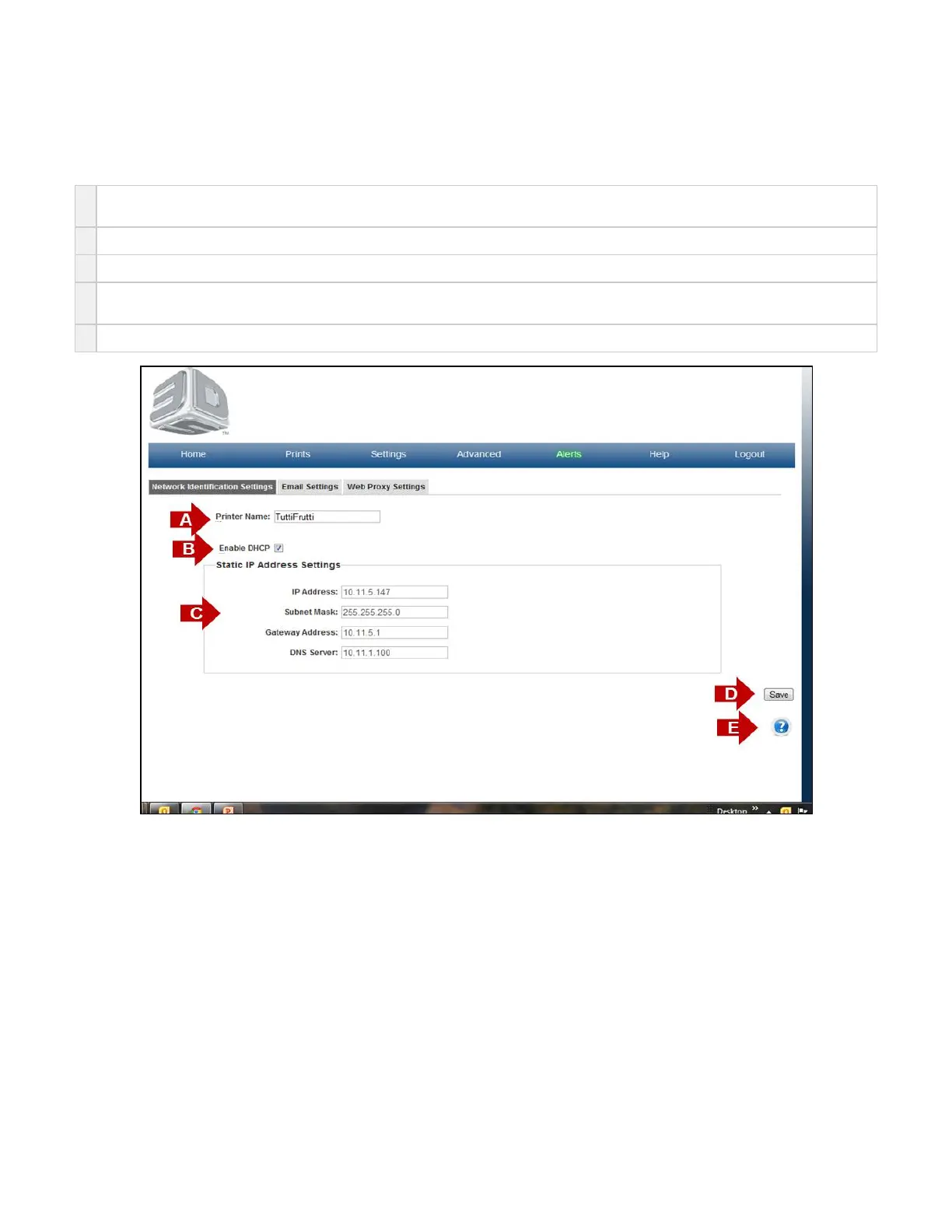
Network Identification Settings
On the "Home" page, click on "Settings" and select "Printer" in the drop down menu to view "Network Identification Settings" screen.
The purpose of the Network Identification Settings is to identify your printer network settings.
A
Printer Name- If the system administrator chooses to do so, they can change the system name to one that they desire. This requires a
printer reboot to take effect..
B
Enable DHCP is default setting for the printer. This allows for client PC to easily access and assign IP address to communicate with printer.
C
Static IP Address Settings are automatically filled in for Enable DHCP printers.
D If a user desires static IP Address settings, then Uncheck the Enable DHCP box ; fill in correct information for desired static settings.(B)
Save button will save any settings that you have implemented.
E Click on the to obtain help for this particular screen.?



 To Next Page