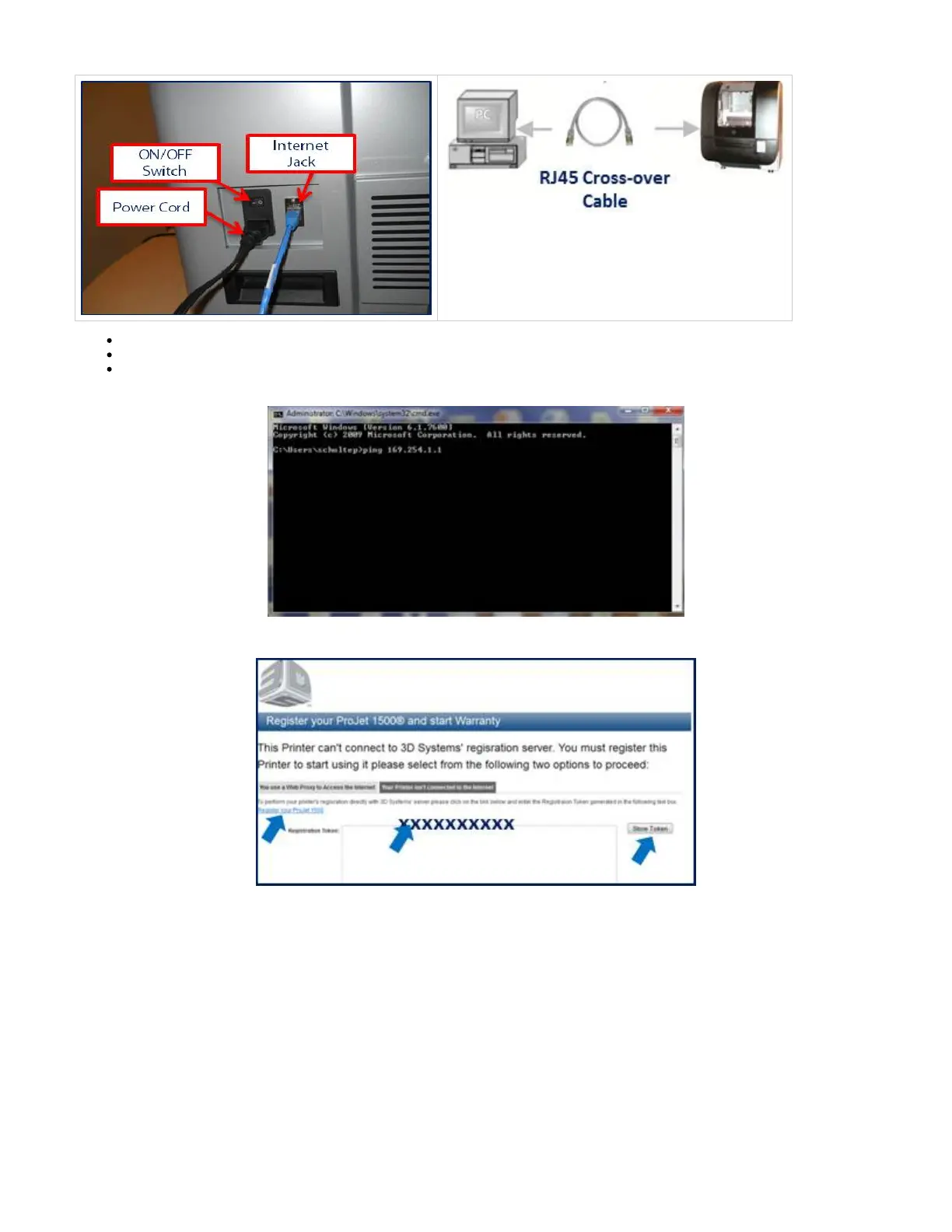
Click on the Start button and choose "Run." Type the letters "cmd" and press "OK."
Type the words "ipconfig/all" at the command prompt window once it opens. A long series of numbers will appear.
Scan through the list of numbers that appears. Next to the words "IP Address" will be the IP address 169.254.1.1 that the DHCP has
assigned.
Cut and paste the registration token and select "Store Token." Continue registering the printer by selecting "Register your ProJet 1000 / 1500."
Follow to configure your printer.Printer Network Configuration & User Profile



 To Next Page