GTR-3455
Doc Ref: Page: 57
Date: 13/01/13 Issue: H
Pr
seal
®
uk
Tray Sealing Solutions
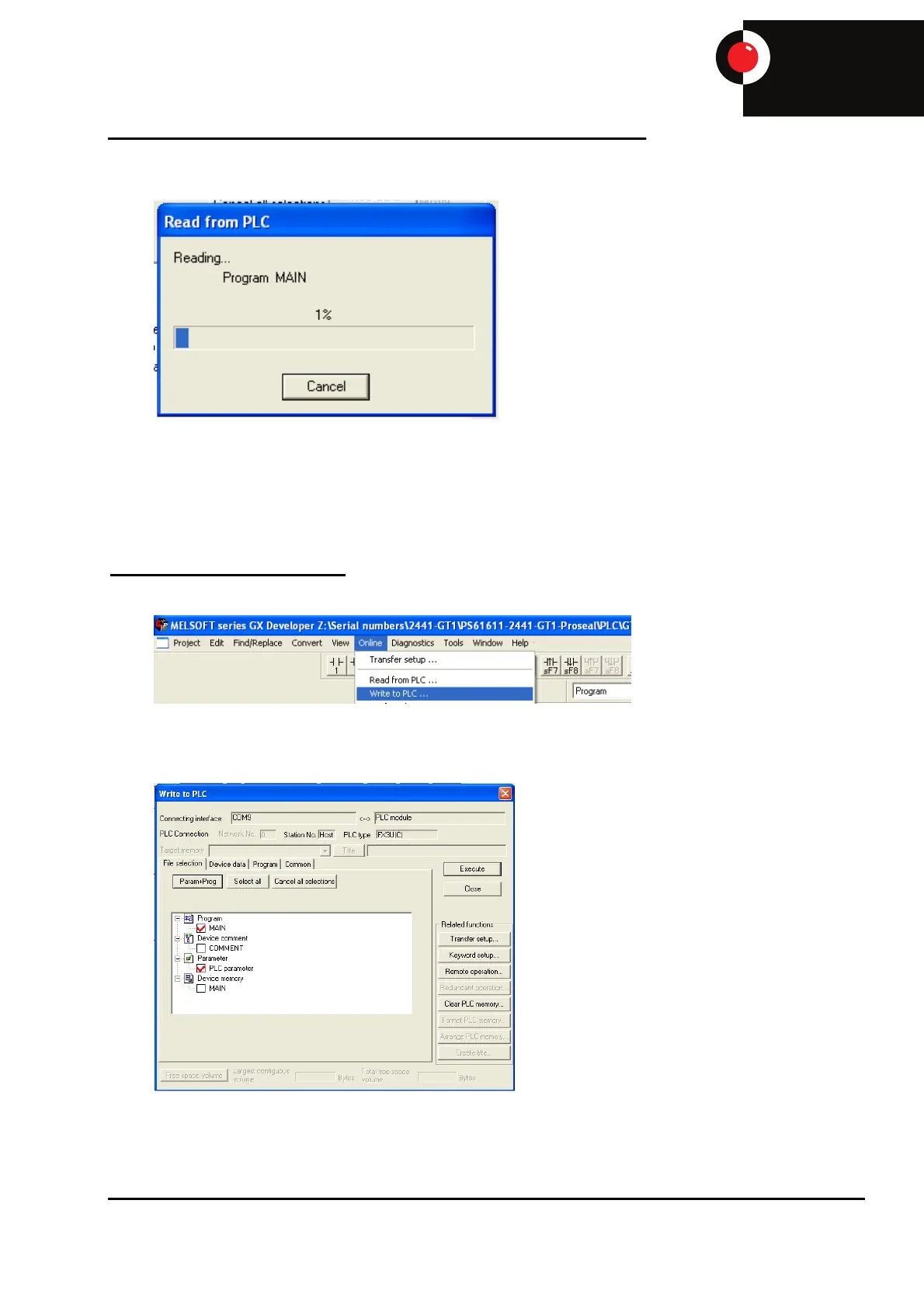
The program should then read from the PLC and display the live program on the screen.
When the upload is complete the program should be saved in a known location under a known file
name by selecting ‘Project’ – ‘Save as…’, then change the file name and select ‘Save’.
Please note: If the file name is not changed the program that is removed from the machine will
overwrite the original program that was used to open GX Developer.
To Download a PLC Program
Select ‘Online’ – ‘Write to PLC’.
Select ‘Param+Prog’ then ‘Execute’. Click ‘YES’ on the ‘Execute write to PLC’ pop up. Another pop
up box will ask to confirm selection, click ‘YES’.
The program should then write to the PLC.


 To Next Page