MVI56-PDPMV1 ♦ ControlLogix Platform Configuring the MVI56-PDPMV1 Module
PROFIBUS DPV1 Master User Manual
Page 127 of 251 ProSoft Technology, Inc.
2.5.5 Sending a Mailbox Message in RSLogix 5000
Note: For this procedure, you must connect a serial cable from the serial port on your PC to the
DB9M connector on the ControlLogix processor.
1 Open the sample ladder logic in RSLogix 5000.
2 Open the COMMUNICATIONS menu, and choose GO ONLINE.
3 In the Controller Organization window, double-click CONTROLLER TAGS.
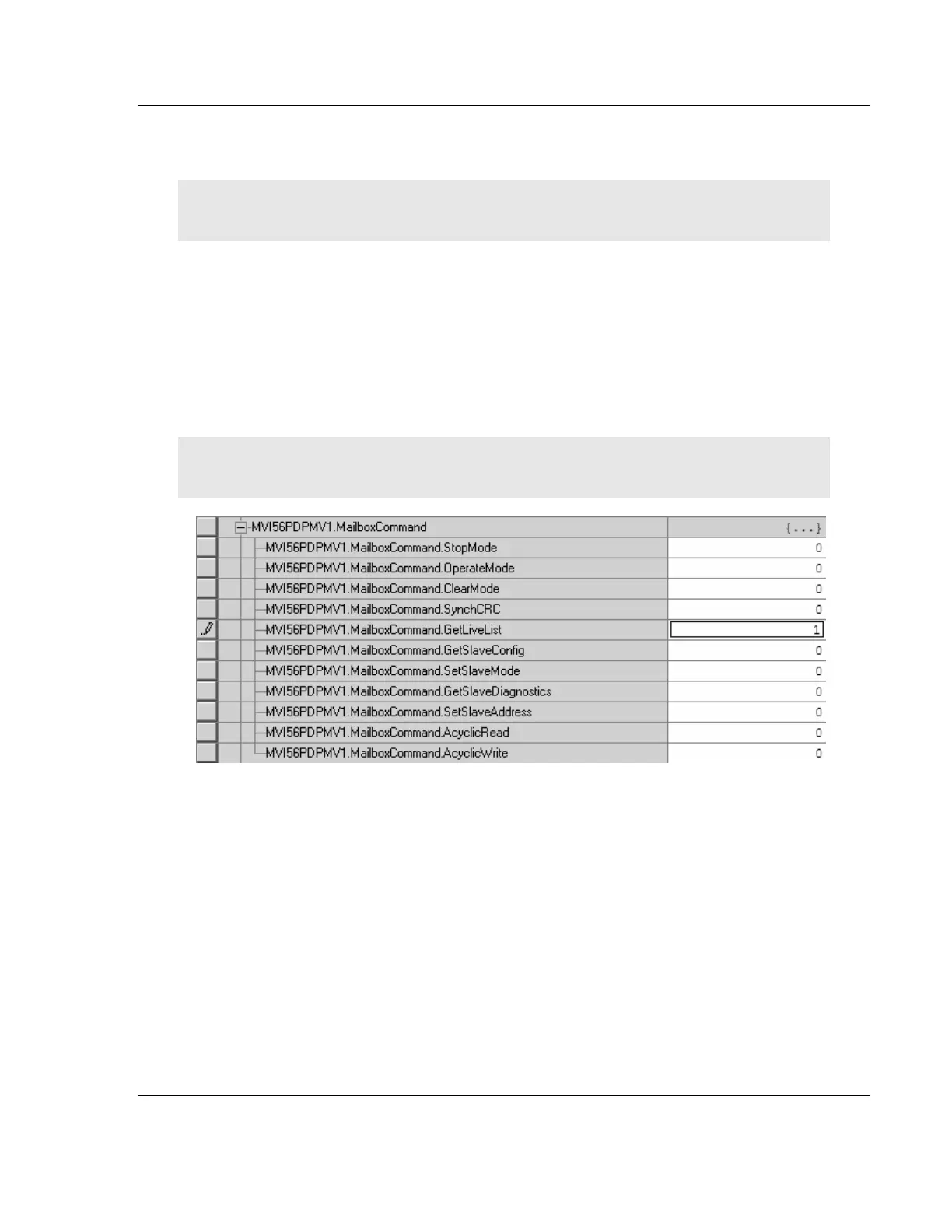
4 Expand the MVI56PDPMV1 and MVI56PDPMV1.[Mailbox]Command tags.
5 Enter "1" (number one) in the tag
MVI56PDPMV1.[Mailbox]Command.GetLiveList, and then press [Enter] to
send the mailbox message from the processor to the MVI56-PDPMV1.
Note: The [Mailbox] string will only be available for the Legacy sample program. For the FLEX
sample program the controller tag is MVI56PDPMV1.Command.GetLiveList.



 To Next Page