EasyManua.ls Logo

ProSoft MVI56-PDPMV1 - Examples

ProSoft MVI56-PDPMV1
251 pages
Print Icon
To Next Page IconTo Next Page
To Previous Page IconTo Previous Page
Loading...
Diagnostics and Troubleshooting MVI56-PDPMV1 ControlLogix Platform
User Manual PROFIBUS DPV1 Master
Page 178 of 251 ProSoft Technology, Inc.
4.2.3 Examples
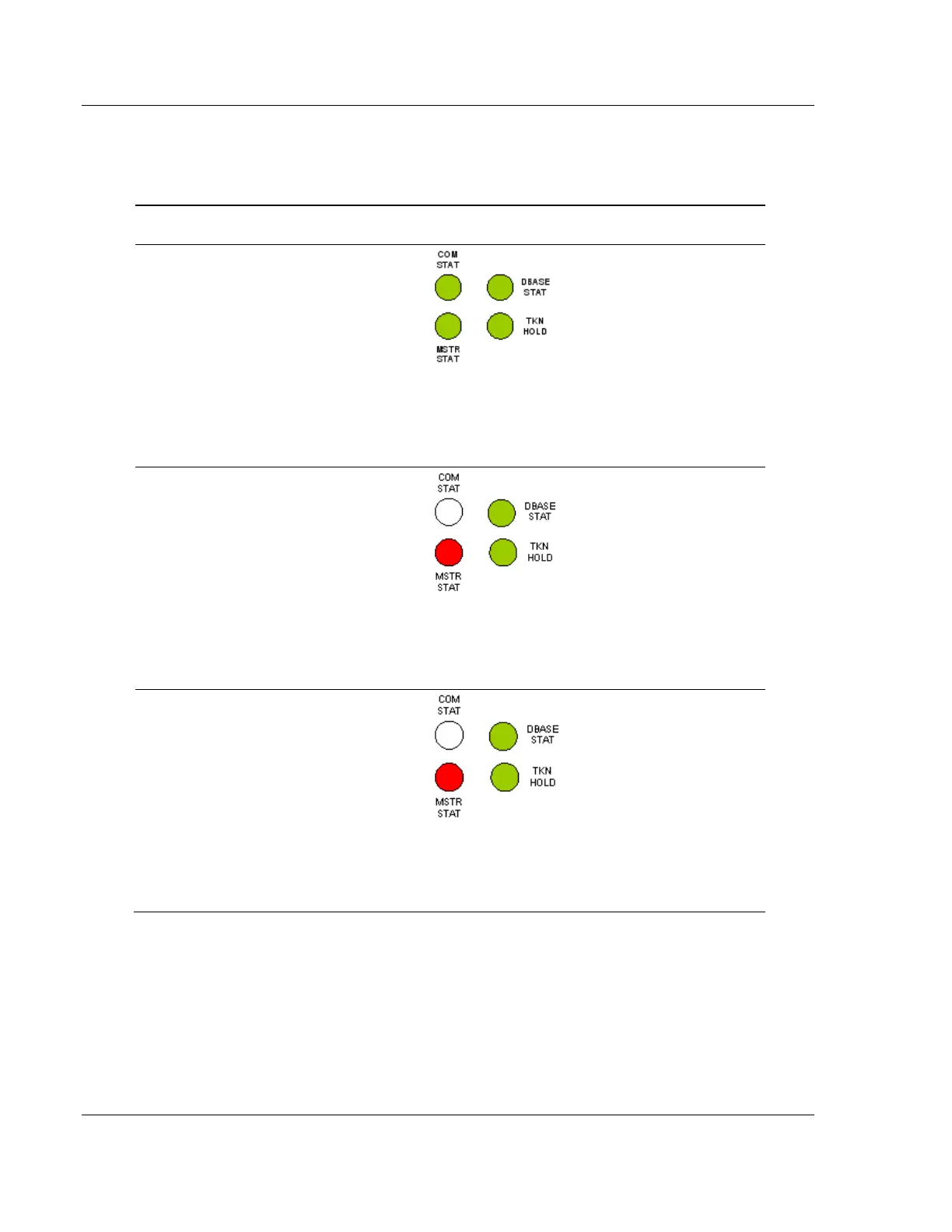
The following table shows some of the possible status indicators.
Processor
Status
Module
Status
PROFIBUS Master
Status
PROFIBUS Master
Status LED Description
Normal
Operation
RUN (ON)
ACTIVE (ON)
COM STAT (GREEN):
Master is communicating
with all configured slaves.
DBASE STAT (GREEN):
PROFIBUS has been
configured.
TKN HOLD (GREEN):
Module is holding the
PROFIBUS token.
MSTR STAT (GREEN):
Master is in operating
mode.
PROFIBUS
Master is
stopped
RUN
ACTIVE
COM STAT (OFF):
Master is not
communicating with
configured slaves.
DBASE STAT (GREEN):
PROFIBUS has been
configured.
TKN HOLD (GREEN):
Module is holding the
PROFIBUS token.
MSTR STAT (RED):
Master is in STOP mode.
CPU is in
Program
mode
PROG
ACTIVE
COM STAT (OFF):
Master is not
communicating with
configured slaves.
DBASE STAT (GREEN):
PROFIBUS has been
configured.
TKN HOLD (GREEN):
Module is holding the
PROFIBUS token.
MSTR STAT (RED):
Master is in STOP mode.

Table of Contents