MVI56-PDPMV1 ♦ ControlLogix Platform Reference
PROFIBUS DPV1 Master User Manual
Page 215 of 251 ProSoft Technology, Inc.
5.3.5 Quick Start
The following steps demonstrate how to start the FDT (Field Device Tool)
program and configure the PROFIBUS comDTM.
Starting FDT
1 Start the FDT program and login as administrator. The following procedures
use PACTware 3.0 software.
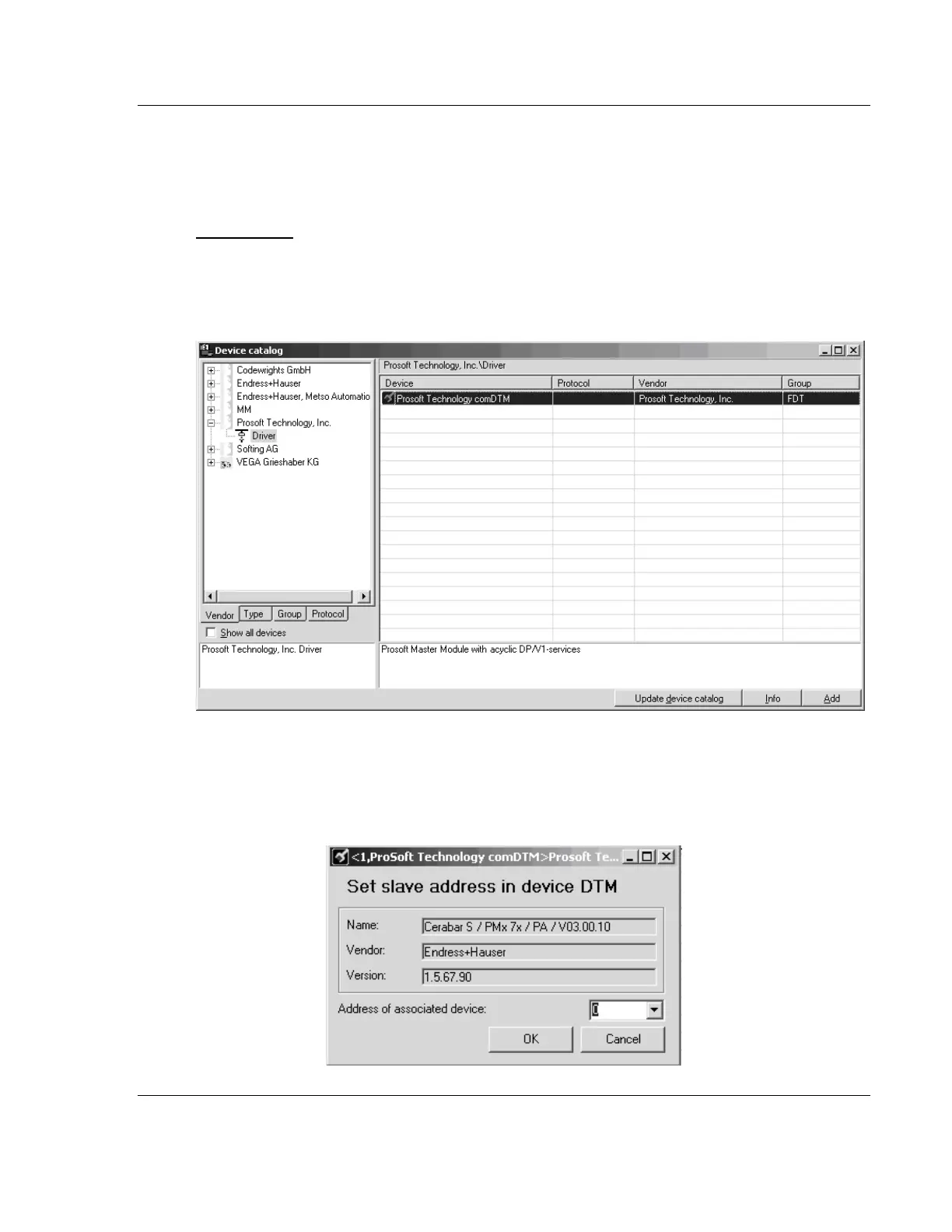
2 Click the UPDATE DEVICE CATALOG button. If PROFIBUS comDTM was
installed successfully, it will appear in the Device Catalog window.
3 Select the PROSOFT TECHNOLOGY COMDTM entry in the device catalog, and
then click ADD.
4 Repeat steps 1 through 3 to add any other manufacturer’s device DTMs
installed on your computer. Select the correct address for each device, and
then click OK to proceed.



 To Next Page