MVI56-PDPMV1 ♦ ControlLogix Platform Diagnostics and Troubleshooting
PROFIBUS DPV1 Master User Manual
Page 181 of 251 ProSoft Technology, Inc.
4.3 Using ProSoft Configuration Builder (PCB) for Diagnostics
4.3.1 Disabling the RSLinx Driver for the Com Port on the PC
The communication port driver in RSLinx can occasionally prevent other
applications from using the PC’s COM port. If you are not able to connect to the
module’s configuration/debug port using ProSoft Configuration Builder (PCB),
HyperTerminal or another terminal emulator, follow these steps to disable the
RSLinx driver.
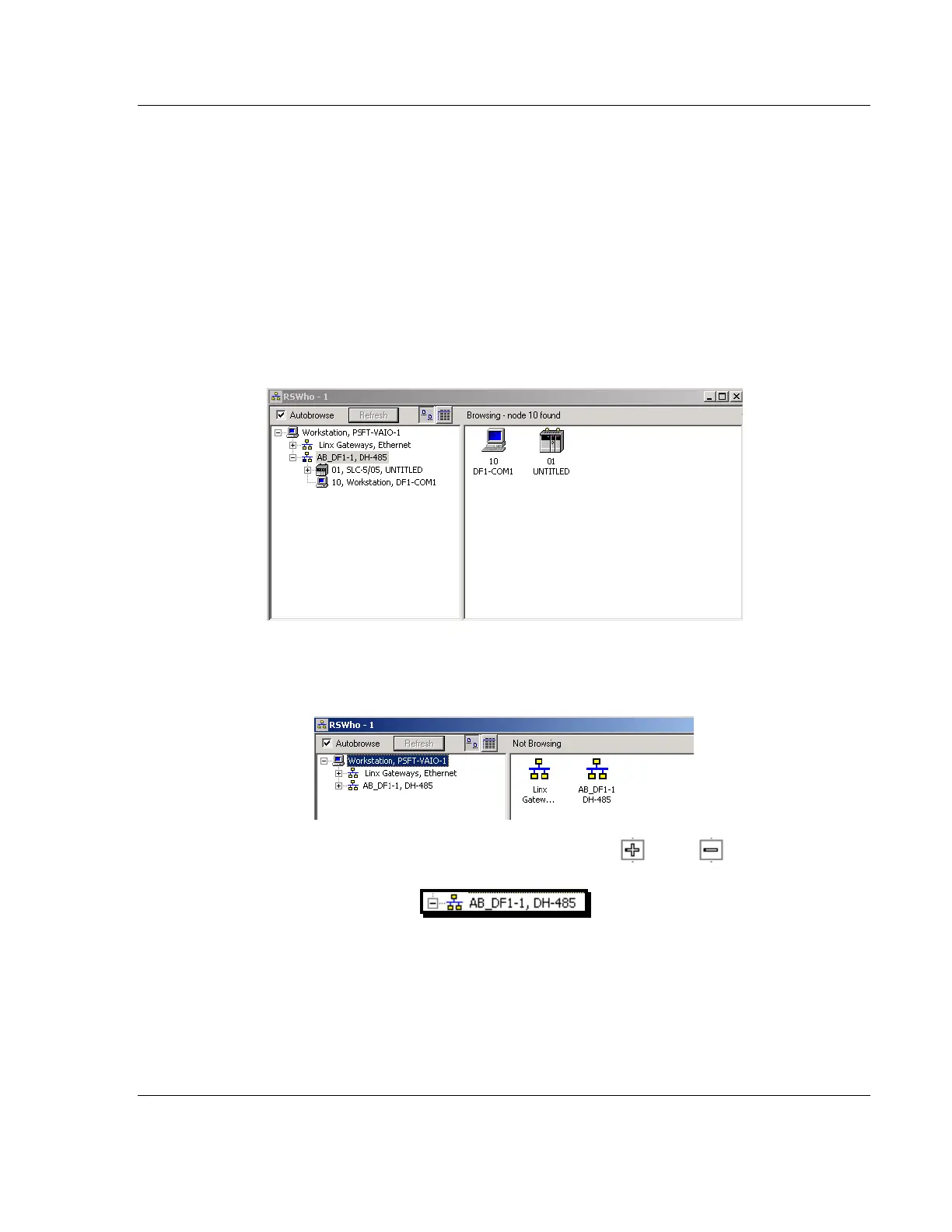
1 Open RSLinx and go to COMMUNICATIONS > RSWHO.
2 Make sure that you are not actively browsing using the driver that you wish to
stop. The following shows an actively browsed network.
3 Notice how the DF1 driver is opened, and the driver is looking for a processor
on node 1. If the network is being browsed, then you will not be able to stop
this driver. To stop the driver your RSWho screen should look like this:
Branches are displayed or hidden by clicking on the or the icons.
4 When you have verified that the driver is not being browsed, go to
COMMUNICATIONS > CONFIGURE DRIVERS.



 To Next Page