Start Here MVI56-PDPMV1 ♦ ControlLogix Platform
User Manual PROFIBUS DPV1 Master
Page 66 of 251 ProSoft Technology, Inc.
1.8 Common Settings for All Sample Programs
Certain parameter options are common to all the various versions of ladder logic
and Add-On Instruction sample programs. Specific settings for these parameters
vary based on which sample is used and the details of your specific custom
application.
1.8.1 Choosing the Controller Type
This sample application shows a 1756-L63 ControlLogix 5563 Controller
selected. If you are using a different model of the ControlLogix processor, you
must configure the sample program to use the correct processor model.
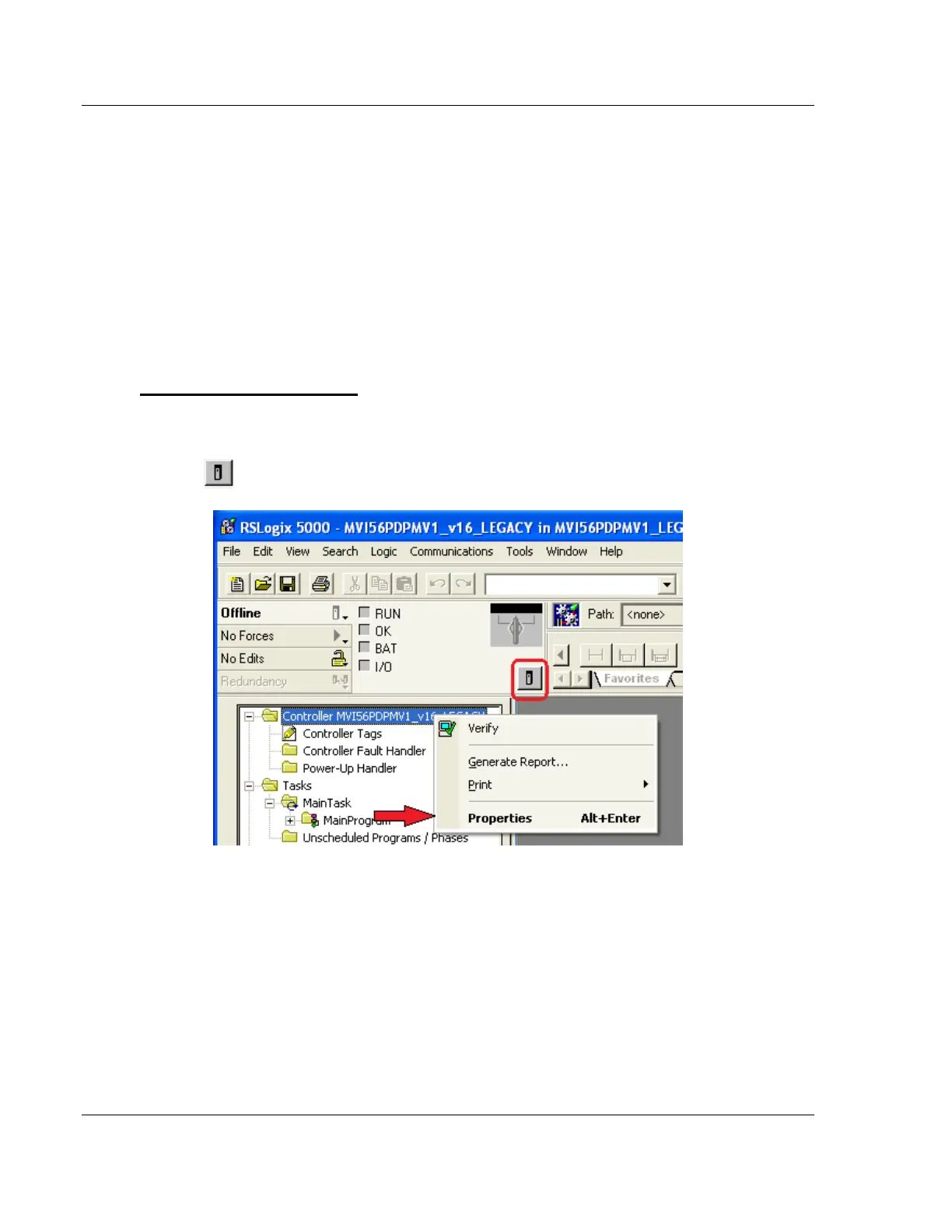
To change the controller type
1 In RSLogix 5000, once you have loaded a sample program or started a new
project, right-click the Controller <Name> folder at the top of the Controller
Organizer pane to open a shortcut menu; or you may left-click the Processor
icon in the Online Toolbar .



 To Next Page