MVI56-PDPMV1 ♦ ControlLogix Platform Configuring the MVI56-PDPMV1 Module
PROFIBUS DPV1 Master User Manual
Page 83 of 251 ProSoft Technology, Inc.
2.3 Configuring the PROFIBUS Master
In this section, you will configure the PROFIBUS Maste and add PROFIBUS
slaves to the PROFIBUS network. You will then download the configuration
information to the module. You will also export the I/O maps for the processor.
1 In PCB tree view, click [+] to expand the MVI56-PDPMV1 tree, and then
double-click the PROFIBUS DP icon. This action opens the PDPMV1
PROFIBUS Master Setup dialog box.
2 In the PDPMV1 PROFIBUS Master Setup dialog box, click the CONFIGURE
PROFIBUS button. This action opens the ProSoft Configuration Builder for
PROFIBUS application.
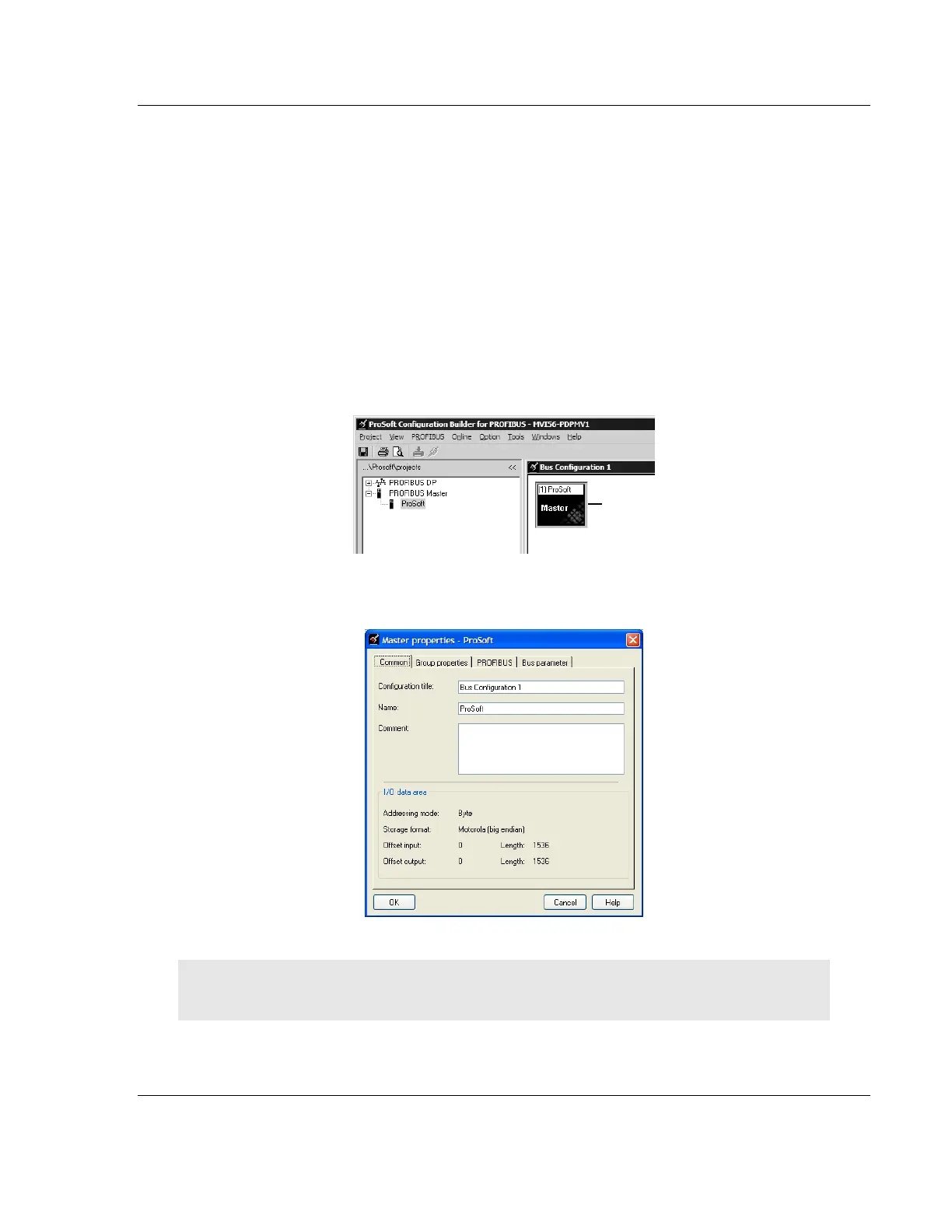
3 Click [+] to expand the PROFIBUS Master tree.
4 Drag the PROFIBUS Master icon into the Bus Configuration window. This is
automatically done by the software for new applications.
5 Double-click the PROFIBUS MASTER icon in the Bus Configuration window.
This action opens the Master Properties dialog box.
6 On the Common tab, name your PROFIBUS drop.
Note: The PROFIBUS tab contains the address setting and advanced configuration settings for the
Master. The default settings on this tab work best in most applications.
7 Click OK to save your changes and return to the Bus Configuration window.



 To Next Page