Configuring the MVI56-PDPMV1 Module MVI56-PDPMV1 ♦ ControlLogix Platform
User Manual PROFIBUS DPV1 Master
Page 82 of 251 ProSoft Technology, Inc.
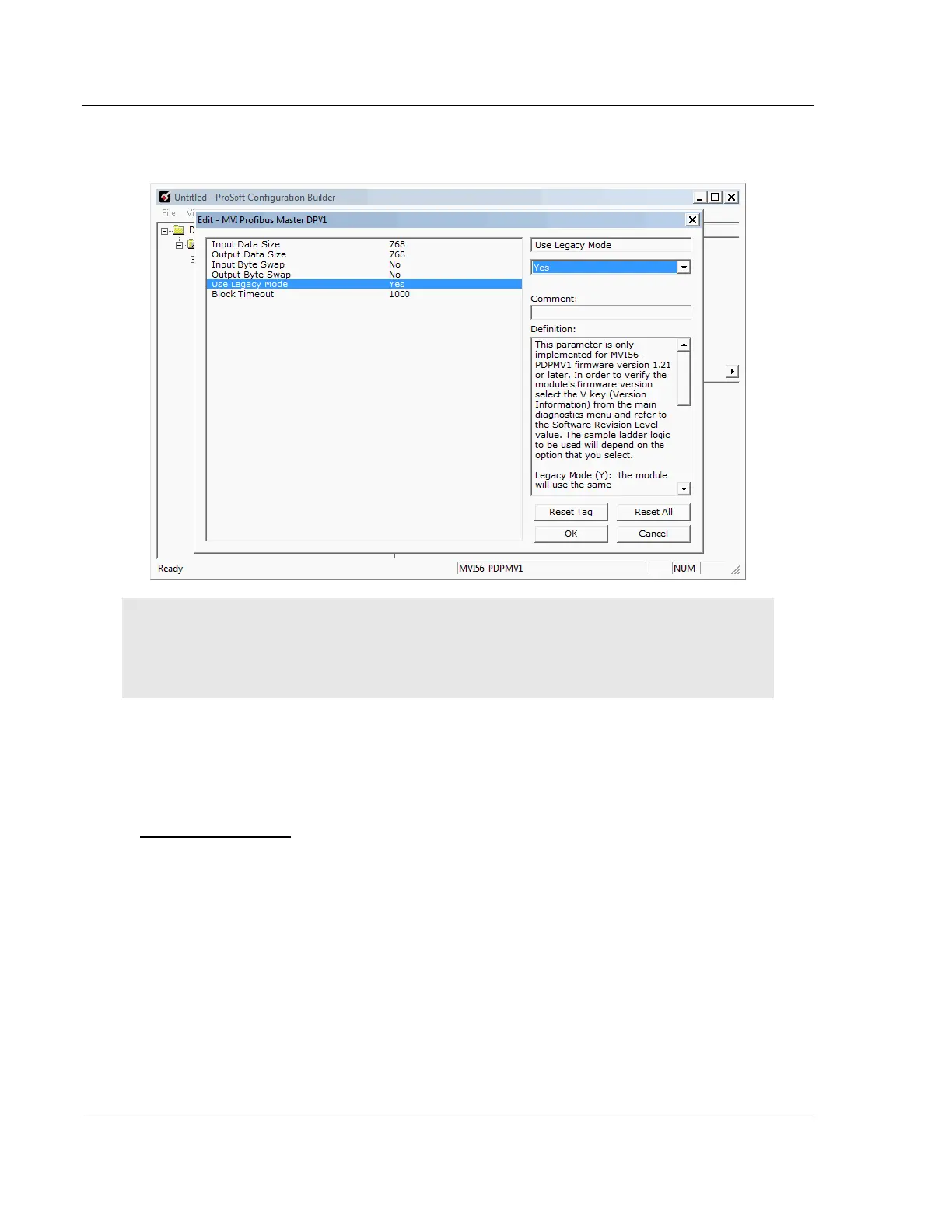
For the sample application, the input and output data size values should both
be 768.
Note: Select the module mode (FLEX or LEGACY) to match the sample program previously
selected as follows:
If you chose a FLEX sample: Set USE LEGACY MODE = NO
If you chose a LEGACY sample: Set USE LEGACY MODE = YES
4 Click OK to save your settings and return to the main PCB window.
At this time, you may wish to rename the DEFAULT PROJECT and DEFAULT
LOCATION folders in the tree view.
To rename an object
1 Select the object, and then click the right mouse button to open a shortcut
menu. From the shortcut menu, choose RENAME.
2 Type the name to assign to the object.
3 Click away from the object to save the new name.



 To Next Page