Configuring the MVI56-PDPMV1 Module MVI56-PDPMV1 ♦ ControlLogix Platform
User Manual PROFIBUS DPV1 Master
Page 100 of 251 ProSoft Technology, Inc.
The start bit monitoring in the receiver
is switched off with this bit
Dis_Startbit = 1,
Start bit monitoring is switched off.
Stop bit monitoring in the receiver is
switched off with this bit
Dis_Stopbit = 0
Stop bit monitoring is not switched off.
This bit specifies the time base used to
clock the watchdog.
WD_Base = 0: time base 10 ms
WD_Base = 1: time base 1 ms
WD_Base = 0
The time base is 10 ms.
To be parameterized with 0
DXB-publisher-functionality of the
SPC3 is activated with this bit
Publisher_Enable = 0, DXB-request-
telegrams are ignored;
Publisher_Enable = 1, DXB-request-
telegrams are processed
To be parameterized with 0
2.3.3 Printing the Processor Network Memory Map
The Processor Memory Map dialog box uses the information about your
PROFIBUS Master and slaves to display the data types you configured. You will
need this information to determine the memory areas your application will use in
the ControlLogix processor.
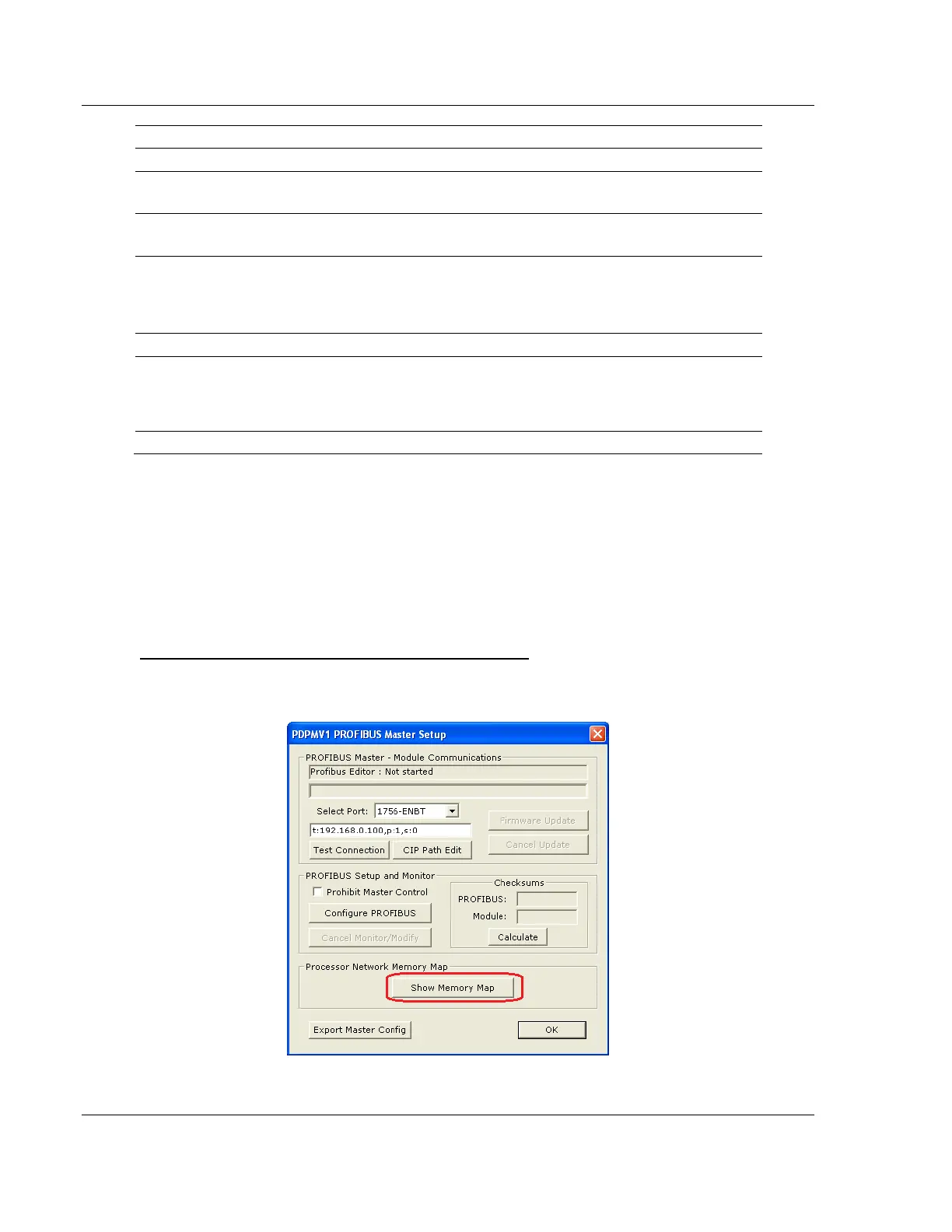
To view or print the Processor Network Memory Map
1 On the Master Setup dialog box, click the SHOW MEMORY MAP button, near
the bottom of the window.



 To Next Page