MVI56-PDPMV1 ♦ ControlLogix Platform Start Here
PROFIBUS DPV1 Master User Manual
Page 73 of 251 ProSoft Technology, Inc.
1.8.5 Changing and Importing Configuration Changes (for PCB v
2.2.0 and up only)
NOTE: This procedure must be used anytime you wish to change the module configuration after
the first time an AOI rung import was performed. For changes to be effective, previous controller
tags and ladder logic must be manually deleted before the new rung export file can be successfully
imported. Failure to follow this procedure may result in the module becoming non-functional.
This procedure assumes you have already made your configuration changes and
have re-exported the processor files according the procedure specified in
Exporting the Processor Files for PCB v2.2.0 or later (page 103).
To successfully complete this update procedure, you must do the following steps
in the order shown:
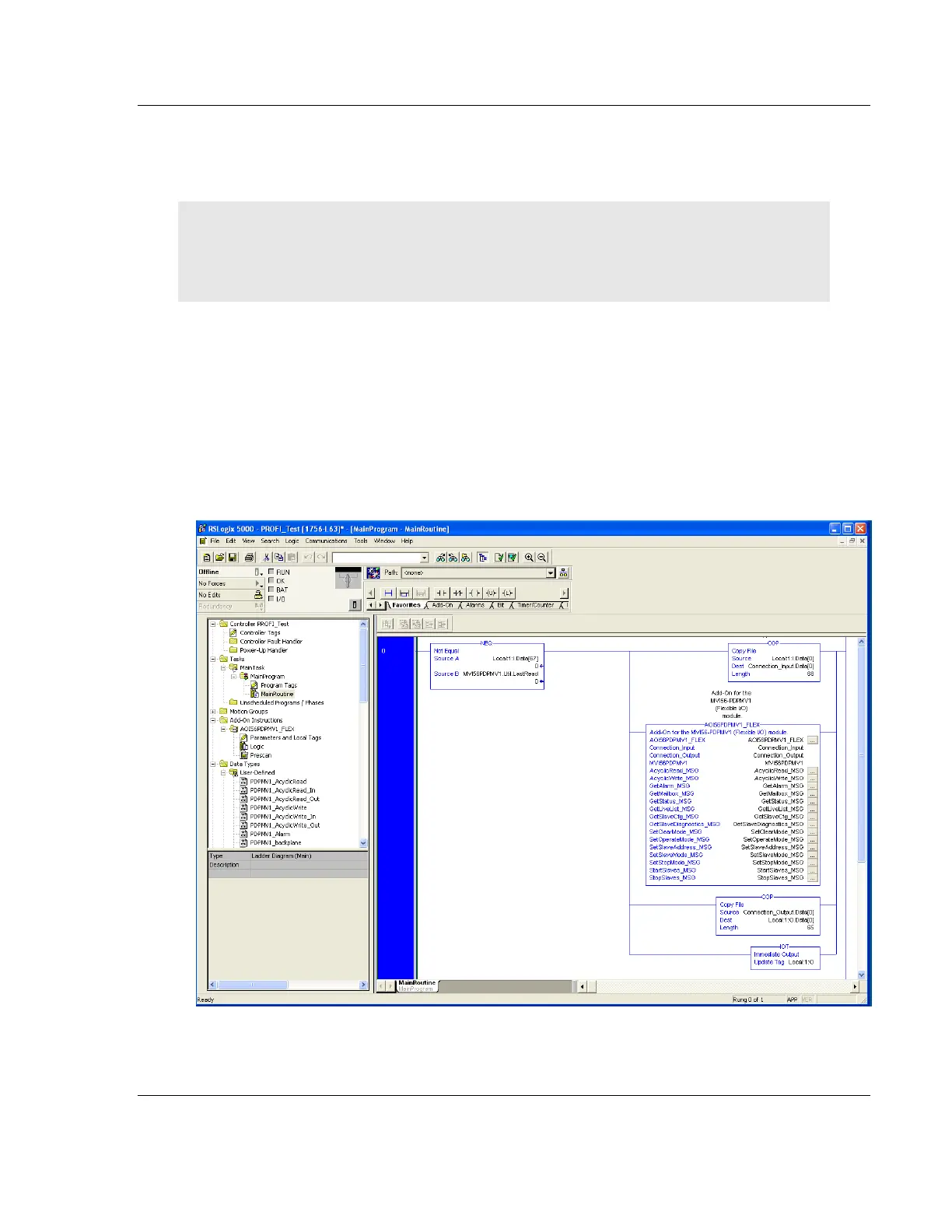
1 DELETE the existing ladder logic rung that contains the previously imported
Add-On Instruction (AOI) ladder file.



 To Next Page