Reference MVI56-PDPMV1 ♦ ControlLogix Platform
User Manual PROFIBUS DPV1 Master
Page 204 of 251 ProSoft Technology, Inc.
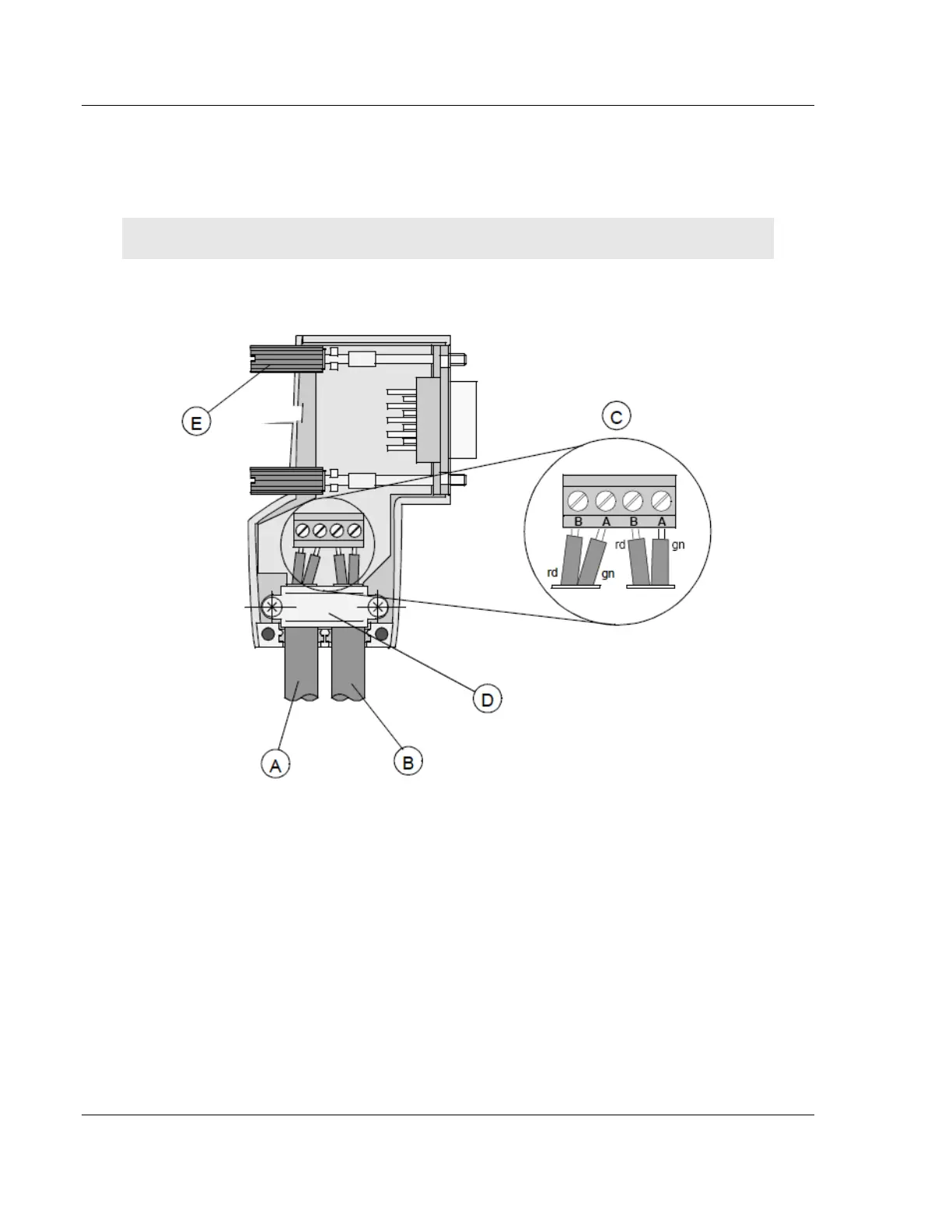
5 Plug the leads of the corresponding cable(s) into the terminals as shown:
o Green leads in terminal A
o Red lead in terminal B
Note: Do not tighten the corresponding screws yet.
Connection terminal assignment on the PROFIBUS DP:
A Incoming cable
B Outgoing cable
C Connection terminals (only once (B,A))
D Cable cleat for reliving tension
E Bus connector screws



 To Next Page