MVI69E-MBS ♦ CompactLogix Platform Diagnostics and Troubleshooting
Modbus Serial Enhanced Communication Module User Manual
ProSoft Technology, Inc. Page 91 of 154
June 28, 2017
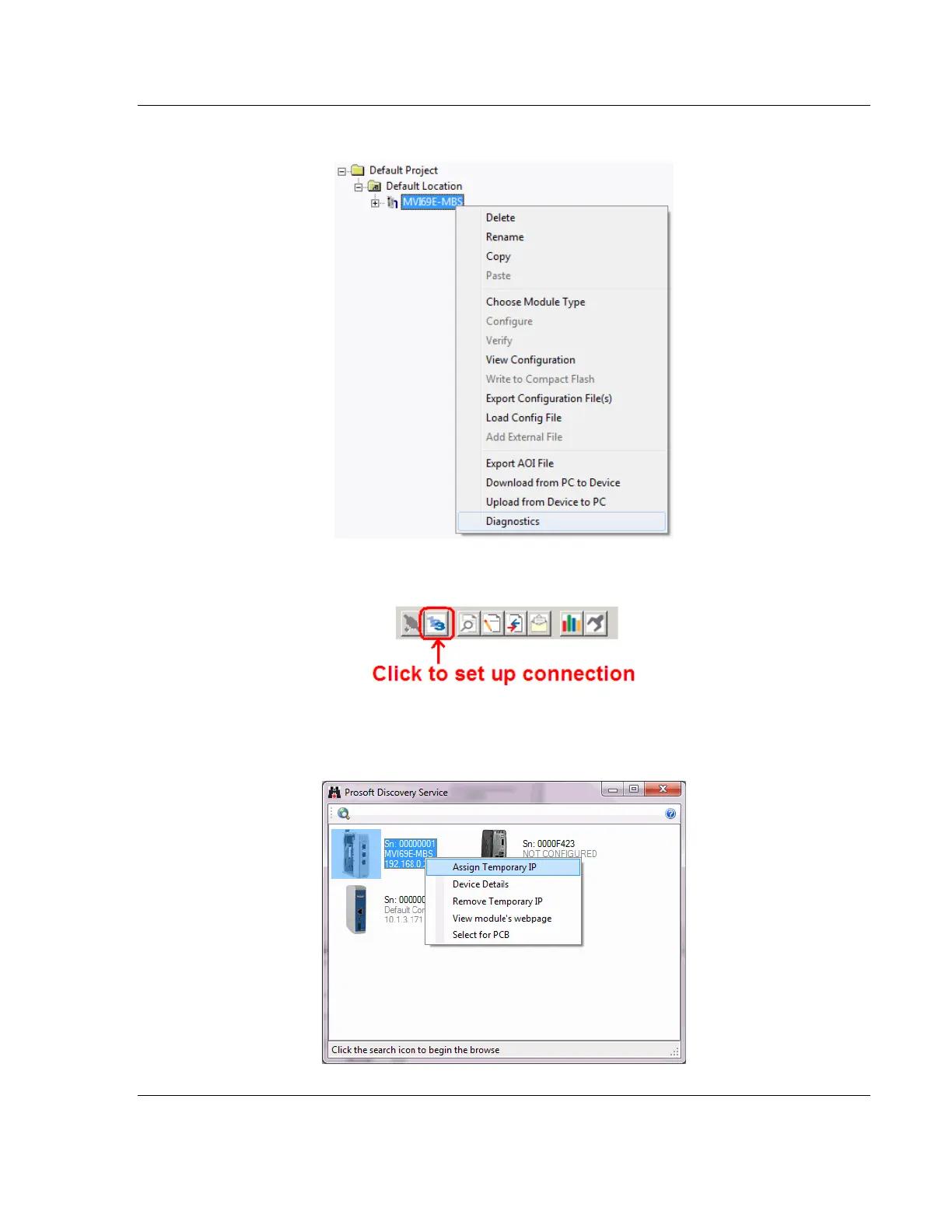
2 Right-click the module icon in the tree and choose DIAGNOSTICS.
3 In the Diagnostics window, click the SET UP CONNECTION button.
4 In the Connection Setup dialog box, click BROWSE DEVICE(S) to start ProSoft
Discovery Service. Right-click the module and choose ASSIGN TEMPORARY
IP.



 To Next Page