2. To change the type of Meter Impression.
Press then type 1 to access the Build Imprint screen.
The following screen appears:
The type of Impression is indicated on line 2 of the screen.
To select an option on the displayed screen:
Highlight the option using the arrow keys and
Then press to accept your selection.
To change the type of Impression:
- Select Type and press [OK].
- Select Date Correction and press [OK] .
3. Change the Date
Highlight the Date using the arrow keys.You can select today's date or advance the
date up to 30 days.
Running Mail
Once you have completed setting up your Impression, follow the instructions below to
process your mail.
How to Correct the Date (Running Mail)
1. To print a Meter Impression with a new date or Advanced Date:Turn the envelope
over in order to print on blank area.
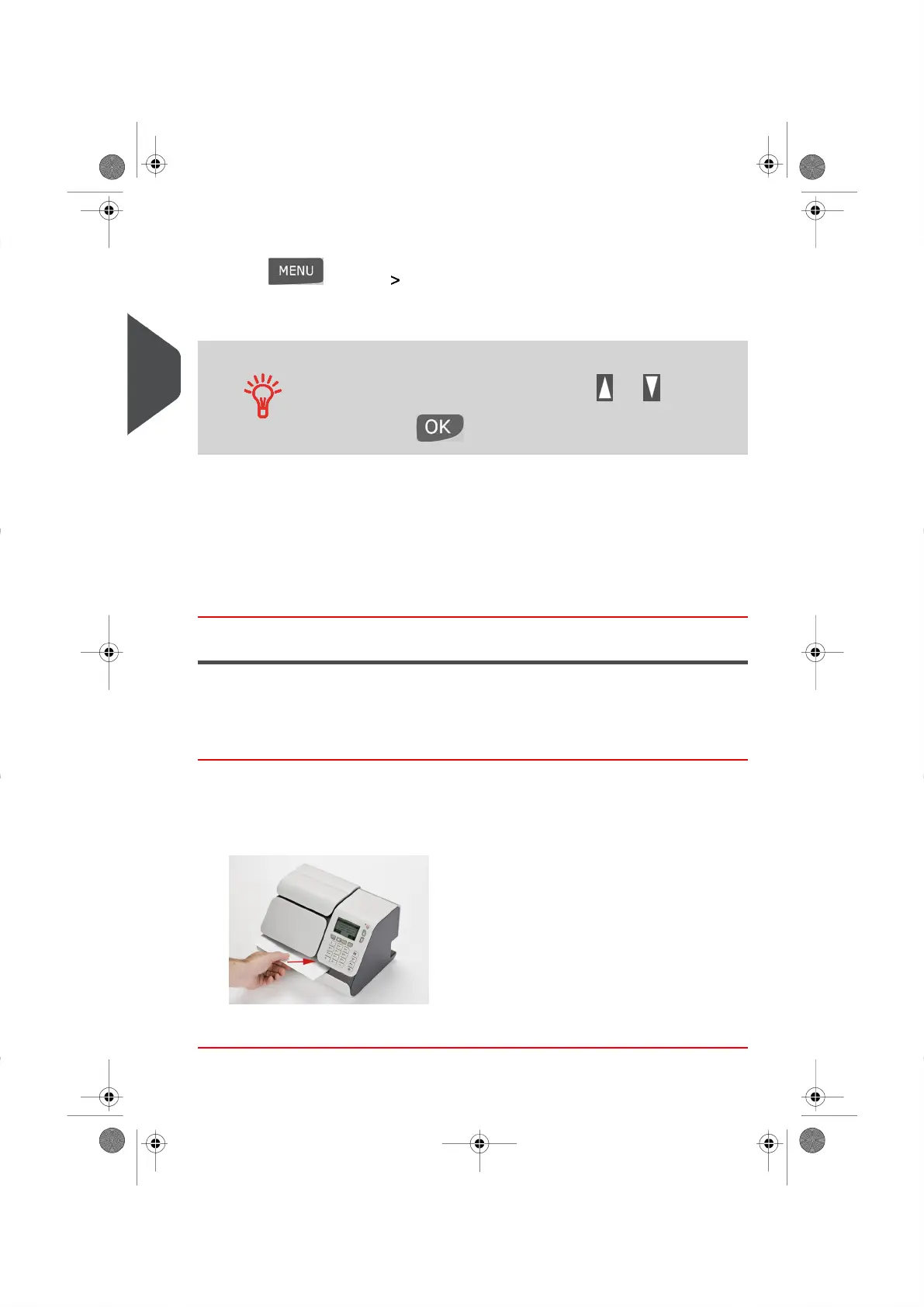
2. Insert the mail piece (or a label) into the mail path against the rear-guide wall, side to
be printed facing upwards.
The Mailing System prints the Date on the envelope or label.
38
| Page 38 | | |
3
Processing Mail





 To Next Page