3. SERVICE PROGRAM MODE
(1/0 Check Mode)
3.1 HOW TO ACCESS 1/0 CHECK MODE
This program checks electrical components. The procedure for accessing
the program is as follows:
1. Turn off the power switch.
2.
A4 version:
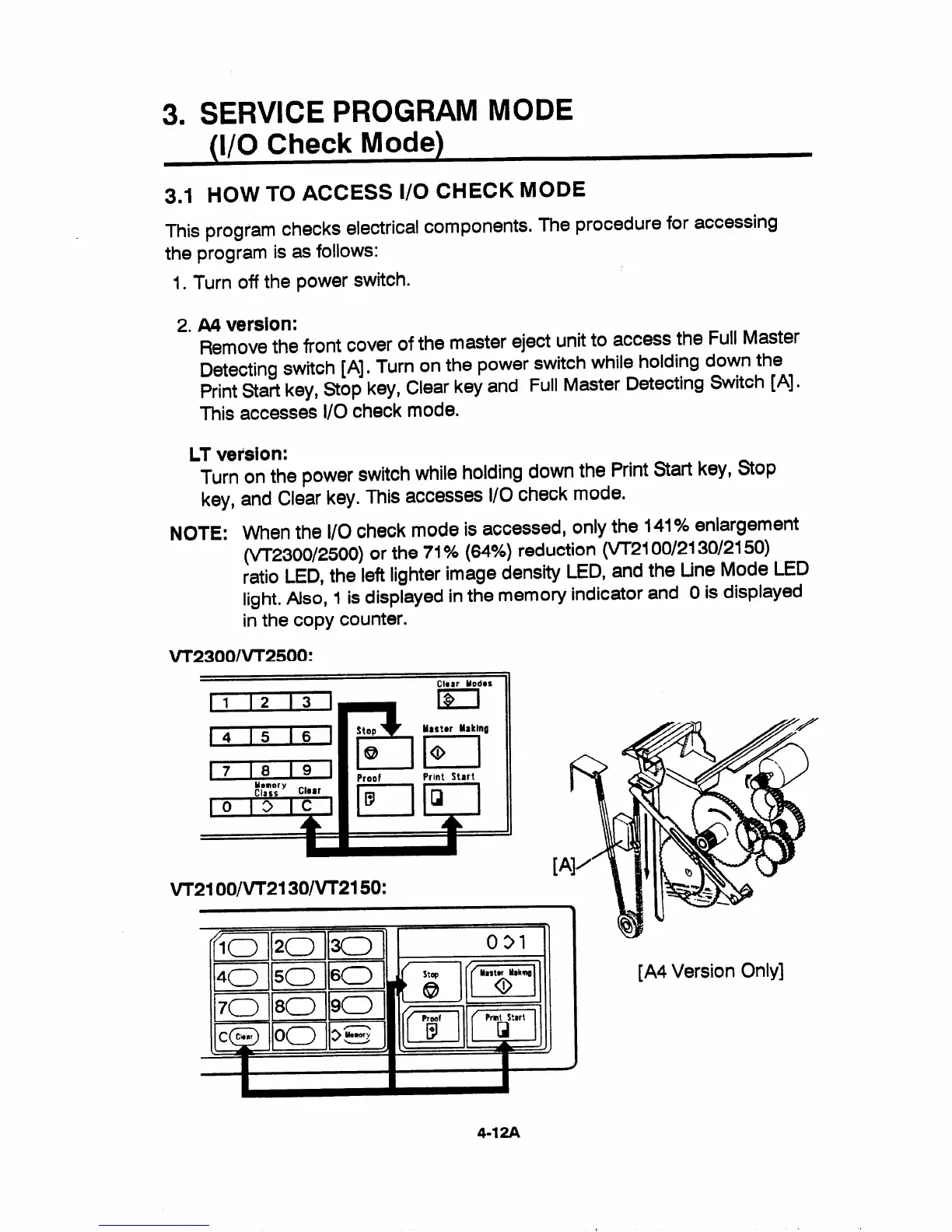
Remove the front cover of the master eject unit to access the Full Master
Detecting switch [A]. Turn on the power switch while holding down the
Print Start key, Stop key, Clear key and Full Master Detecting Switch [A].
This accesses 1/0 check mode.
LT version:
Turn on the power switch while holding down the Print Start key, Stop
key, and Clear key. This accesses i/O check mode.
NOTE: When the 1/0 check mode is accessed, only the 141% enlargement
(VT2300/2500) or the 71% (64%) reduction (W21 00/2130/2150)
ratio LED, the left lighter image density LED, and the Line Mode LED
light. Also, 1 is displayed in the memory indicator and Ois displayed
in the copy counter.
VT23001VT2500:
Char Uodos
[1 12 i3
‘7% “ ‘
i n
1 Al
‘~ la”’
Memory ~laar - ‘ --
Class
A n
F
IID I II
A II
l—l ~
II P
\ {[
Prnof Print Start
,
—~ 9%
VT2100/VT21 30/VT21 50:
* \J
II
‘$
-~-~
II Iu II-u 11”~
.—
I-E!-.lllwlll I
1A4 version utmyj
4-12A


 To Next Page