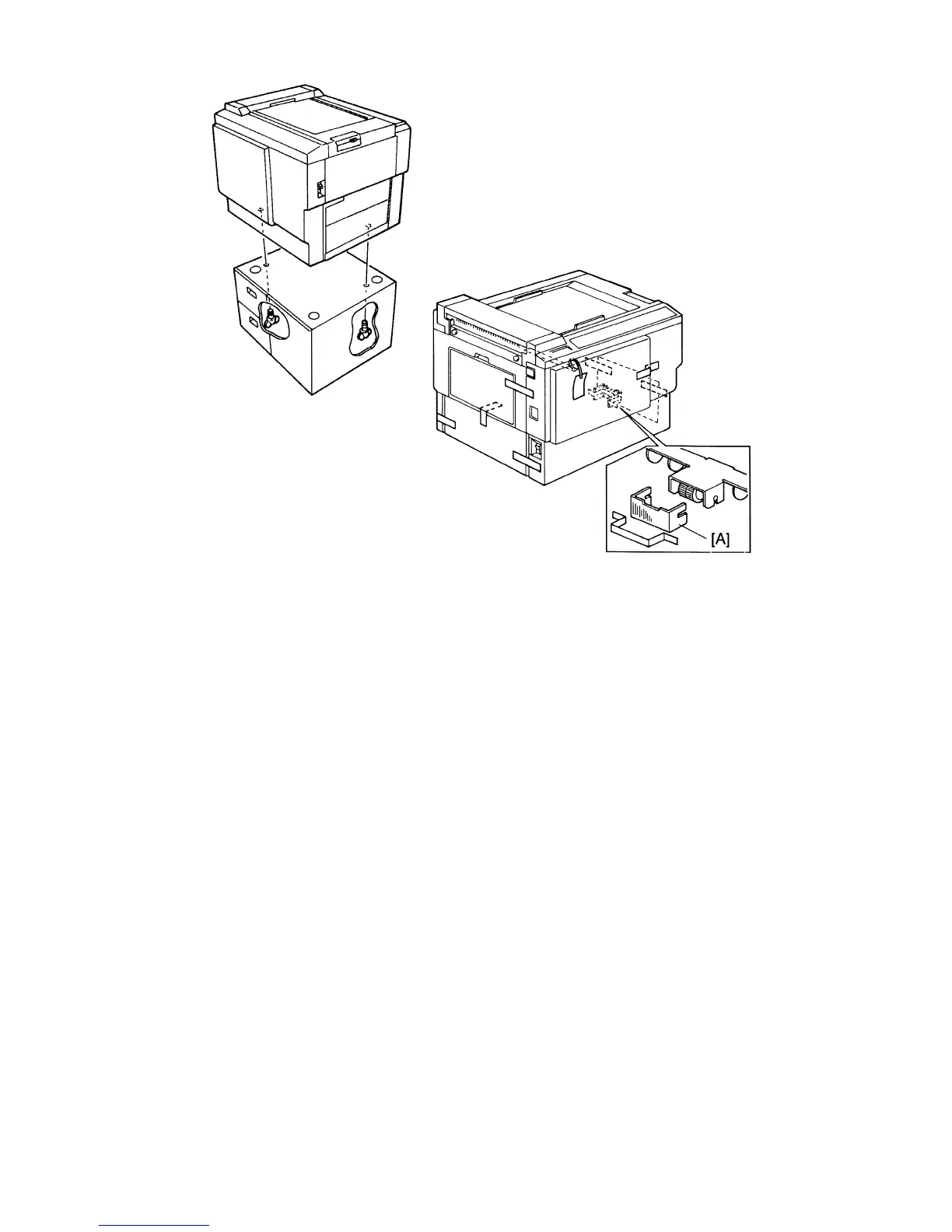
2. Mount the machine on the optional table (2 screws packed with table.)
3. Remove the tape and string securing the covers and units as shown on
the right.
a. Open the paper feed tray. Then remove the cushion plate [A] from the
paper feed roller section.
b. Open the master delivery unit. Then remove the tape securing the
paper delivery guide plate.
SM 3-2 C216


 To Next Page