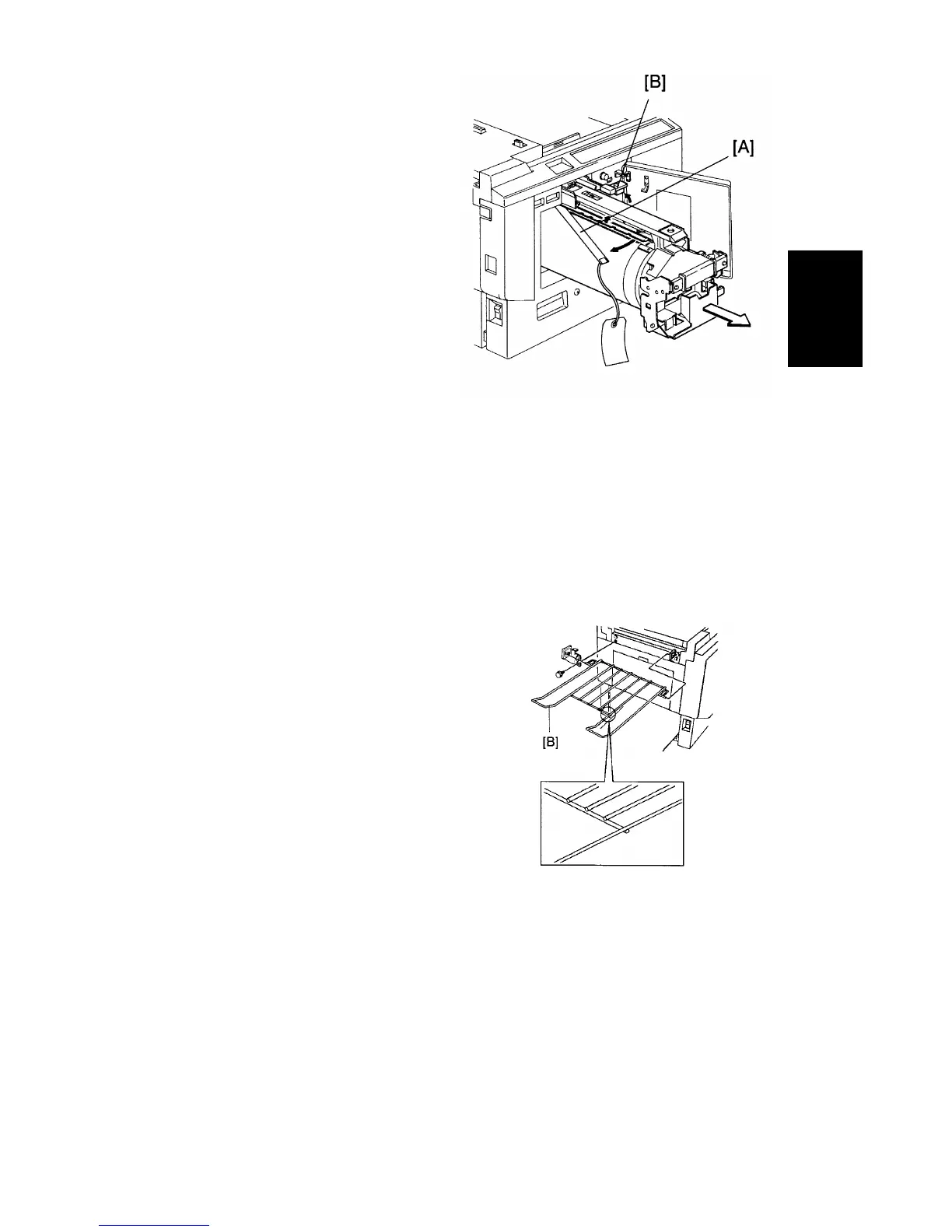
4. Remove the protective sheet
[A] from the drum unit.
a. Open the front door.
b. Take out the drum unit.
c. Remove the protective sheet
from the master clamper.
d. Reinstall the drum unit in the
machine.
e. Push down the drum lock
lever [B].
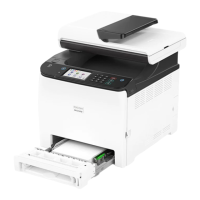
5. Install the original exit tray [B].
a. Hook the right and left tray
brackets on the stepped screws.
b. Set the original exit tray on
the brackets.
c. Secure the brackets with
fixing screws.
Detailed
Descriptions
C216 3-3 SM


 To Next Page