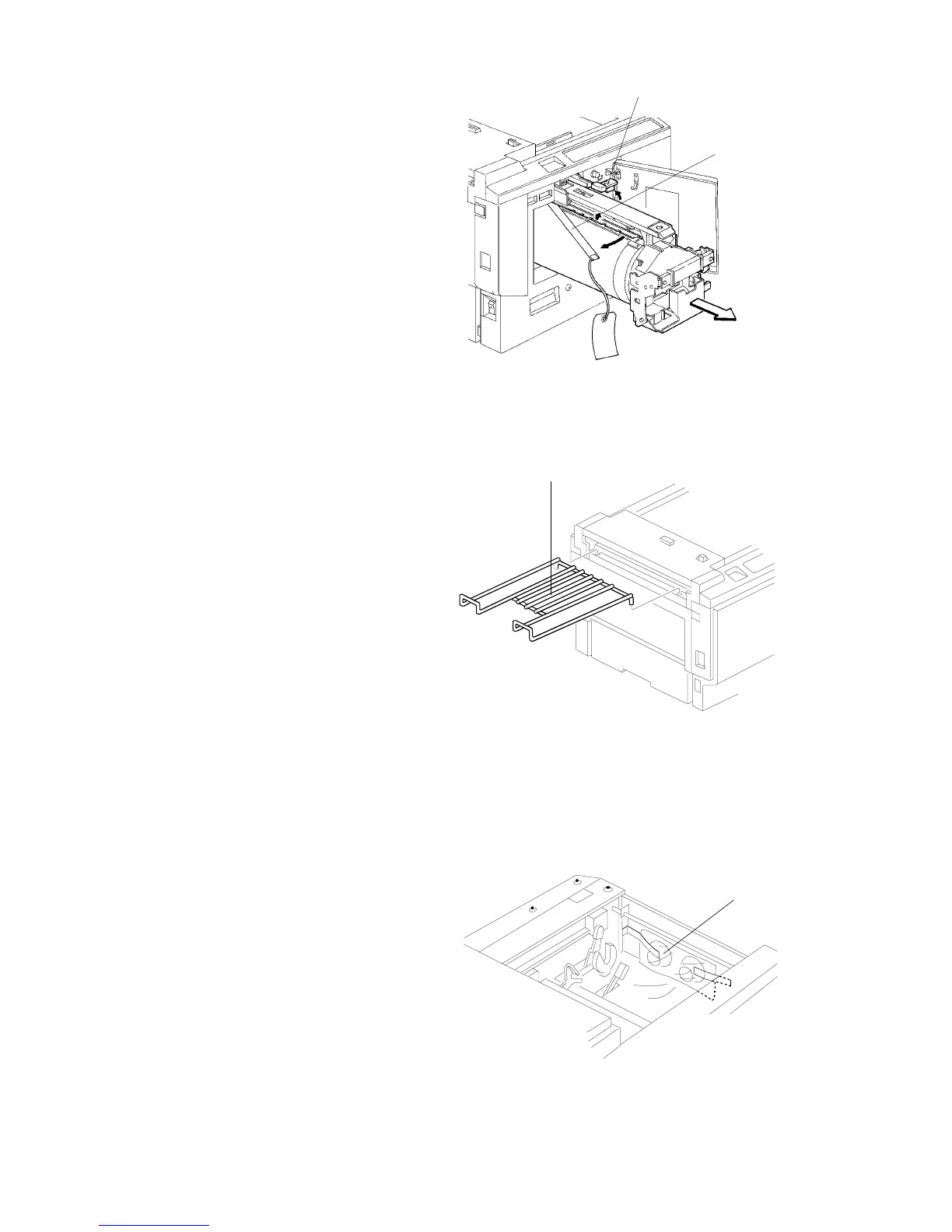
4. Remove the protective sheet [A]
from the drum unit.
a. Open the front door.
b. Lift the drum lock lever
[B] upward
c. Remove the drum unit.
d. Remove the protective sheet
[A] from the master clamper.
e. Reinstall the drum unit in the
machine.
f. Push the drum lock lever [B]
downward.
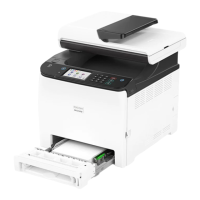
5. Install the original exit tray [C].
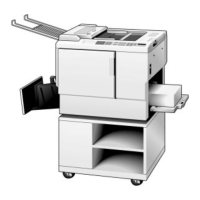
6. While lifting the release lever,
slide the scanner unit all the way
to the left. Remove the master
spools [D].
[A]
[B]
[C]
[D]
SM 3-3 C224


 To Next Page