6
7 8
I
(10 11201130 II I
1160
—— ~
—— — It
1170
1180
3
/
II I
[—— —
IIIIC Proof I 111( Print b
IE3 Ibo ll>”$zyIllllmlllm I
14
13
12 11 10
9
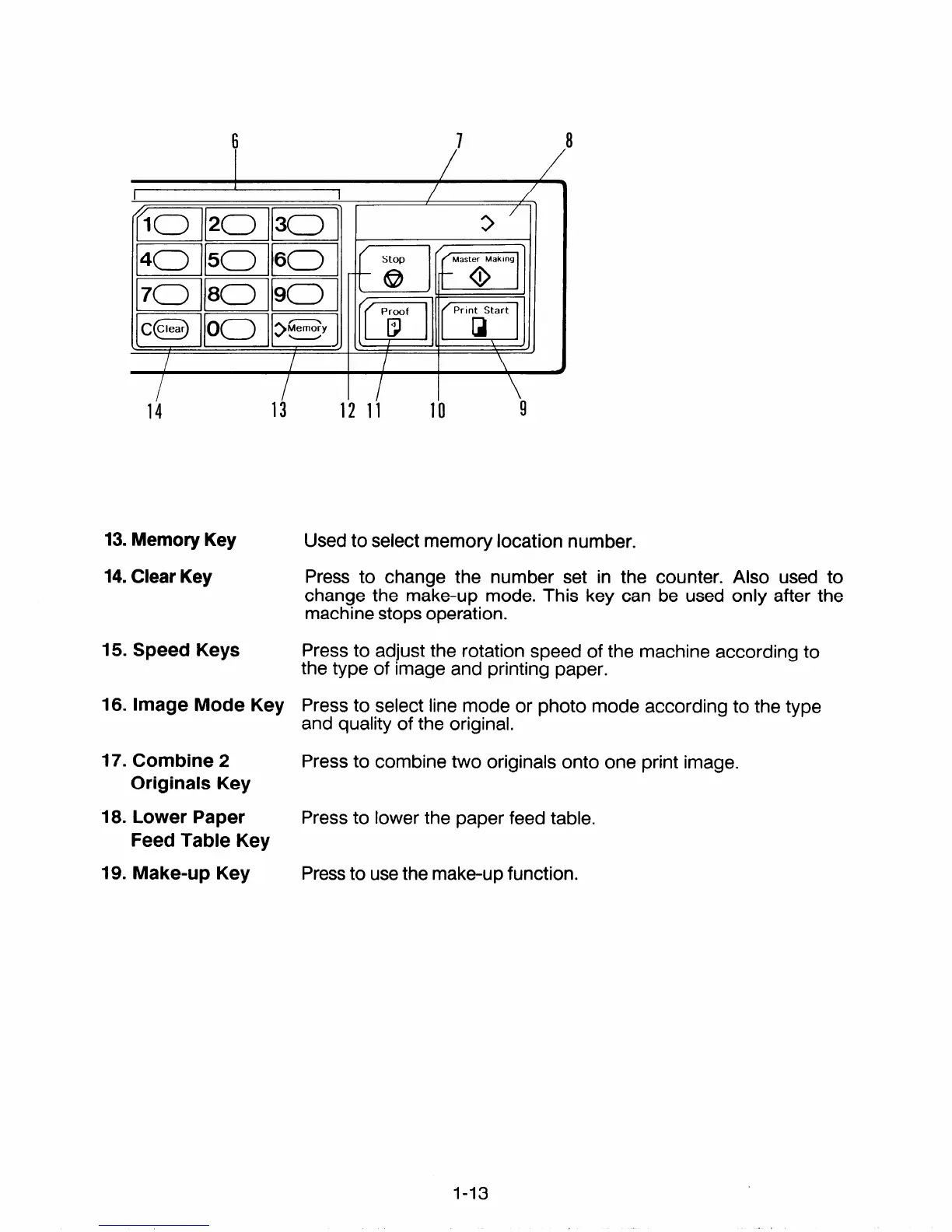
13. Memory Key
Used to select memory location number.
14. Clear Key
Press to change the number set in the counter. Also used to
change the make-up mode. This key can be used only after the
machine stops operation.
15. Speed Keys
Press to adjust the rotation speed of the machine according to
the type of image and printing paper.
16. Image Mode Key Press to select line mode or photo mode according to the type
and quality of the original.
17. Combine 2
Press to combine two originals onto one print image.
Originals Key
18. Lower Paper
Press to lower the paper feed table.
Feed Table Key
19. Make-up Key
Press to use the make-up function.
1-13


 To Next Page