Placing Originals
19
1
A Lift the exposure glass cover or ADF.
Be sure to lift the exposure glass cover or ADF by more than 30 degrees. Oth-
erwise, the size of the original might not be detected correctly.
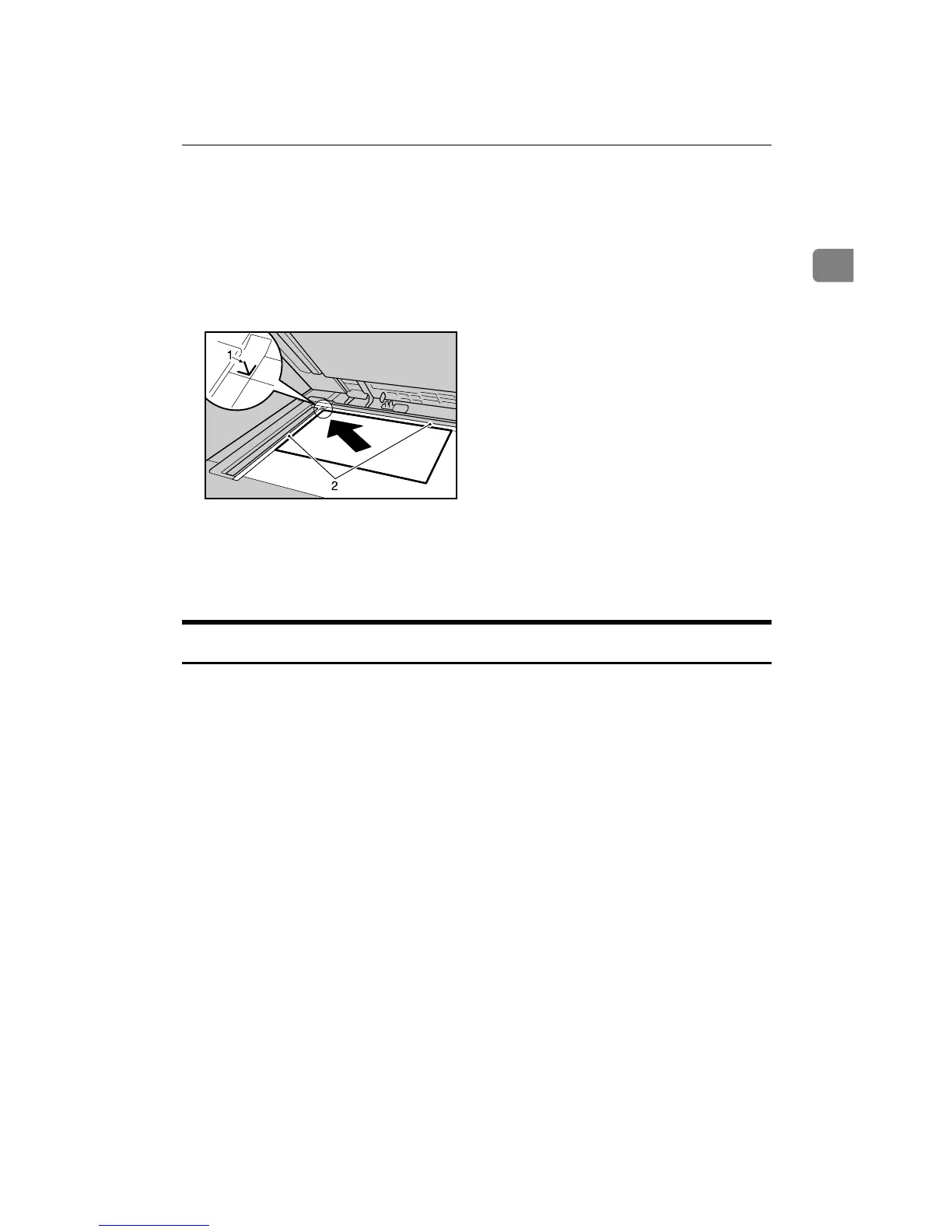
B Place the original face down on the exposure glass. The original should be
aligned to the rear left corner.
Start with the first page to be copied.
A Positioning mark
B Left scale
C Lower the exposure glass cover or ADF.
Placing Originals in the Auto Document Feeder
Place originals in the ADF.
Settings should be made in the following situations:
❖ When placing originals consisting of more than 100 pages:
See p.20 “Batch Mode”.
❖ When placing originals one by one:
See p.21 “SADF Mode”.
❖ When copying originals of various sizes:
See p.22 “Mixed Size Mode”.
❖ When placing custom size originals:
See p.24 “Custom sizes”.
A Adjust the guide to the original size.
B Set the aligned originals face up into the ADF.
Do not stack originals beyond the limit mark.
The last page should be on the bottom.
AQH010S









 To Next Page