Copying
36
2
❒ When the beeper is turned off , it will not sound if you insert paper into the
bypass tray.
Reference
See p.139 “Programming Defaults in Initial Display”.
See “Panel Tone”, General Settings Guide.
When Copying onto Regular Size Paper
Makes copies onto regular size paper from the bypass tray.
A Open the bypass tray, and then insert the paper face-down until you hear
the beep.
B Align the paper guide to the paper size by pinching the clip.
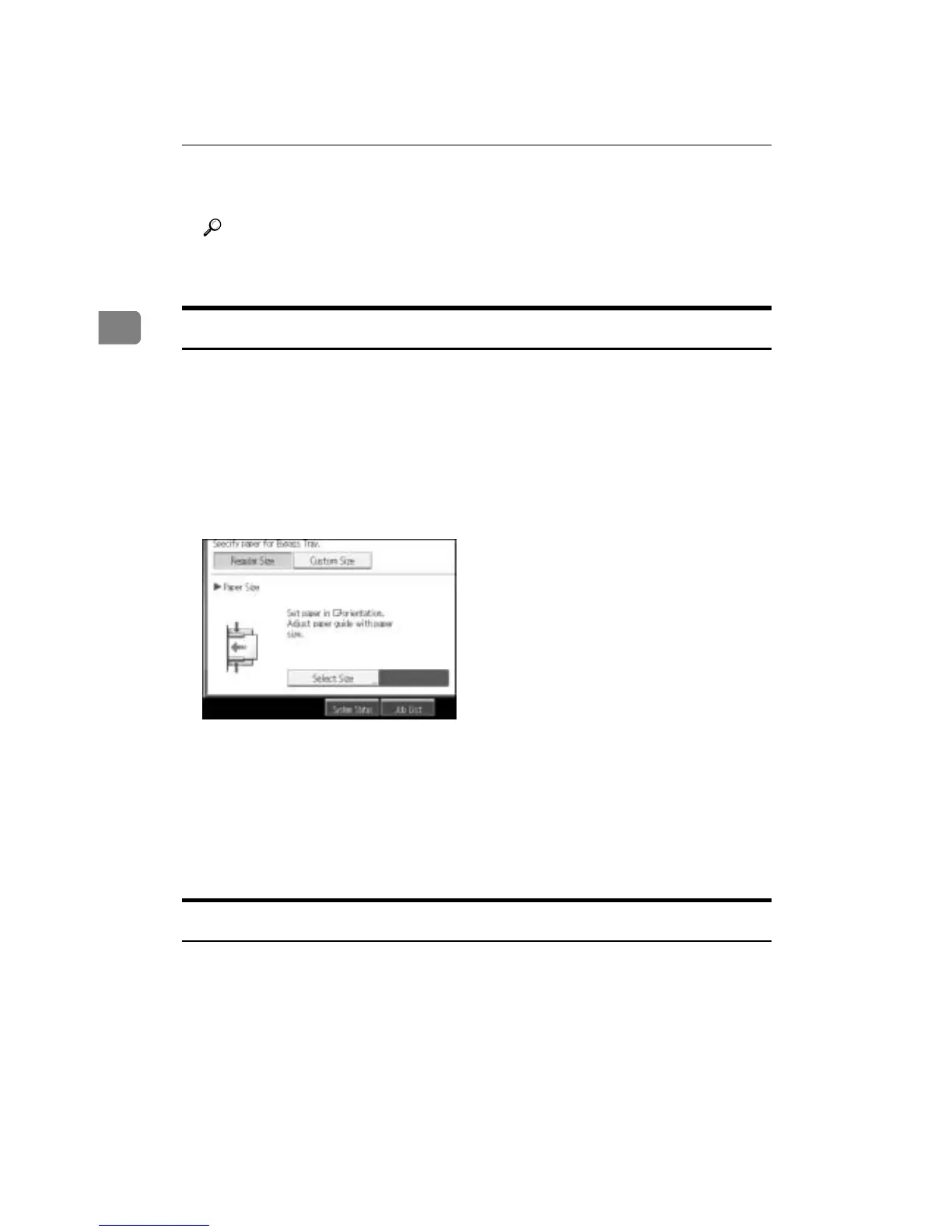
C Press [Bypass], and then press the {q} key.
D Press [Select Size].
E Select the paper size.
F Press [OK] twice.
G Place the original, and then press the {Start} key.
H When the copy job is finished, press the {Clear Modes} key to clear the set-
tings.
When Copying onto Custom Size Paper
Makes copies onto custom size paper from the bypass tray.
A Open the bypass tray, and then insert the paper face-down until you hear
the beep.
B Align the paper guide to the paper size by pinching the clip.
C Press [Bypass], and then press the {q} key.



 To Next Page