Copying
42
2
Convert Colors
Copies by changing the color in the original to a different color.
Important
❒ It is possible to specify up to 4 colors.
❒ To use this function, [Full Color] must be selected.
❒ If any other color mode is selected, you cannot select [Convert Color].
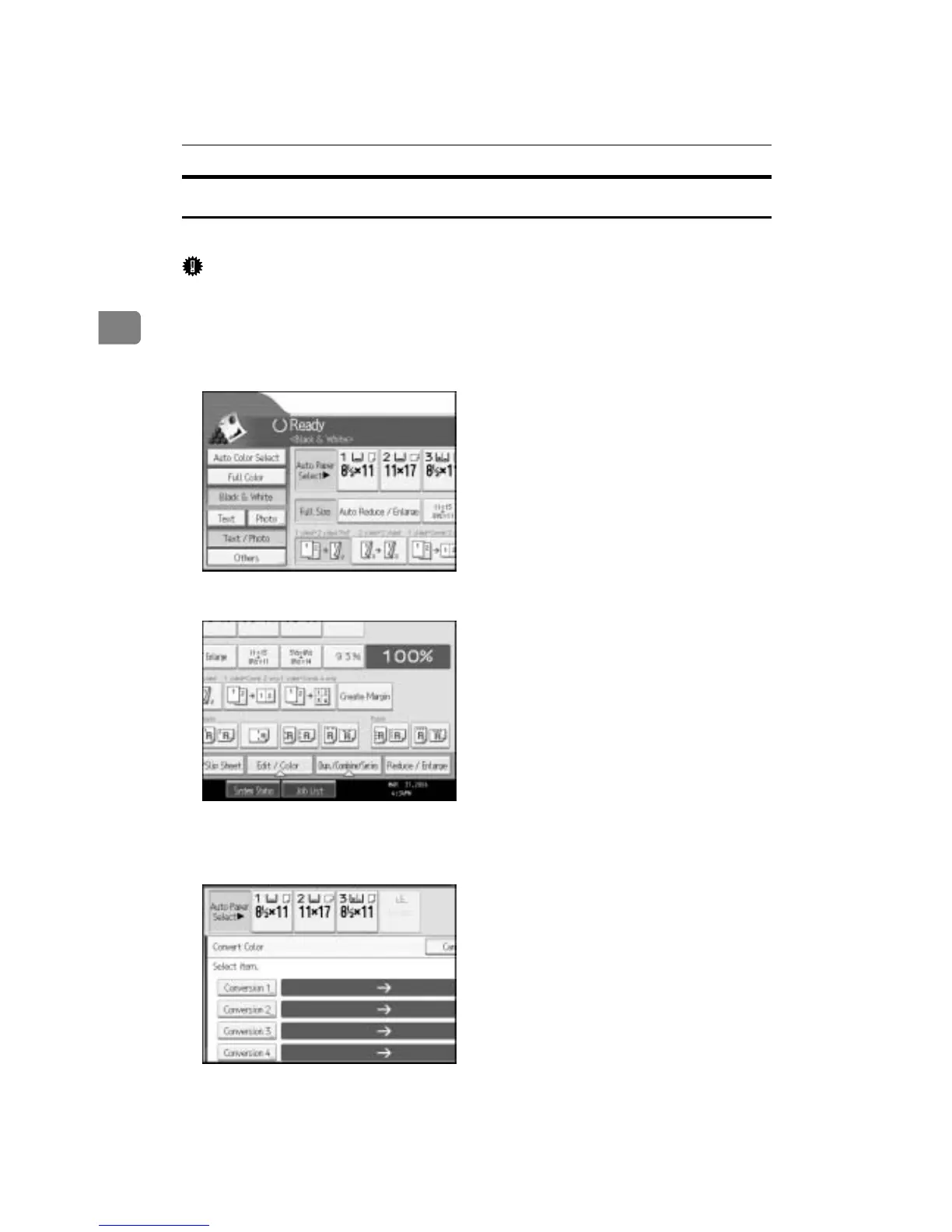
A Press [Full Color].
B Press [Edit / Color].
C Make sure that [Color] is selected before pressing [Convert Color].
D Select any one item from [Conversion 1] to [Conversion 4].
E Selects the color to be converted.



 To Next Page