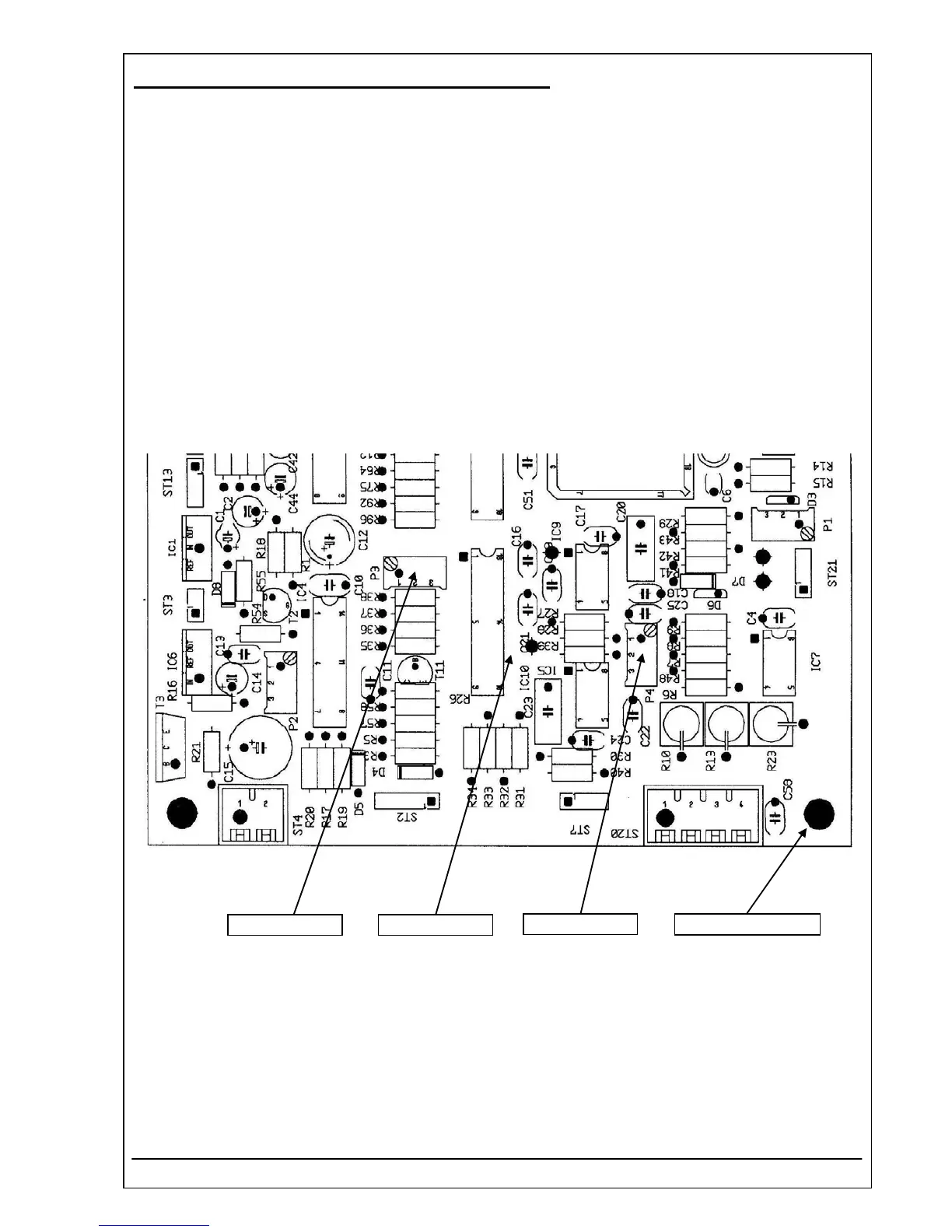
4.40 PCB RR-120 MOTHERBOARD REF 5010-120
13. Select amplification level V7.
14. Adjust the ADC value with potentiometer P4 to the noted value e.g. 18015 with a tolerance of
± 50 counts.
15. Check all sensitivity levels V0 up to V7. The ADC values shall increase or decrease step by step. For
example valid values for the increasing case could be:
V0: 18865, V1: 18869, V2: 18872, V3: 18887, V4: 18899, V5: 18901, V6: 18923, V7: 18933
The deviation between V0 and V7 shall be smaller than absolute 200 counts.
16. Switch the device off.
17. Remove the plug 1 MOhm and connect the photodiode plug with the socket ST7.
18. Do a dark level adjustment by applying utility U1 with both cuvette adaptors.
(OM chapter 7.2.1 - Dark level adjustment).
P3
P4
MP2
Ground connector
RIELE BERLIN Photometer 5010 V5+ 4.40.8 17.03.2009



 To Next Page