Page 15
On-Site User Operation
NOTE: For user operations by telephone see Remote User Operation by Telephone, page 34.
For user operations by SMS, see SMS Operation, page 37.
Setting
Before Setting the system check if the LED is on, which indicates the system is ready to
arm. If not ready, secure or omit the violated zone(s), and then proceed to set.
Setting operations will be followed by a local message announcement if defined, and
failure to set will likewise be indicated by the system.
NOTE: If you’re unable to set the system, from the LCD/Panda keypad, short-press
/ to view system status, or long-press to view and also hear the system status
from the main panel.
Full Setting
Full Setting is used when the protected premises is vacated, and all system detectors are
therefore activated. After Setting, you must exit via the designated exit door within the
designated “exit delay” countdown time period.
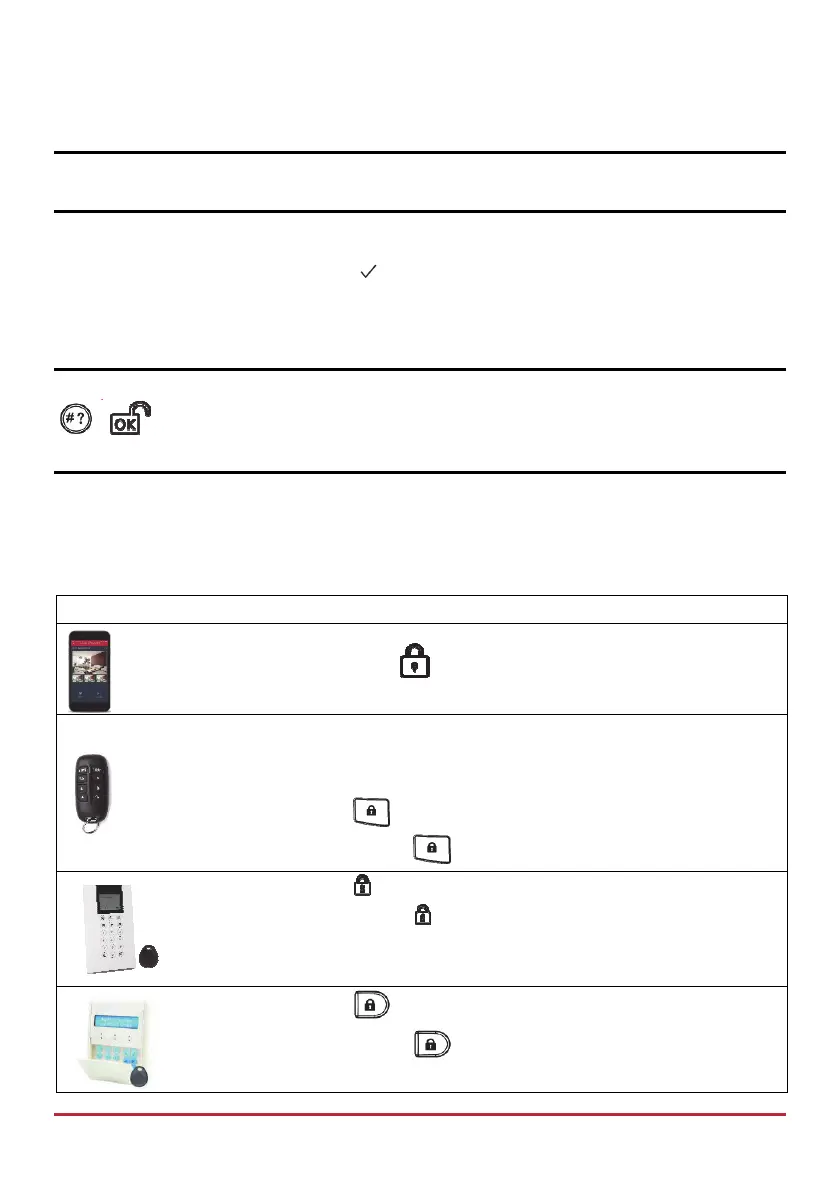
Device Procedure
[Smartphone app]:
Press .
NOTE: For LED and buzzer indication and code descriptions, see Main
Panel LED Indicators on page 9, and Main Panel Sound Indicators on page
10.
Quick mode: Press
.
High security mode: Press
, then enter code.
Quick mode: Press .
High security mode: Press , then enter code or use proximity tag.
Quick mode: Press
.
High security mode: Press
, then enter code or use proximity tag.



 To Next Page