Page 24
Sending Alarms (Events)
Sending a Duress Alarm
See Duress Unsetting (Unsetting while Sending a Duress Alarm), page 22.
Sending a Panic Alarm
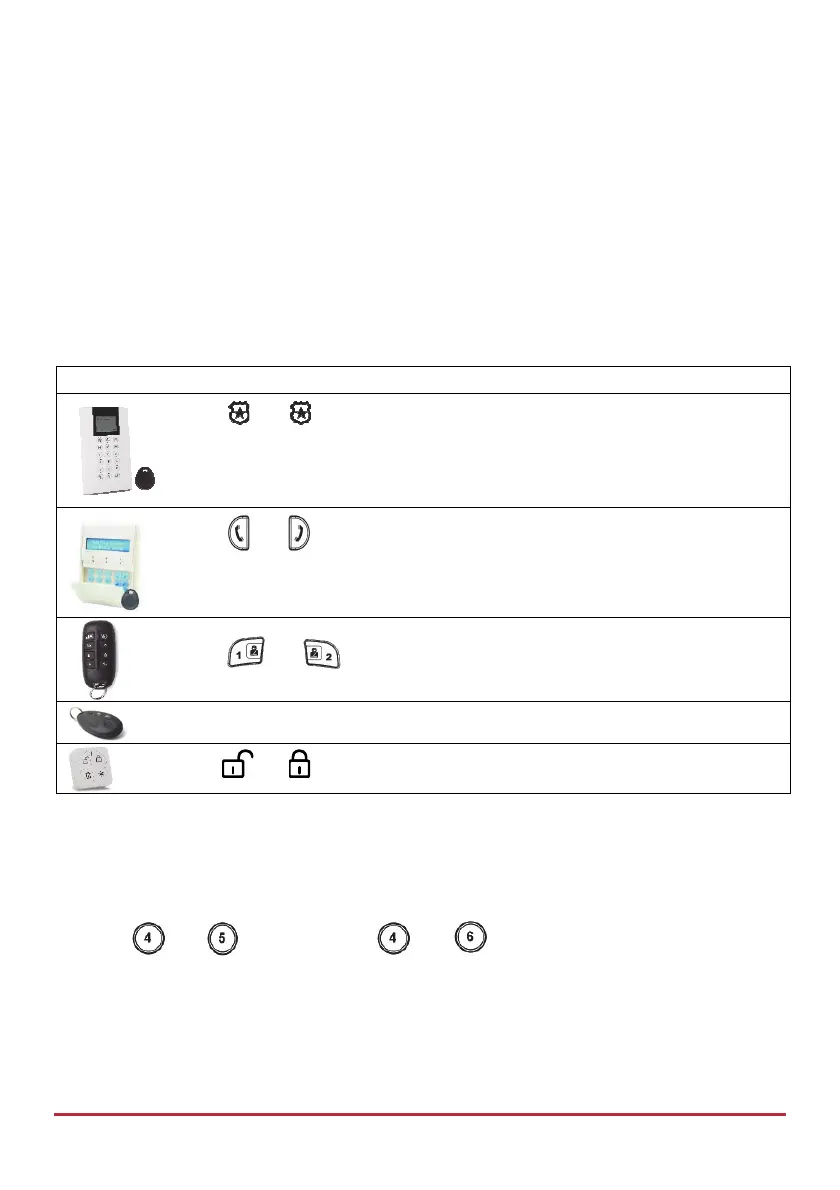
In the event of an emergency you can send a panic notification to the monitoring station or
to Follow-Me destinations. The panic alarm feature must be installer-enabled, and can also
be installer-defined to be silent at the premises at the premises when sent from the
LCD/Panda keypad. When sent from a keyfob or remote control, panic alarms are always
silent.
Device Panic Alarm Procedure
Press and simultaneously
NOTE: These buttons can be used for sending a panic alarm if installer-
defined.
Press
and simultaneously
NOTE: These buttons can be used for sending a panic alarm if installer-
defined.
Press and simultaneously for 2 seconds.
Press the small button (if installer defined)
Press and simultaneously
Sending a Fire Alarm
You can send a fire alarm from the LCD/Panda keypad
To send a fire alarm from the LCD/Panda keypad:
Press
and (LCD Keypad) / and (Panda Keypad) simultaneously for
2 seconds.



 To Next Page