Page 7
User Operational Devices
Agility 4 can use several RISCO devices. The most typical ones are listed below.
NOTE: All RISCO devices available for system use come with their respective instructions.
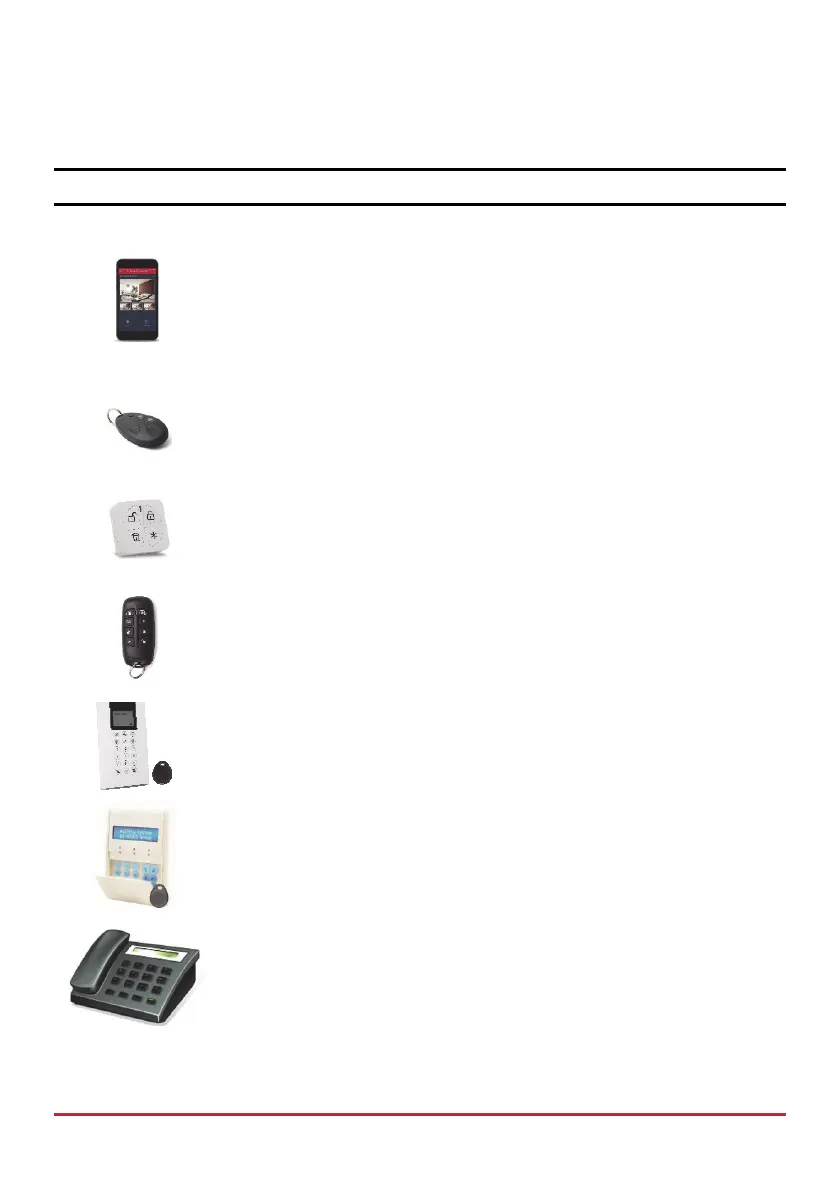
Smartphone
For Android and iOS, use the iRISCO Smartphone app for system
operation and control. Via the RISCO Cloud, you can Set/Unset,
visually verify alarms by viewing live video from the IP cameras
and still images from the PIR cameras, activate home automation
devices, view system status and much more.
4 Button Keyfob
Using the wireless 4 button keyfob you can arm, Unset, send a panic
alarm and activate outputs.
4 Button Panda Keyfob
Using the wireless 4 button Panda keyfob you can arm, Unset, send
a panic alarm and get system status.
2-Way, Wireless 8 Button Remote Control
Using the 2-way 8 button remote control you can Set/Unset, send a
panic alarm, activate outputs and more. For higher security, some
commands can be defined to be activated with a user code.
Agility 2-Way Wireless LCD Keypad or Wireless Panda Keypad
Using the 2-way wireless keypad you can program and operate
your system according to your needs. High-security mode functions
are also available, using a user code or a proximity tag.
Telephone
Use any touch-tone phone to perform remote operations such as
Setting, Unsetting, listening in and talking to the premises.



 To Next Page