Page 27
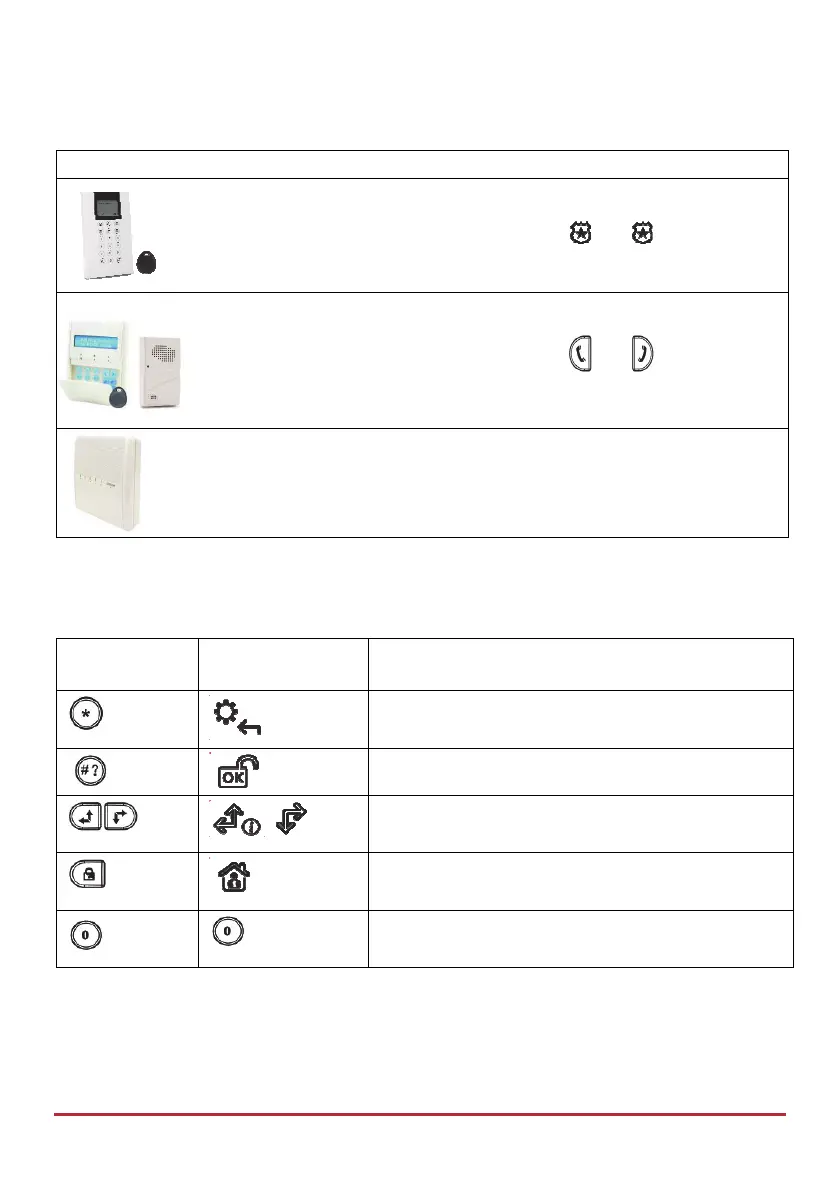
User-Initiated Talk & Listen
Device Procedure
To activate/deactivate the Talk & Listen feature at the Talk & Listen
unit (if installer-defined), at the keypad press
and
simultaneously.
To activate/deactivate the Talk & Listen feature at the Talk & Listen
unit (if installer-defined), at the keypad press
and
simultaneously.
To activate/deactivate the Talk & Listen feature at the main panel (if
installer-defined), short-press the main panel button.
Describing LCD/Panda Keypad Buttons
The following controls are commonly used on the LCD/Panda keypad:
Button
(LCD Keypad)
Button
(Panda Keypad)
Primary Function
To “wake-up” the keypad, go back one level, exit
menus (similar to the Esc key).
To select / confirm / OK (similar to the Enter key).
To scroll between options. Also used to change
(toggle) between options.
To change (toggle) between options – such as Y
(yes) and N (no).
To exit the User menu, also to “go back” from
within the User menu.



 To Next Page