Page 19
Setting with Zone Omitting
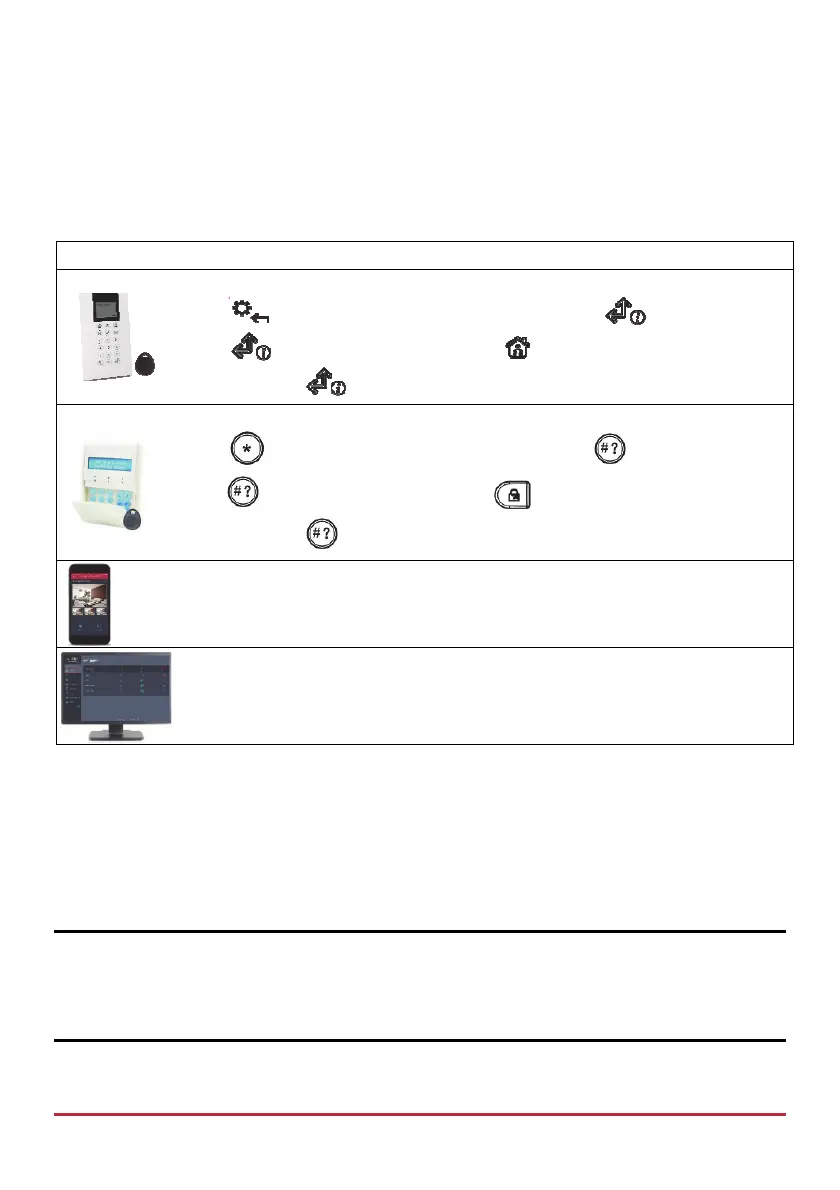
Omitting a zone enables you to set a partition even if a zone within that partition is open
(not secured). You may need to omit a zone, for example, when access is needed to one
zone in an otherwise protected area, or to cause the system to temporarily circumvent a
zone.
Device Procedure
Press and enter code, at Activities menu press , at Omit Zone
press
, scroll to zone to omit, press to toggle between Y and N,
and then press
.
Press
and enter code, at Activities menu press , at Omit Zone
press , scroll to zone to omit, press to toggle between Y and N,
and then press .
[Smartphone app]: Quick zone omit
[Web app]: On the Main Page menu, click Settings, and then Zone Omit
Unsetting
When the system is Unset, the system’s devices will not detect events or trigger alarms.
When entering a set site, the installer-defined entry delay countdown begins, during which
time you must Unset the system in order not to activate alarms. The Unsetting operation
will be followed by a local message announcement (if installer-defined).
IMPORTANT: After any type of system alarm activation, to avoid any possible danger, it
is recommended to avoid being present at the premises until the cause of the alarm can be
verified. This may involve a monitoring station, police, other responding agencies/services,
or utilizing video verification by a remote system user, for example.



 To Next Page