Page 17
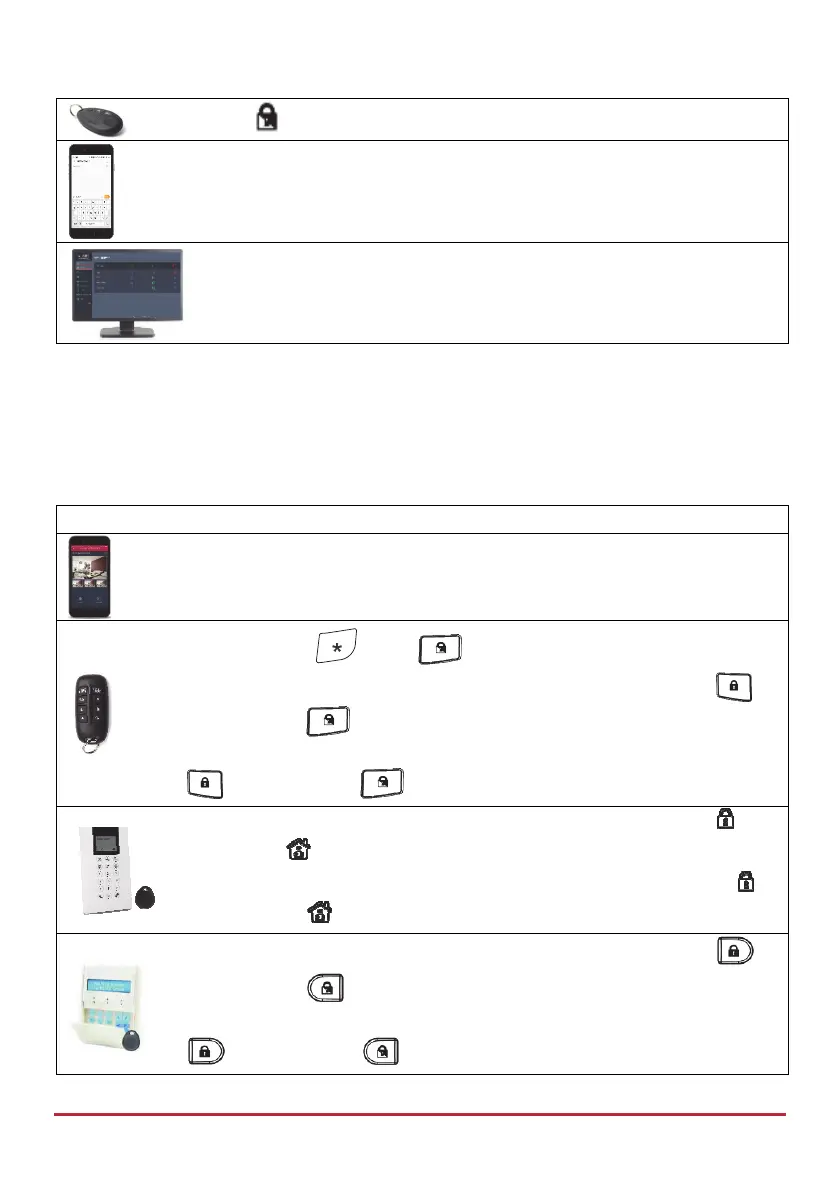
Press or the small button if defined (installer-defined)
[SMS]: Enter code + P
Example: 1234P. For more information refer to SMS Operation, page 37.
[Web app]: Click Part Set
Partition Setting – Part or Full
There can be up to 3 partitions. Each partition can be managed as a separate security
system that can be Set and Unset individually, regardless of the condition of the other. The
partitions can be Part or Full Set/Unset one at a time or all at once. The permission levels of
the users determine the number of partitions they can operate.
Device Procedure
[Smartphone app]: Partition Setting (Full and Part).
NOTE: Pressing
before will cancel the Entry Delay time.
Quick mode: Press partition number (1–3), then press Full Setting (
)
or Part Setting (
).
High security mode: Press partition number (1–3), press Full Setting
(
) or Part Setting ( ), then enter code.
Quick mode: Press partition number (1–3), then press Full Setting (
) or
Part Setting (
).
High security mode: Press partition number (1–3), press Full Setting ( )
or Part Setting (
), then enter code or use proximity tag.
Quick mode: Press partition number (1–3), then press Full Setting ( )
or Part Setting (
).
High security mode: Press partition number (1–3), press Full Setting
(
) or Part Setting ( ), then enter code or use proximity tag.



 To Next Page