09/2016 Page 57 5IN2371 C
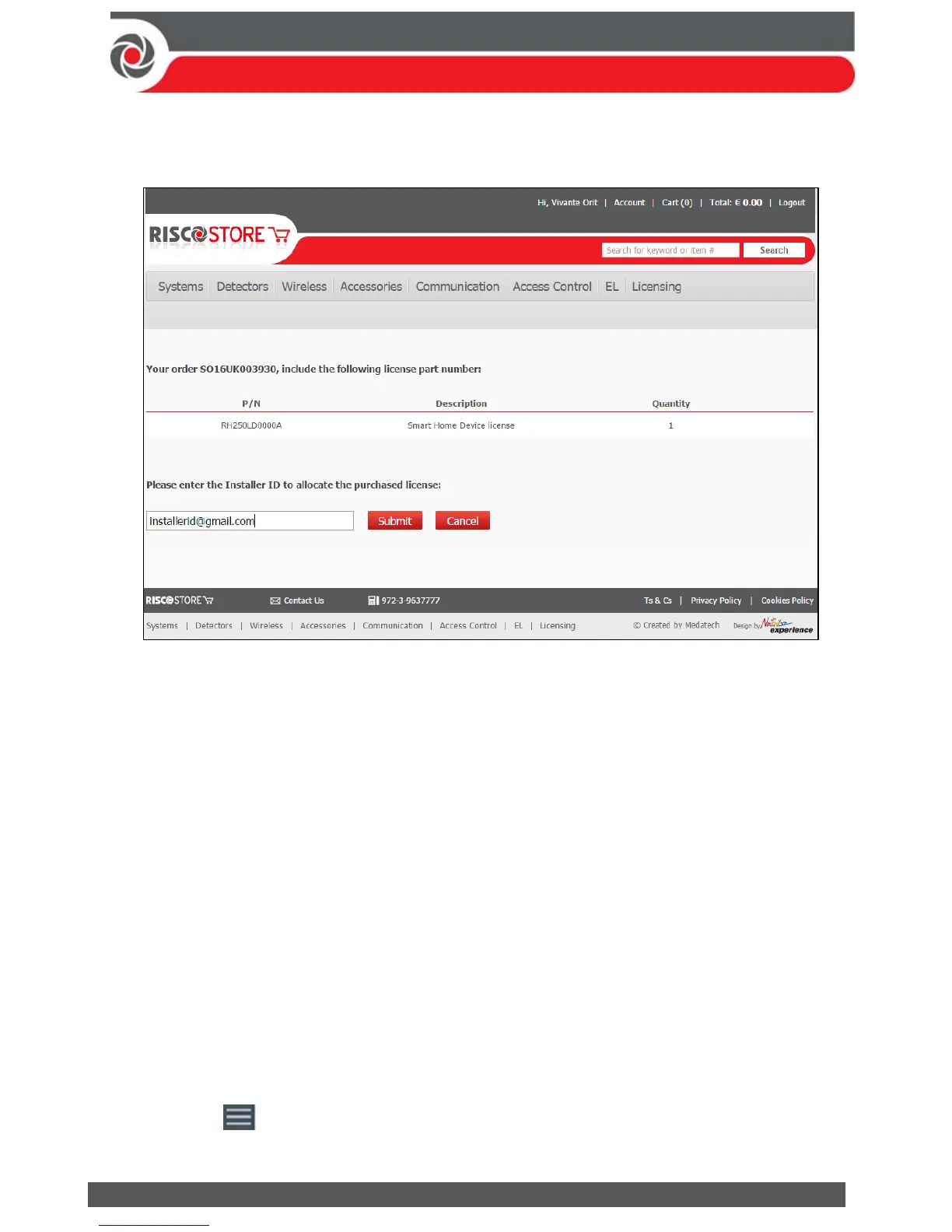
2. Upon completion of the purchasing transaction, the following screen will
appear.
3. Enter the Installer Admin ID email.
4. Click Submit.
License Activation via HandyApp
The Installer Admin can activate licenses for a specific Panel ID.
Note: An Installer Admin can activate licenses for a Panel on condition that the Panel ID
was pre-registered by the Installer Admin in the RISCO Cloud.
To Activate a License:
1. Open the HandyApp application on your smartphone.
Notes:
If HandyApp is not installed on your smartphone, download it from App Store or
Google Play.
Enter the HandyApp username and password using your RISCO web site
(riscogroup.com) login credentials.
If already installed on your smartphone, update HandyApp to the latest version.
2. Press the icon at the top left corner of the screen and then select
LICENSE ACTIVATION.



 To Next Page