Robotiq Screwdriving Solution - Instruction Manual
5.1.3.Pick and Screw Sequence
Caution
Prior to engaging a pick and screw sequence, make sure that the Screwdriver is equipped with the appropriate
screwdriving bit and vacuum sleeve, and that the coupler assembly iscorrectly adjusted to ensure a successful screw
detection and picking sequence.
Picking Screw
1. Insert a Pick screw node in the program tree. Please refer to the Command Windowsection should you need instructions on
how to do so.
2. If not automatically selected, select the digital inputsof the Screw Feeder. Please refer to the Screw Feeder Signalssection
should you need to rename the inputsaccording to the signal they are transferring.
3. Remove the vacuum sleeve covering the screwdriving bit.
Caution
Make sure the tool is perpendicular to the Screw Feeder’sSurface.
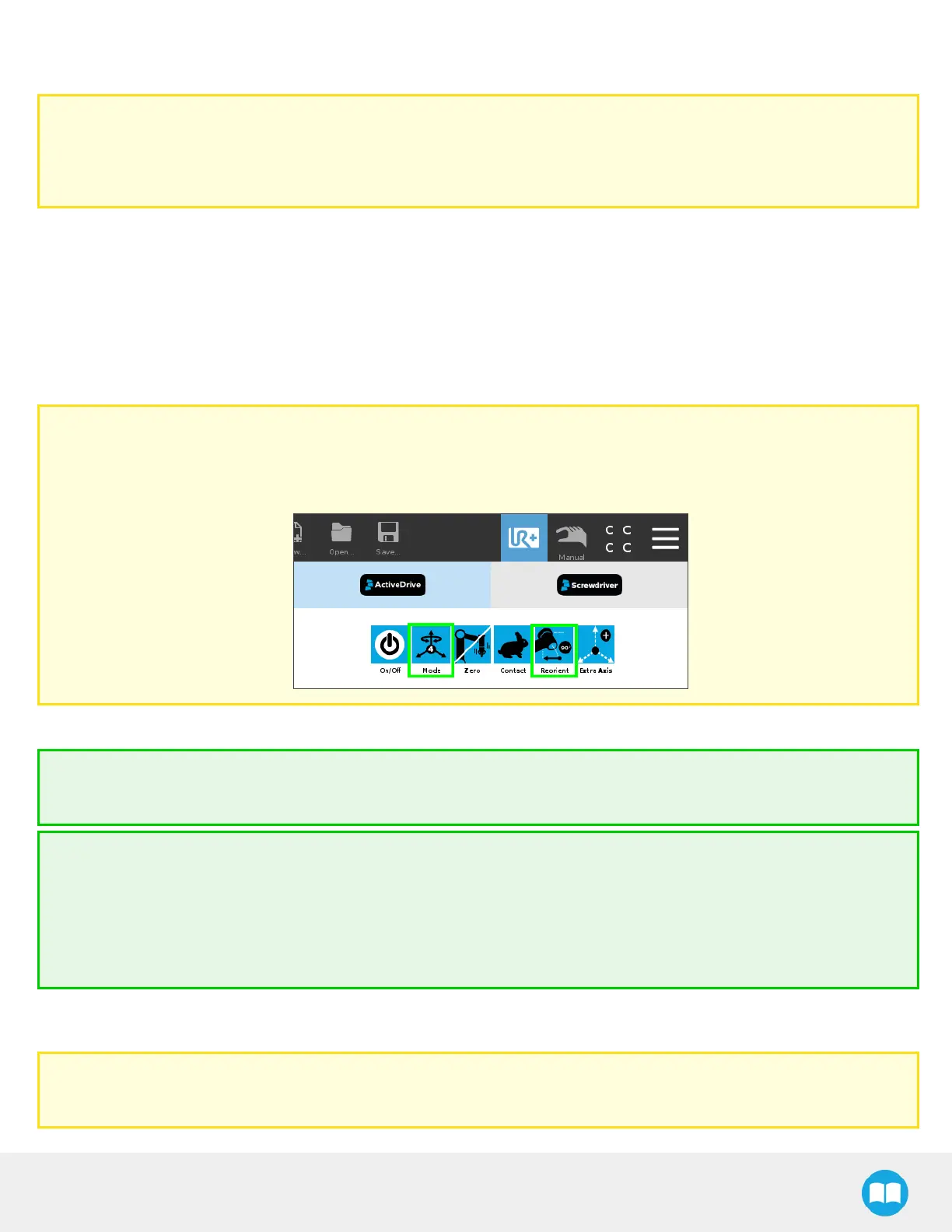
You can use the ActiveDrive feature to reorient the tool at 90 degrees and lock the motion in 4 degrees of freedom.
4. Using the ActiveDrive feature, move the tool to bring the screwdriving bit as close as possible to the screw head.
Tip
Use the Contact mode of the ActiveDrive feature to move the tool slowly and precisely.
Tip
Reduce the speed of the robot to the minimum using the slider in the PolyScope interface.
You will need to stop the ActiveDrive feature to do so.
The user can also rotate the Screwdriver’s body above the screw drive for the screwdriving bit to be as centered as
possible; screwdriving bitsare often not perfectly straight.
5. Slowly bring the screwdriving bit asclose aspossible to the screw head; Robotiq recommends placing the very tip of the
screwdriving bit flush with the top of the screw head. Thisoptimizesthe vacuum action for a straight screw picking.
Caution
The screwdriving bit must not reach and apply pressure at the bottom of the screw head drive.
58



 To Next Page