Robustel R5020 User Guide
RT_UG_R5020_v.1.0.2 Mar. 17, 2023 88/167
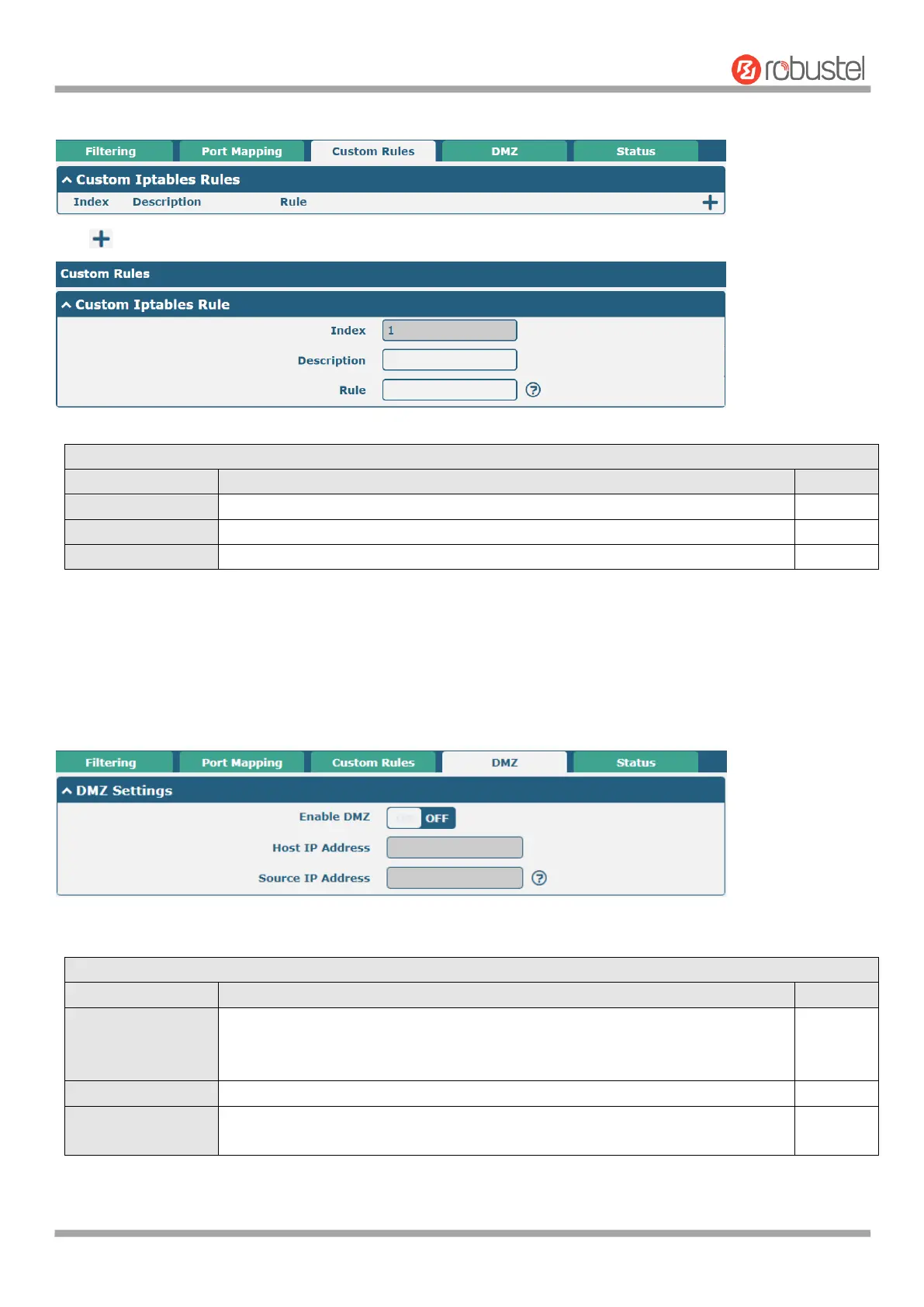
“Custom Rules” is user-defined rules. Click "Network > Firewall > Custom Rules" to display the following.
Click to add custom rules. The maximum rule count is 50.
Indicate the ordinal of the list.
Enter a description for this custom rule.
DMZ (Demilitarized Zone), namely the isolation zone, also known as the demilitarized zone. It is a buffer between a
non-security system and a security system in order to solve the problem that the access users of the external network
cannot access the internal network server after installing the firewall. The DMZ host is an intranet host that has open
access to all ports except those occupied and forwarded.
Click "Network > Firewall > DMZ" to display as follows:
Click the toggle button to enable/disable DMZ. DMZ host is a host on the
internal network that has all ports exposed, except those ports otherwise
forwarded.
Enter the IP address of the DMZ host on your internal network.
Set the address which can talk to the DMZ host. 0.0.0.0 means for any
addresses.
This window allows you to view the status of chain input, chain forward and chain output.













 To Next Page