70 / 327 - EN -
Programming an event:
Main display Meaning
Description
150°C/HR
Heating ramp
Cooling ramp
Event 1:
While programming a ramp, press the < key and then
the g key to select event 1.
Event 2:
While programming a ramp, press the < key and then
the h key to select event 2.
Event 1 & Event 2:
While programming a ramp, press the < key and then
the g key to select event 1 and then press the < key
and then the h key to select event 2.
00 : 15
Soak time
Event 1:
While programming a soak time, press the < key and
then the g key to select event 1.
Event 2:
While programming a soak time, press the < key and
then the h key to select event 2.
Event 1 & Event 2:
While programming a soak time, press the < key and
then the g key to select event 1 and then press the <
key and then the h key to select event 2.
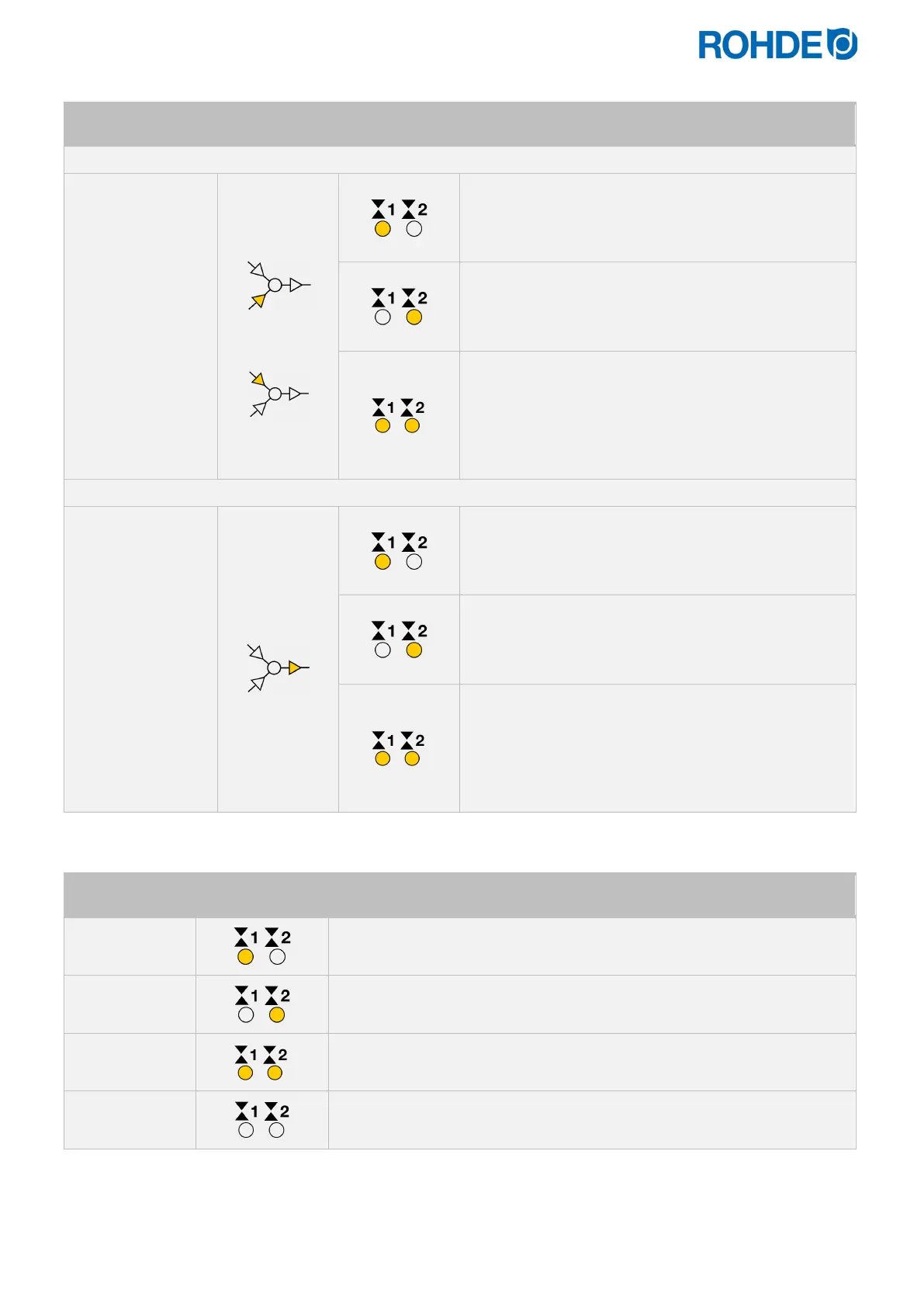
Switch outputs (event) indicator:
Switch output
Switch output
indicator
Description
The indicator LED for switch output 1 (event 1) lights up.
(Relay contacts are closed).
The indicator LED for switch output 2 (event 2) lights up.
(Relay contacts are closed).
The indicator LED for switch outputs 1 and 2 (events 1 and 2) lights up.
(Relay contacts are closed).
The indicator LEDs for switch outputs 1 and 2 do not light up.
Note:
Before the program runs, the switch output (event) is inactive (relay contacts are open).


 To Next Page
 Loading...