Reference Manual
00809-0100-4664, Rev BA
January 2010
F-3
Rosemount 8712
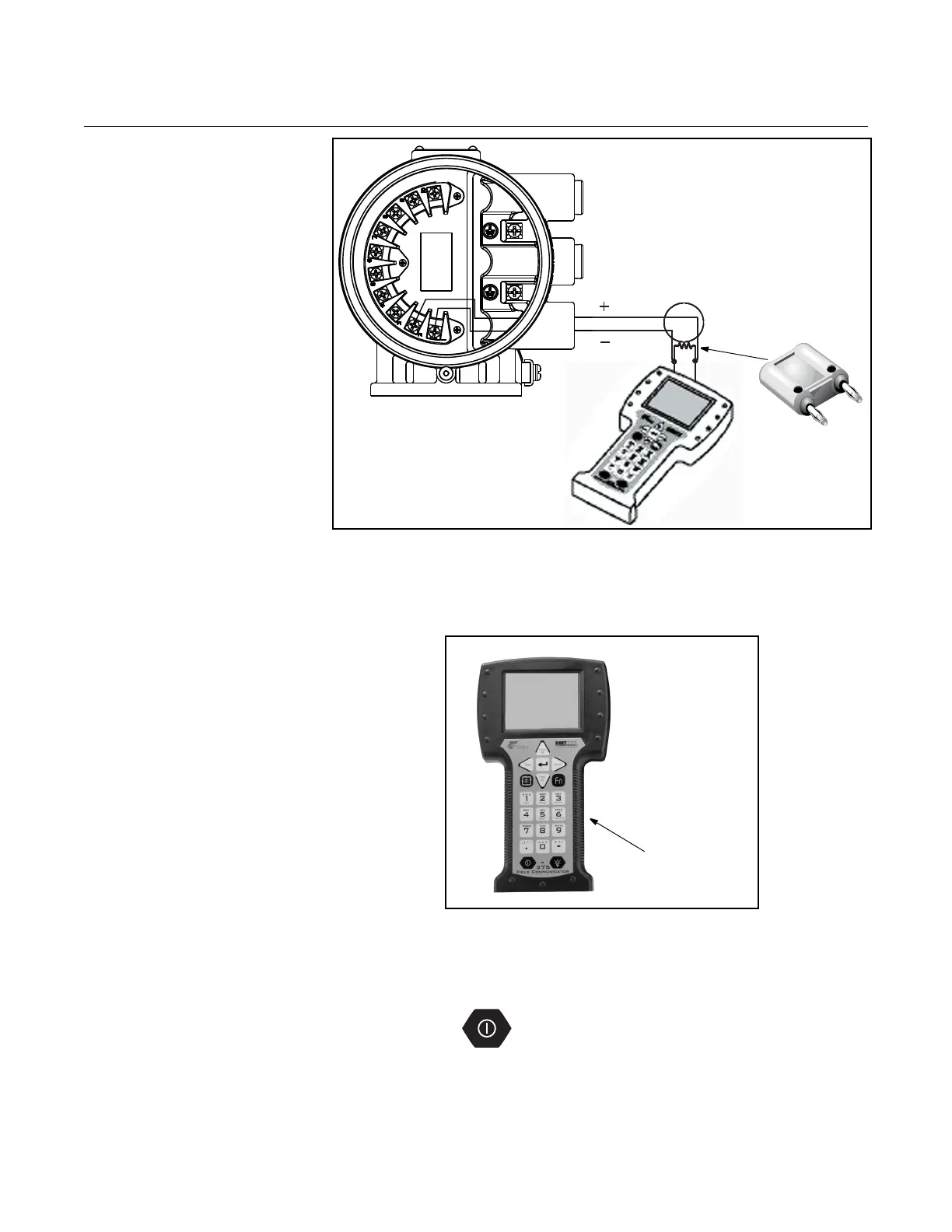
Figure F-3. Connecting the
HART Field Communicator with
the Optional Load Resistor
BASIC FEATURES The basic features of the Handheld Communicator include Action Keys,
Function Keys, and Alphanumeric and Shift Keys.
Figure F-4. The Handheld
Communicator
Action Keys The Action Keys
As shown in Figure F-4, the action keys are the six blue, white, and black
keys located above the alphanumeric keys. The function of each key is
described as follows:
ON/OFF Key
Use this key to power the Handheld Communicator. When the
communicator is turned on, it searches for a transmitter on the 4–20 mA
loop. If a device is not found, the communicator displays
the message, “No Device Found at Address O. Poll? YES NO.”
Select “YES” to poll for devices at other address (1-16).
NOTE
Loop must be broken to insert
the optional 250 ohm resistor.
Optional 250 ohm
load resistor















 To Next Page