Reference Manual
00809-0100-4664, Rev BA
January 2010
3-3
Rosemount 8712
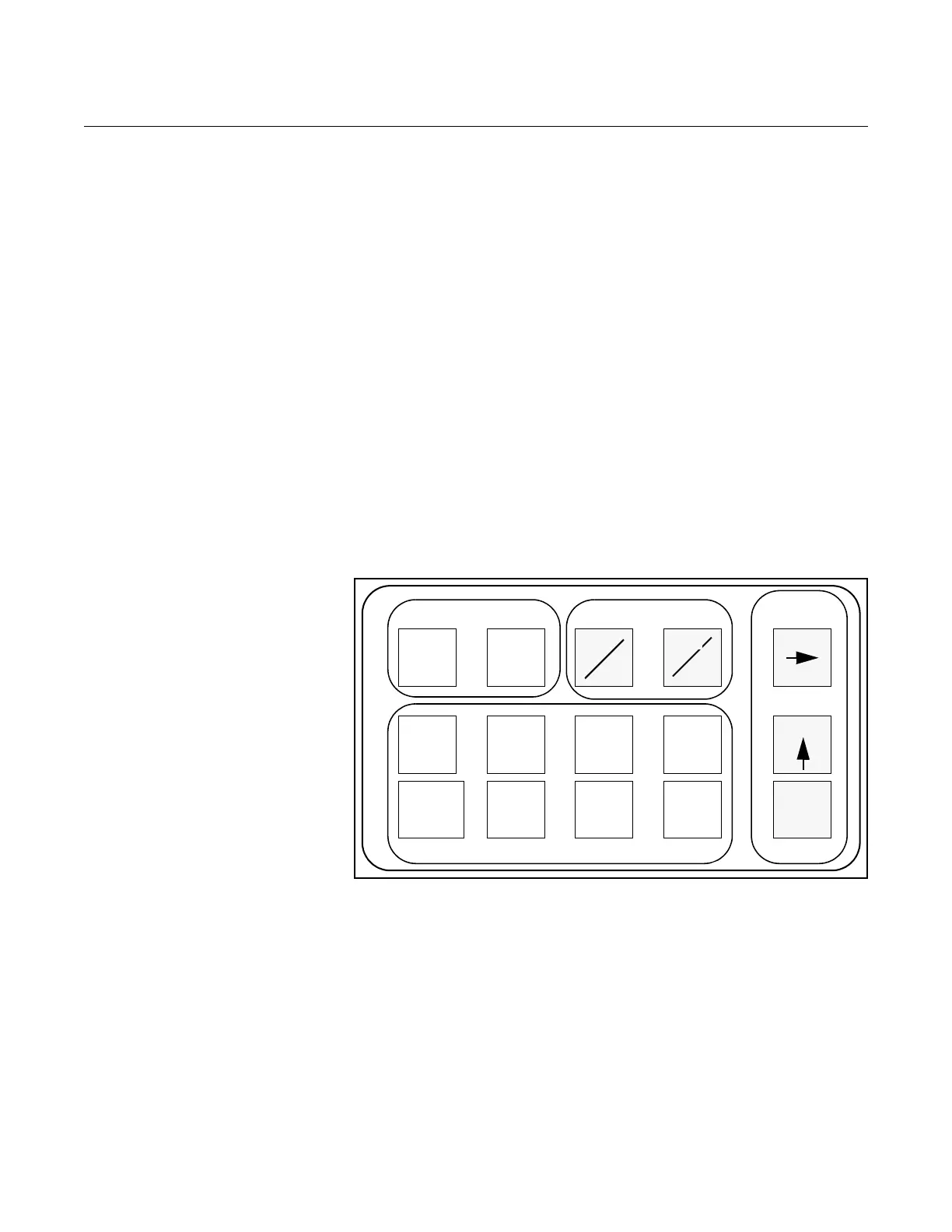
BASIC FEATURES The basic features of the LOI include display control, totalizer, data entry, and
transmitter parameters. These features provide control of all transmitter
functions, see Figure 3-1.
Display Control Keys
The display control keys provide control over the variable displayed on the
LOI screen. Push FLOW RATE to display the process variable, or push
TOTALIZE to display the totalized value.
Totalizer Keys
The totalizer keys enable you to start, stop, read, and reset the totalizer.
Data Entry Keys
The data entry keys enable you to move the display cursor, incrementally
increase the value, or enter the selected value.
Transmitter Parameter Keys
The transmitter parameter keys provide direct access to the most common
transmitter parameters and stepped access to the advanced functions of the
8712 through the AUX. FUNCTION key.
Figure 3-1. Local Operator
Interface Keypad
Data Entry The LOI keypad does not have numerical keys. Numerical data is entered by
the following procedure.
1. Access the appropriate function.
2. Use SHIFT to highlight the digit you want to enter or change.
3. Use INCR. to change the highlighted value. For numerical data,
INCR. toggle through the digits 0–9, decimal point, and dash. For
alphabetical data, toggle through the letters of the alphabet A–Z,
digits 0–9, and the symbols l,&, +, -, *, /, $, @,%, and the blank
space. (INCR. is also used to toggle through pre-determined choices
that do not require data entry.)
4. Use SHIFT to highlight other digits you want to change and
change them.
5. Press ENTER.
DISPLAY CONTROL TOTALIZER
TRANSMITTER PARAMETERS
DATA
ENTRY
FLOW
RATE
TOTALIZE
START
STOP
READ
RESET
TUBE CAL
NO.
TUBE
SIZE
UNITS
AUX.
FUNCTION
ANALOG
OUTPUT
RANGE
PULSE
OUTPUT
SCALING
DAMPING XMTR
INFO
SHIFT
ENTER
INCR.















 To Next Page