Wireless Router RNX-N150RT User Manual
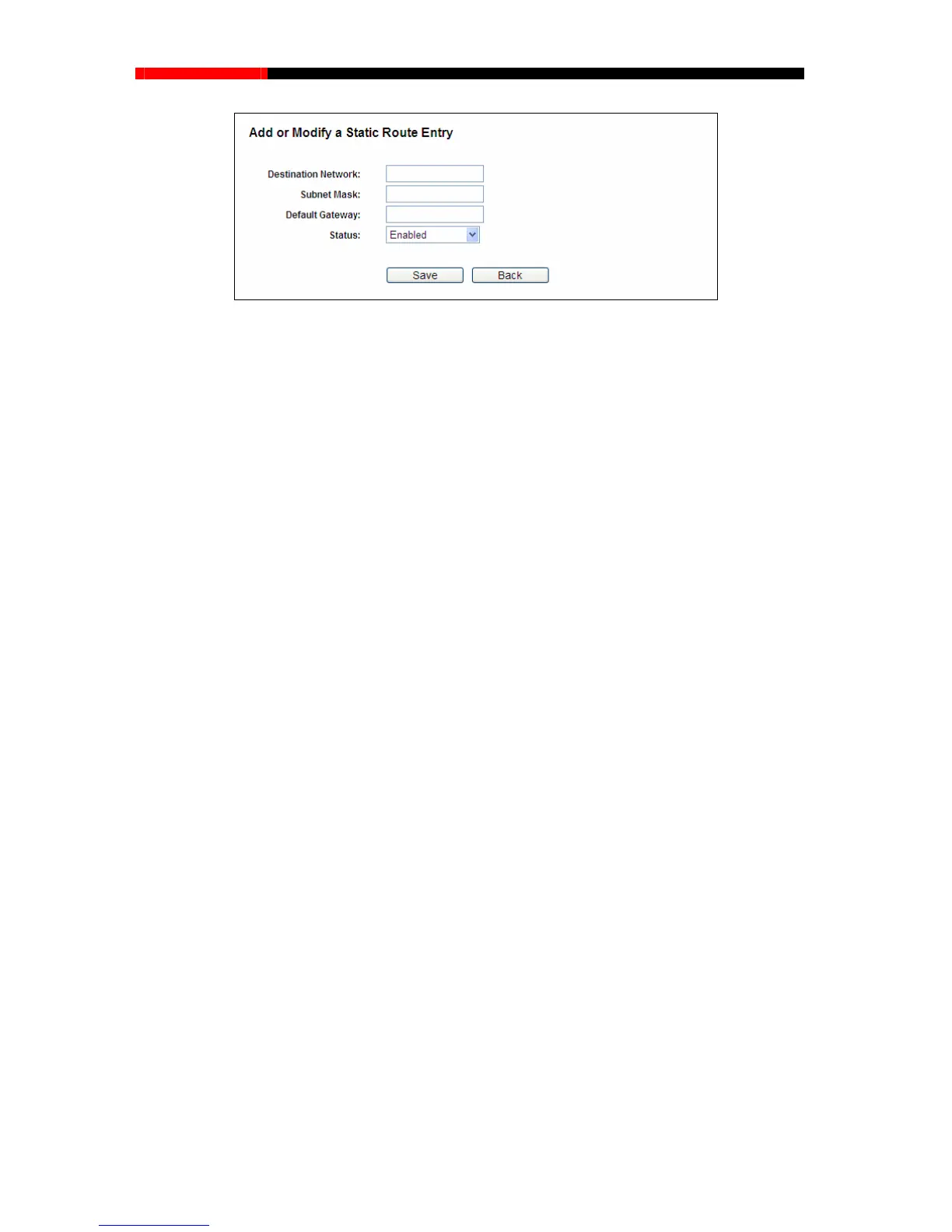
Figure 4-69 Add or Modify a Static Route Entry
Destination Network - The Destination Network is the address of the network or host that
Subnet Mask - The Subnet Mask determines which portion of an IP Address is the network
Default Gateway - This is the IP Address of the gateway device that allows for contact
ork or host.
3. Select Enabled or Disabled for this entry on the Status drop-down list.
4. Click the Save button to make the entry take effect.
Other configurations for the entries:
o disable all the entries.
tion in the next screen.
4.14.2 System Routing Table
Choose menu “Advanced Routing → System Routing Table”, and then you can view the
System Routing Table in the next screen (shown in Figure 4-70). System routing table views all of
the valid route entries in
use. The Destination IP address, Subnet Mask, Gateway, and Interface
will be displayed for each entry.
2. Enter the following data:
you wa
nt to assign to a static route.
portion, and which portion is the host portion.
between the router and the netw
Click the Delete button to delete the entry.
Click the Enable All button to enable all the entries.
Click the Disable All button t
Click the Delete All button to delete all the entries.
Click the Previous button to view the information in the previous screen, click the Next button to
view the informa
- 94 -



 To Next Page