Wireless Router RNX-N150RT User Manual
2. In Schedule Description field, create a unique description for the schedule (e.g.
Schedule_1).
3. In Day field, check the Select Days radio button and then select Sat and Sun.
4. In Time field, enter1800 in Start Time field and 2000 in Stop Time field.
5. Click Save to complete the settings.
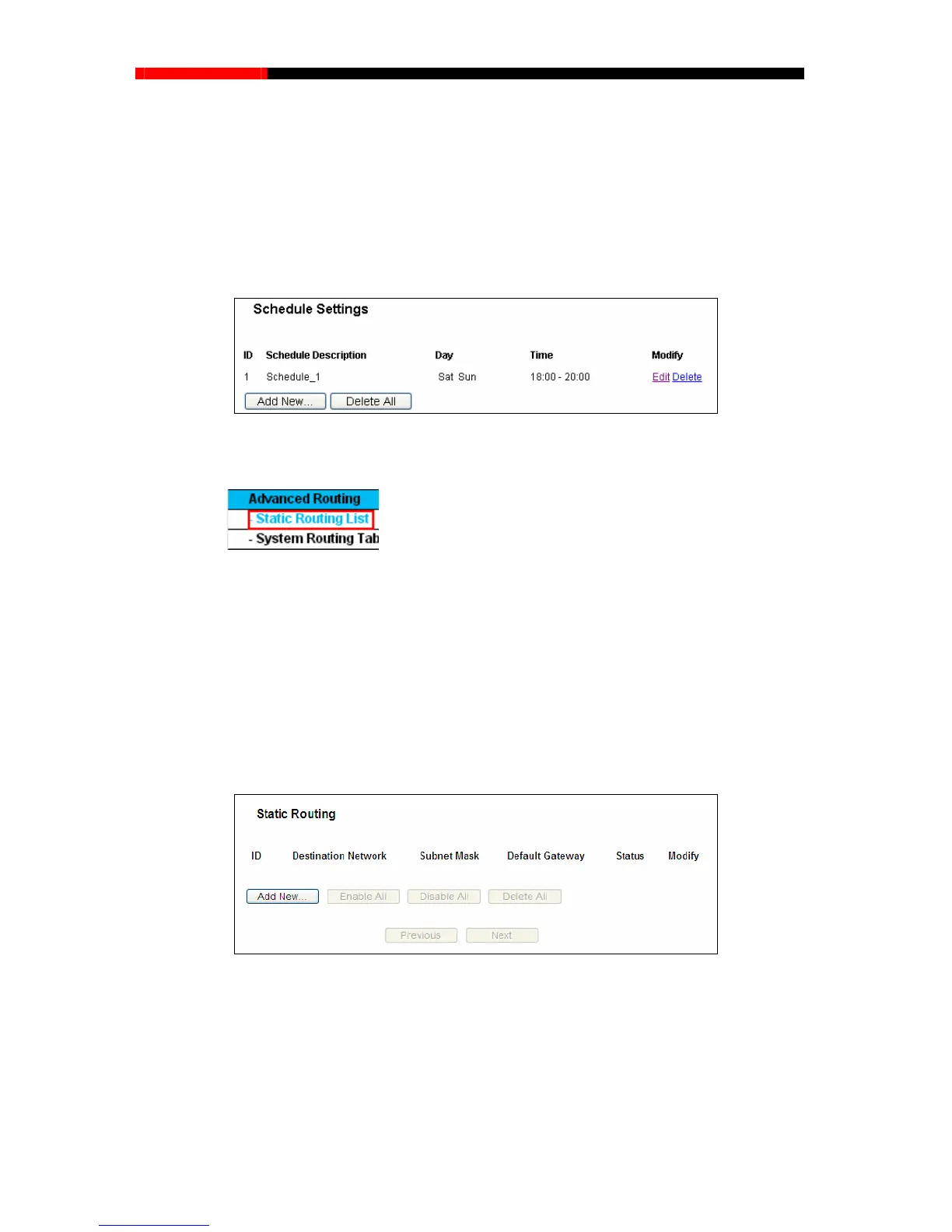
Then you will go back to the Schedule Settings page and see the following list.
4.14 Advanced Routing
Figure 4-67 Advanced Routing
There are two submenus under the Advanced Routing menu as shown in Figure 4-67: Static
em, and you will be able to configure the
4.14.1 Static Routing List
Choose menu “Advanced Routing → Static Routing List”, and then you can configure the
oute is a pre
-determined path that
k.
Routing List
and System Routing Table. Click any of th
corresponding function.
st
atic route in the next screen (shown in
Figure 4-68). A static r
network information must travel to reach a specific host or networ
Figure 4-68 Static Routing
To add static routing entries:
1. Click Add New… shown in
Figure 4-68, you will see the following screen.
- 93 -



 To Next Page