Wireless Router RNX-N150RT User Manual
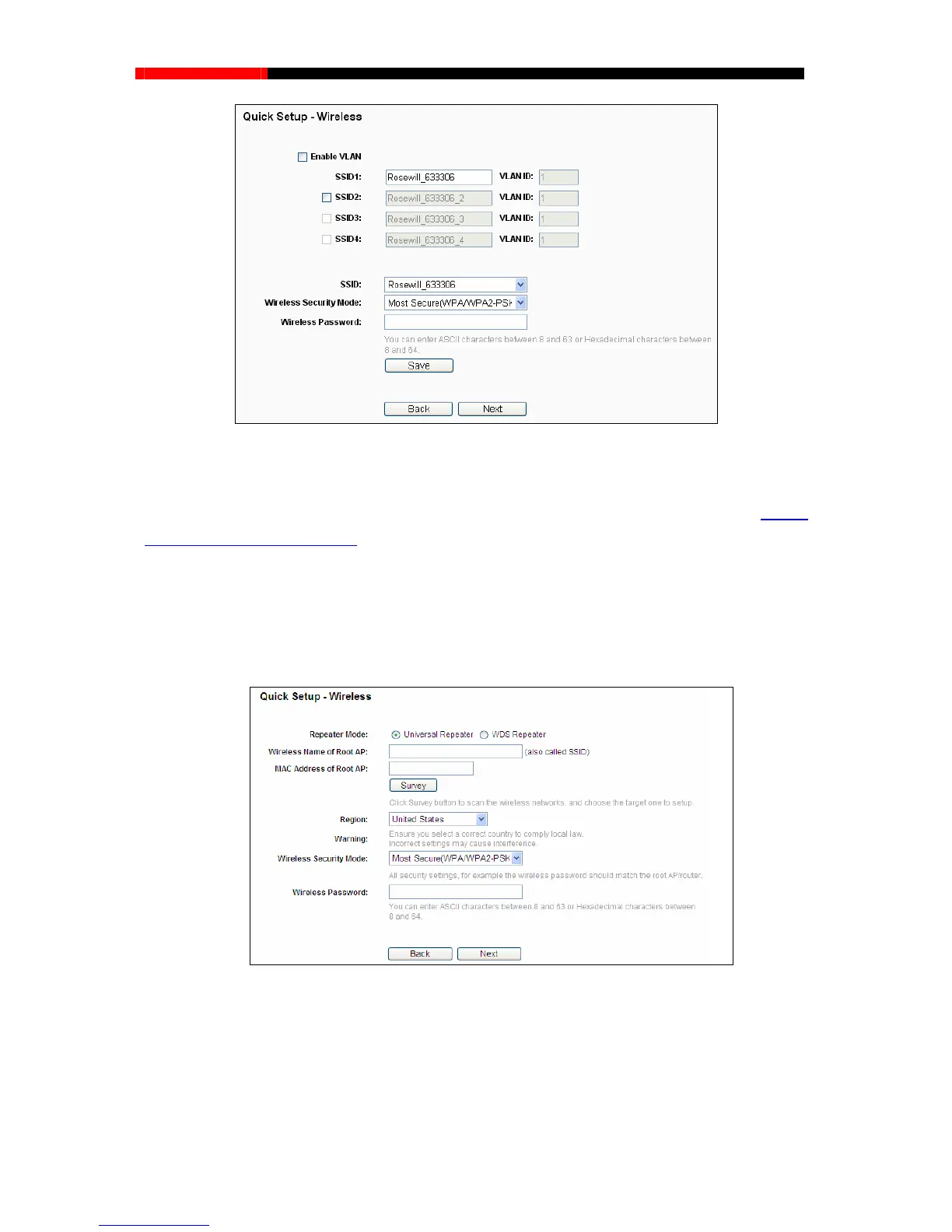
Figure 3-21 Quick Setup – Wireless
You are suggested to implement Multi-SSID function with a switch that supports Tag VLAN feature.
For advanced configuration of this step, please refer to explanations of this mode in 4.7.1.3
Wireless Settings in Multi-SSID.
3.2.4 Configuration for Repeater Mode
When you choose Repeater on Operation Mode page as shown in Figure 3-6, take the following
steps:
1. Click Next, and then Wireless page will appear as shown in Figure 3-22.
Figure 3-22 Quick Setup – Wireless
Repeater Mode - Choosing WDS Repeater is to enable WDS, while choosing Universal
Repeater is to disable WDS. If WDS is enabled, all traffic from wired networks will be
forwarded in the format of WDS frames consisting of four address fields. If WDS is disabled,
three address frames are used.
- 20 -



 To Next Page