Wireless Router RNX-N150RT User Manual
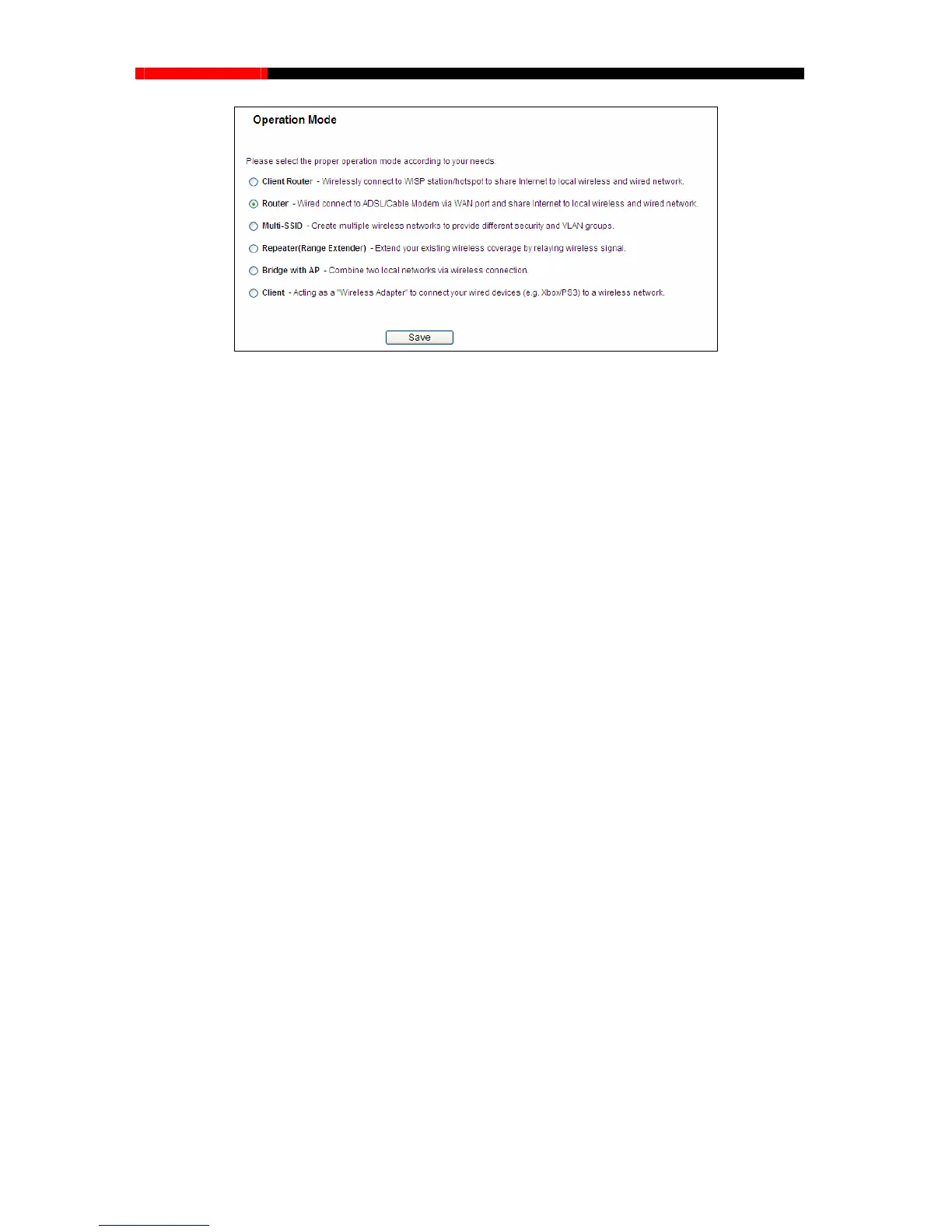
Figure 4-3 Operation Mode
Client Router - In this mode, the device enables multi-users to share Internet from WISP. The
LAN port devices share the same IP from WISP through Wireless port. While connecting to
WISP, the Wireless port works as a WAN port at Client Router mode. The Ethernet port acts as
a LAN port.
Router - In this mode, the device enables multi-users to share Internet via ADSL/Cable
Modem. The wireless port share the same IP to ISP through Ethernet WAN port. The Wireless
port acts the same as a LAN port while at Router mode.
Multi-SSID - In this mode, the device can create up to 4 wireless networks labeled with
different SSIDs and assign each SSID with different security or VLAN, especially for the
situation when the various access policies and functions are required.
Repeater - In this mode, the AP will relays data to an associated root AP. AP function is
enabled meanwhile. The wireless repeater relays signal between its stations and the root AP
for greater wireless range.
Bridge with AP - In this mode, the device bridge to another AP.
Client - In this mode, the device will act as a wireless station to enable wired host(s) to access
AP.
4.5 WPS
This section will guide you to add a new wireless device to an existing network quickly by WPS
(Wifi Protect Setup) function.
a) Choose menu “WPS”, you will see the next screen (shown in Figure 4-4 ).
- 33 -



 To Next Page