Wireless Router RNX-N150RT User Manual
ure all computers on the LAN as
P
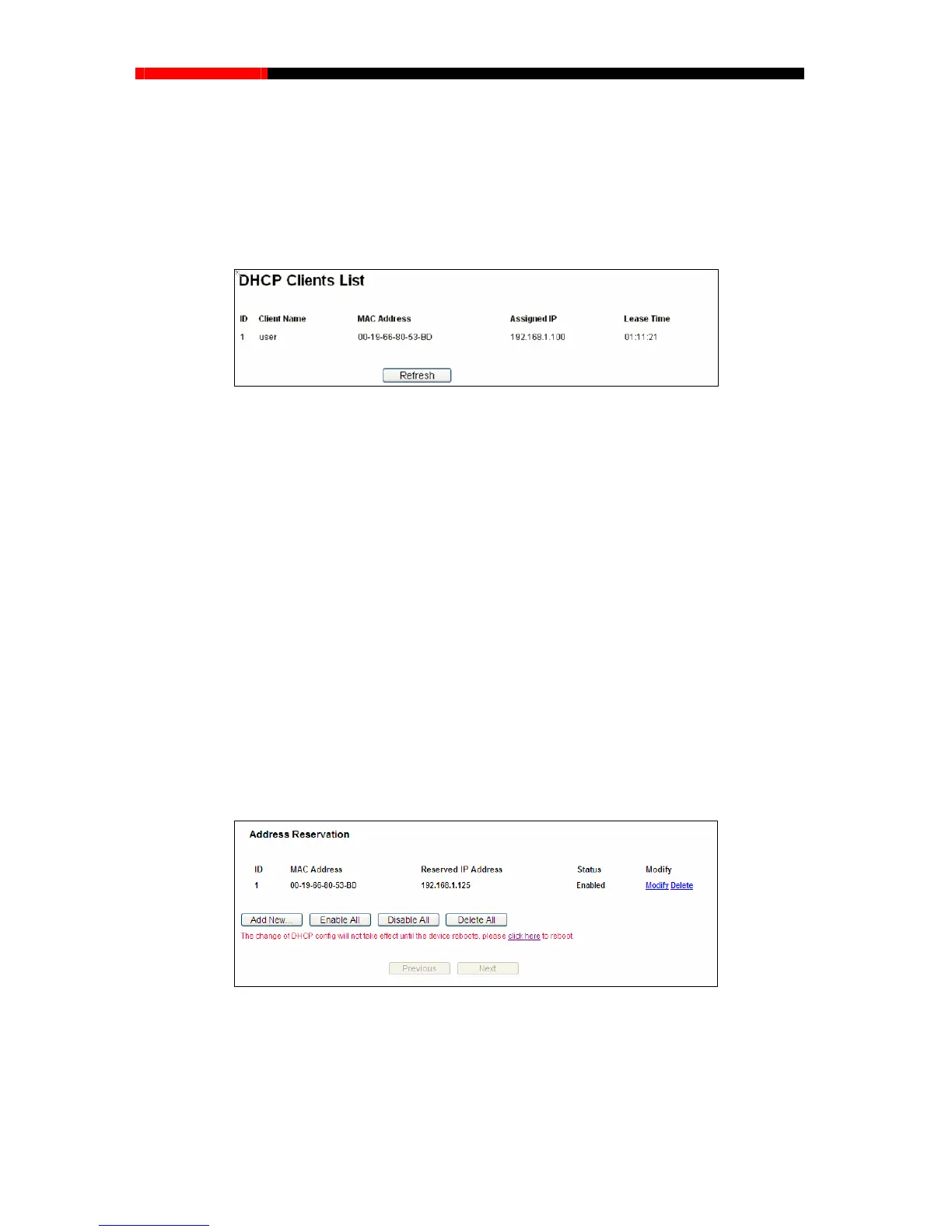
Clients List”, you can view the information about the clients
attached to the router in the screen as shown in Figure 4-37.
Note:
To use the DHCP server function of the router, you must config
"Obtain an IP Address automatically".
4.8.2 DHCP Clients List
Choose menu “DHCP→DHC
Figure 4-37 DHCP Clients List
Client Name- The name of the DHCP client
MAC Address- The MAC addr
Assigned IP- The IP address that the router has allocated to the DHCP client.
na
mic IP address will be automatically assigned to the user.
values on this page. To update this page and to show the current
attached devices, click the Refresh button.
4.8.3 Address Reservation
Choose menu “DHCP→Address Reservation”, you can view and add a reserved address for
).When you specify a reserved IP address for a
r. Reserved IP addresses should be assigned to the servers that require permanent IP
settings.
ess of the DHCP client.
Lease Time- The time of the DHCP client leased. After the dynamic IP address has expired,
a new dy
You cannot change any of the
client
s via the next screen (shown in Figure 4-38
PC on the LAN, that PC
will always receive the same IP address each time when it accesses the
DHCP serve
Figure 4-38 Address Reservation
MAC Address - The MAC address of the PC for which you want to reserve an IP address.
Reserved IP Address - The IP address reserved for the PC by the router.
Status- The status of this entry, either Enabled or Disabled.
- 70 -



 To Next Page