Wireless Router RNX-N150RT User Manual
.
rning will prompt as well. Likewise, "Load All" only loads the items without
interference to the IP & MAC Binding list.
4.17 Dynamic DNS
Choose menu “Dynamic DNS”, and you can configure the Dynamic DNS function.
The router offers the DDNS (Dynamic Domain Name System) feature, which allows the hosting of
a website, FTP server, or e-mail server with a fixed domain name (named by yourself) and a
dynamic IP address, and then your friends can connect to your server by entering your domain
name no matter what your IP address is. Before using this feature, you need to sign up for DDNS
service providers such as www.comexe.cn
Click the Ref
resh button to refresh all items
Note:
An item could not be loaded to the IP & MAC Binding list if the IP address of the item has been
loaded before. Error wa
, www.dyndns.org, or www.no-ip.com. The Dynamic
DNS client service provider will give you a password or key.
4.17.1 No-IP.com DDNS
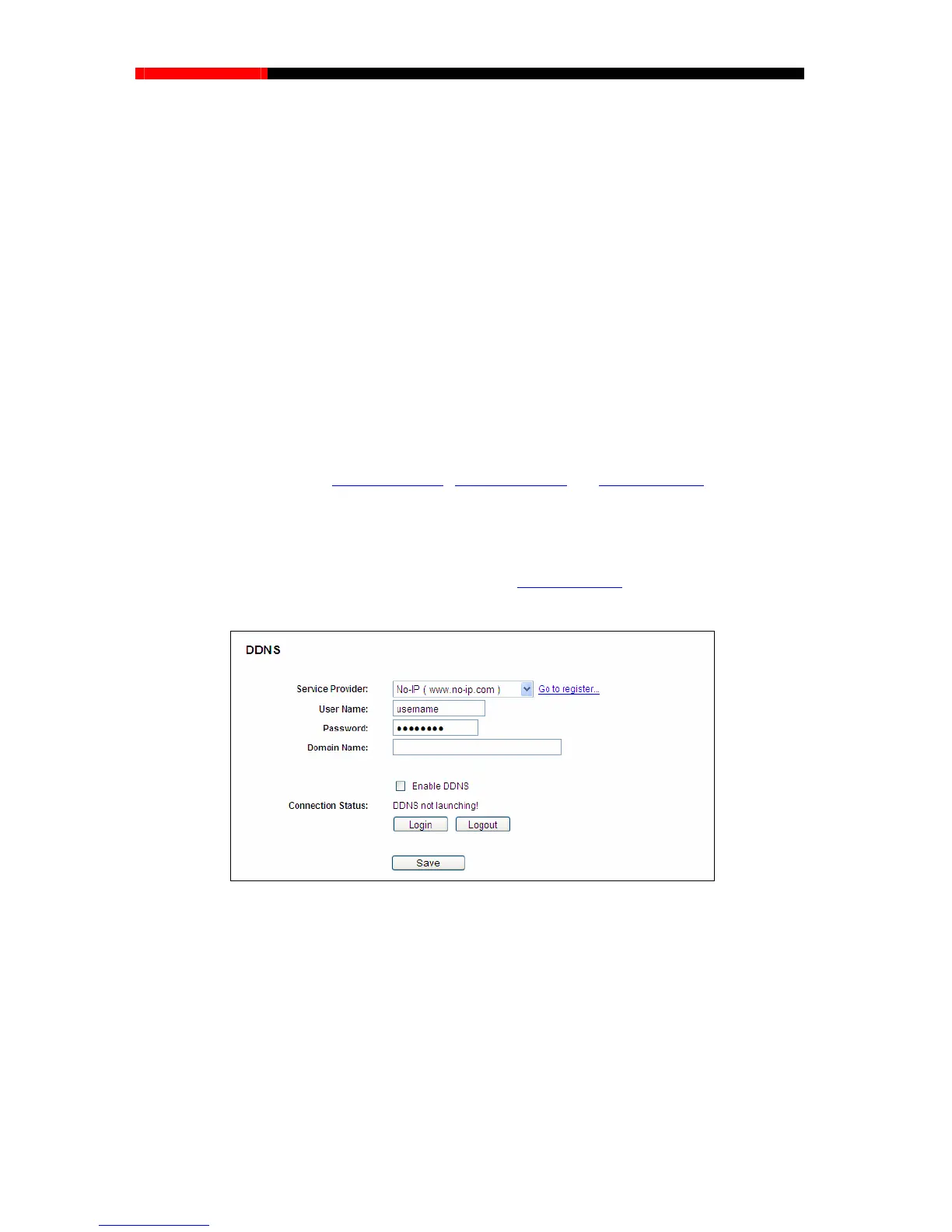
If the dynamic DNS Service Provider you select is www.no-ip.com, the page will appear as
shown in Figure 4-68.
To set up for DDNS, follow these instructions:
1. Type the User Name for your DDNS account.
2. Type the Password for your DDNS account.
3. Type the Domain Name you received from dynamic DNS service provider.
4. Click the Login button to log in the DDNS service.
Connection Status - The status of the DDNS service connection is displayed here.
Figure 4-80 No-ip.com DDNS Settings
- 100 -



 To Next Page