Wireless Router RNX-N150RT User Manual
nfiguration of the
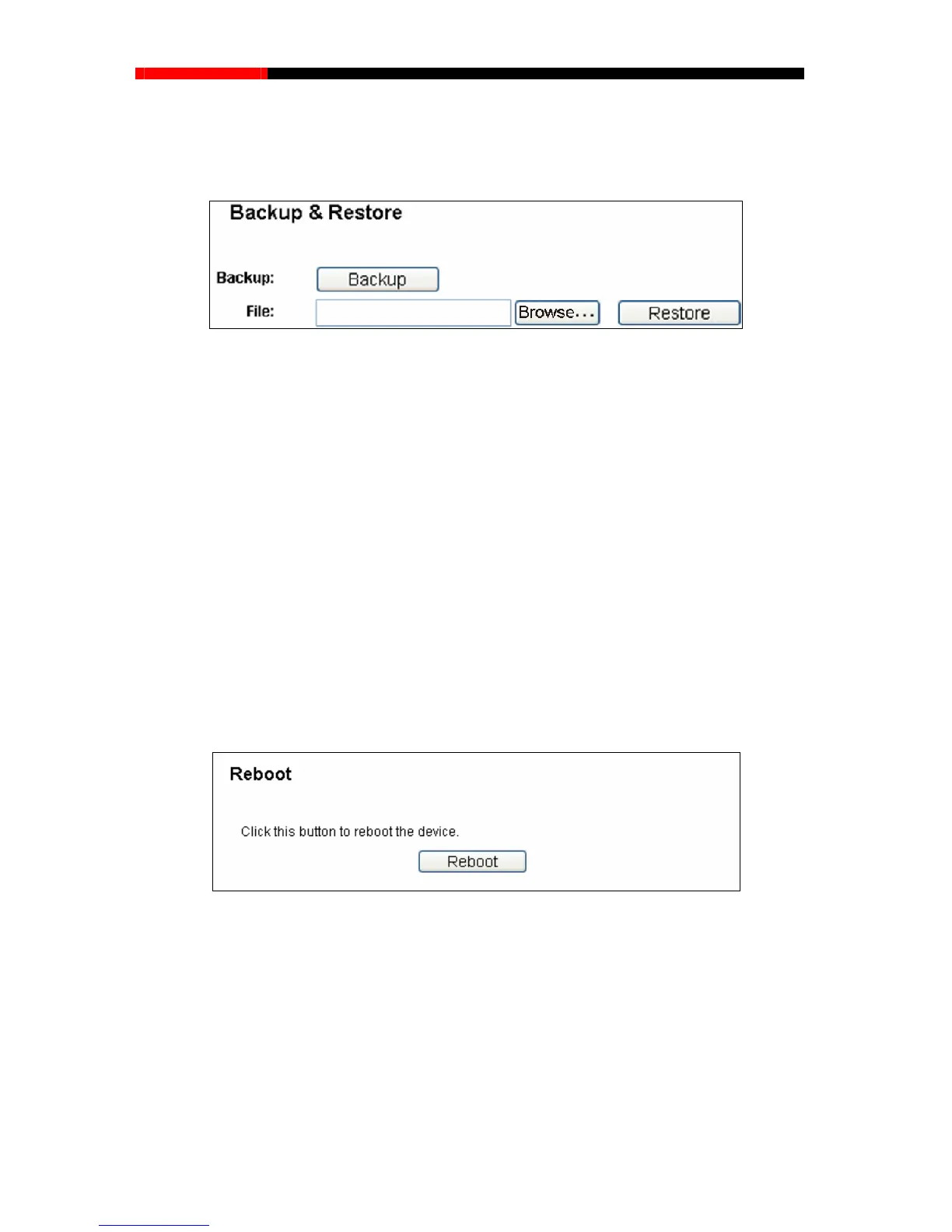
e and restore the configuration via a backup file as shown in Figure 4-89.
4.18.5 Backup & Restore
Choose menu “System Tools→Backup &Restore”, you can save the current co
router as a backup fil
Figure 4-89 Backup & Restore Configuration
Click the Backup button to save all configuration settings as a backup file in your local
computer.
To upgrade the router's configuration, follow these instructions.
Click the Browse… button to locate the update file for the router, or enter the exact path
to the Setting file in the text box.
Click the Restore button.
Note:
lick
the Reboot button to reboot the router via
The current configuration will be covered by the upl
oading configuration file. The upgrade process
lasts for 20 seconds and the router will restart automatically. Keep the router on during the
upgrading process to prevent any damage.
4.18.6 Reboot
Choose menu “System Tools→Reboot”, you can c
the next screen.
Figure 4-90 Reboot the router
Some settings of the router will take effect only after rebooting, which include:
Change the LAN IP Address (system will reboot automatically).
Change the DHCP Settings.
Change the Wireless configurations.
Change the Web Management Port.
Upgrade the firmware of the router (system will reboot automatically).
- 107 -



 To Next Page