Wireless Router RNX-N150RT User Manual
Off
The router has a system error.
On The router is working properly.
SYS
Flashing The router is initializing.
Off The Wireless function is disabled.
WLAN
Flashing The Wireless function is enabled.
Off There is no device linked to the corresponding port.
On
There is a device linked to the corresponding port but
there is no activity.
WAN,
1,2,3,4 (LAN)
Flashing There is an active device linked to the corresponding port.
On
A wireless device has been successfully added to the
network by WPS function. The LED will keep on for about
5 minutes.
Slow Flash
A wireless device is connecting to the network by WPS
function. This process will last for about 2 minutes.
WPS
Quick Flash
A wireless device failed to be added to the network by
WPS function.
Table 1-1 The LEDs Description
Note:
1. After a device is successfully added to the network by WPS function, the WPS LED will keep
on for about 5 minutes and then turn off.
2. When press and hold the WPS/Reset Button for more than 5 seconds, you will reset the
router.
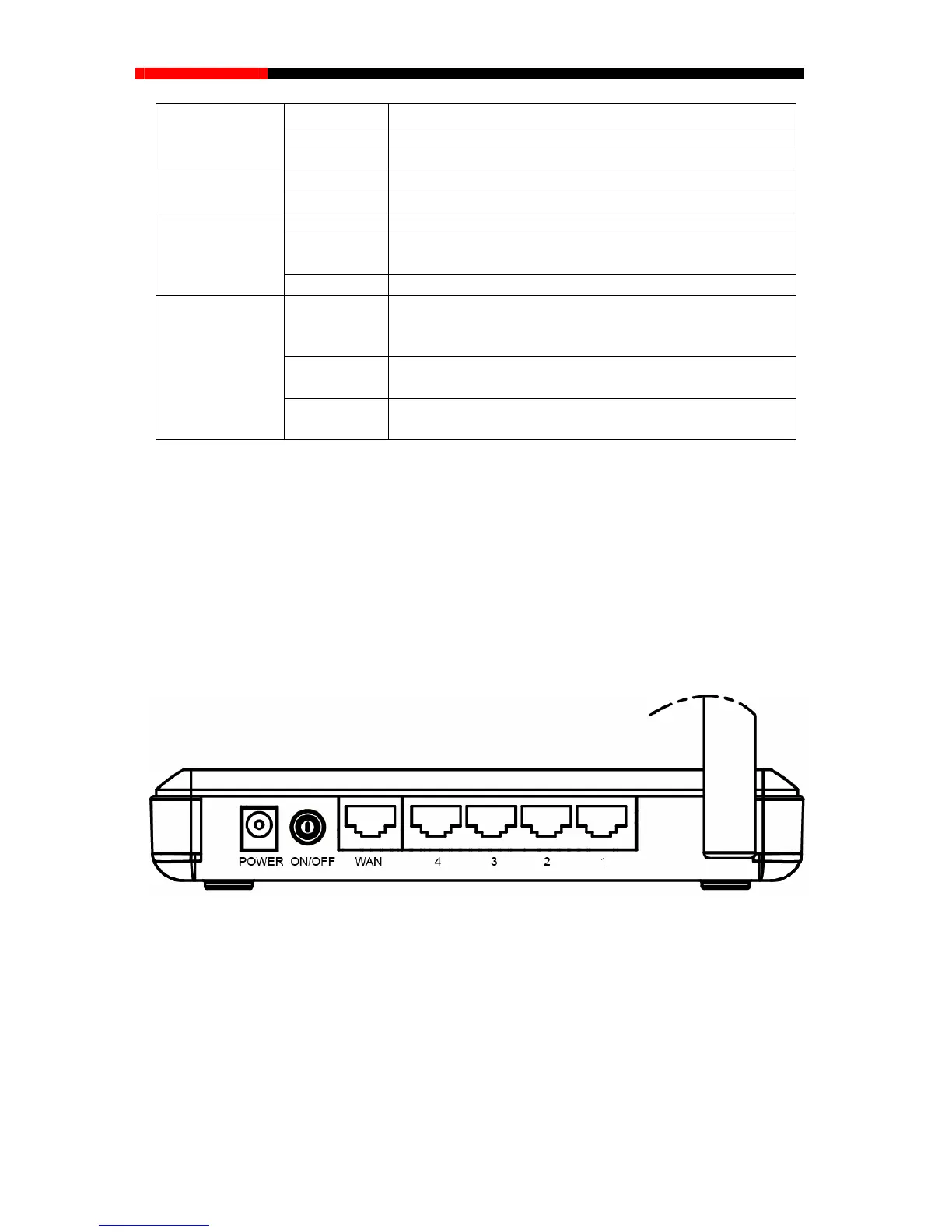
1.3.2 The Rear Panel
Figure 1-2 Rear Panel sketch
The following parts are located on the rear panel (View from left to right).
POWER: The Power socket is where you will connect the power adapter. Please use the
power adapter provided with this RNX-N150RT 150Mbps Wireless N Router.
WAN: This WAN port is where you will connect the DSL/cable Modem, or Ethernet.
1,2,3,4 (LAN): These ports (1, 2, 3, 4) connect the router to the local PC(s).
Wireless antenna: To receive and transmit the wireless data.
- 4 -



 To Next Page