Wireless Router RNX-N150RT User Manual
that you change your networks name (SSID) to a different value. This value is case-sensitive.
For example, MYSSID is NOT the same as MySsid.
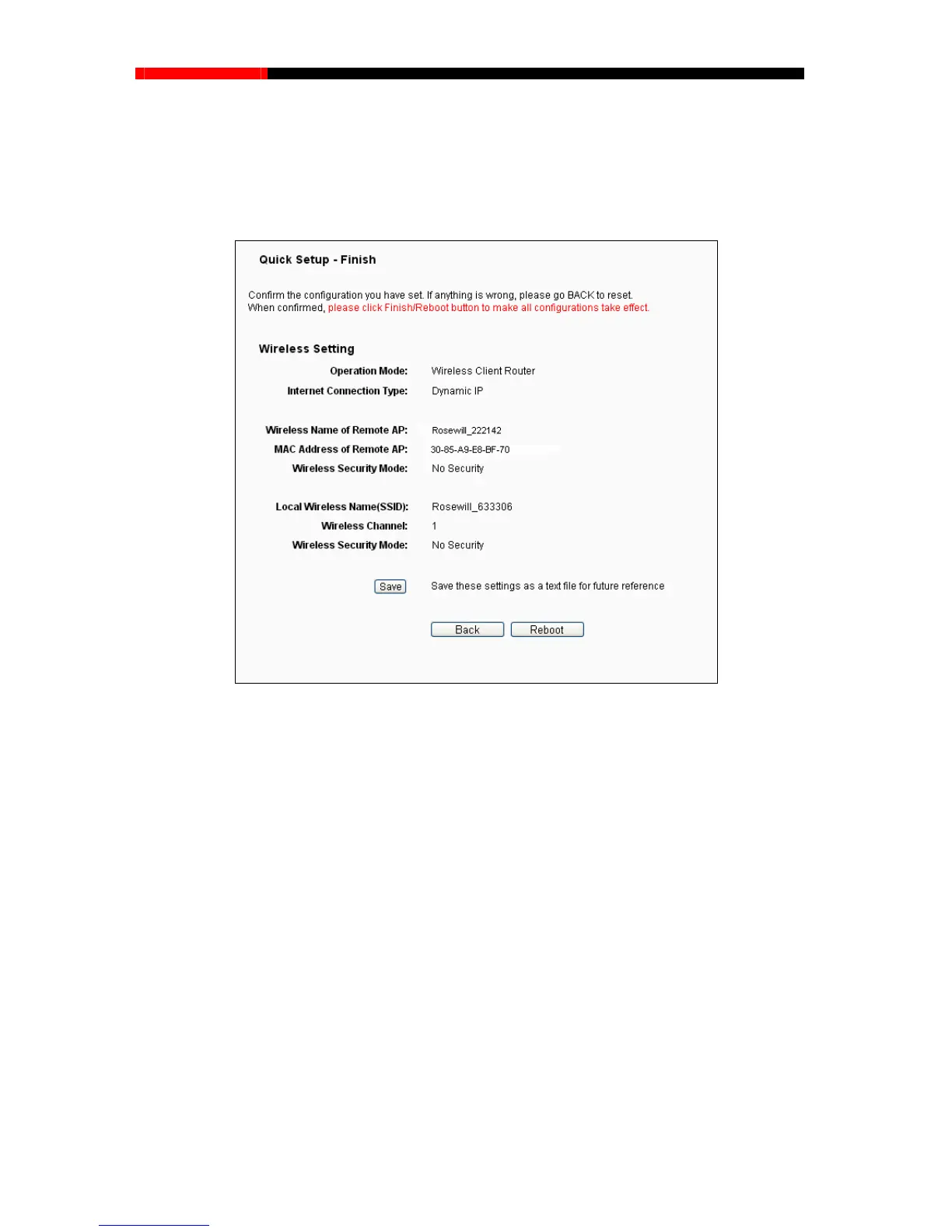
5. Click the Next button in Figure 3-13. You will then see the page as shown in Figure 3-14.
Please click
the Reboot button to make your configuration take effect and finish the Quick
Setup.
Figure 3-14 Finish
Note:
You may click the Save button to save these settings as a text file for future reference.
3.2.2 Configuration for Router Mode
When you choose Router on Operation Mode page as shown in Figure 3-6, take the following
steps:
1. Click Next, and then WAN Connection Type page will appear, shown in Figure 3-15.
- 16 -



 To Next Page