Wireless Router RNX-N150RT User Manual
N
1. cify your
Internet if it has already connected to Internet.
u
can transact Ping or Trace route function to
ote:
This setting will be used for some time-based functions such as firewall. You must spe
time zone once you log in to the router successfully, otherwise, these functions will not take
effect.
2. The time will be lost if the router is turned off.
3. The router will obtain GMT automatically from
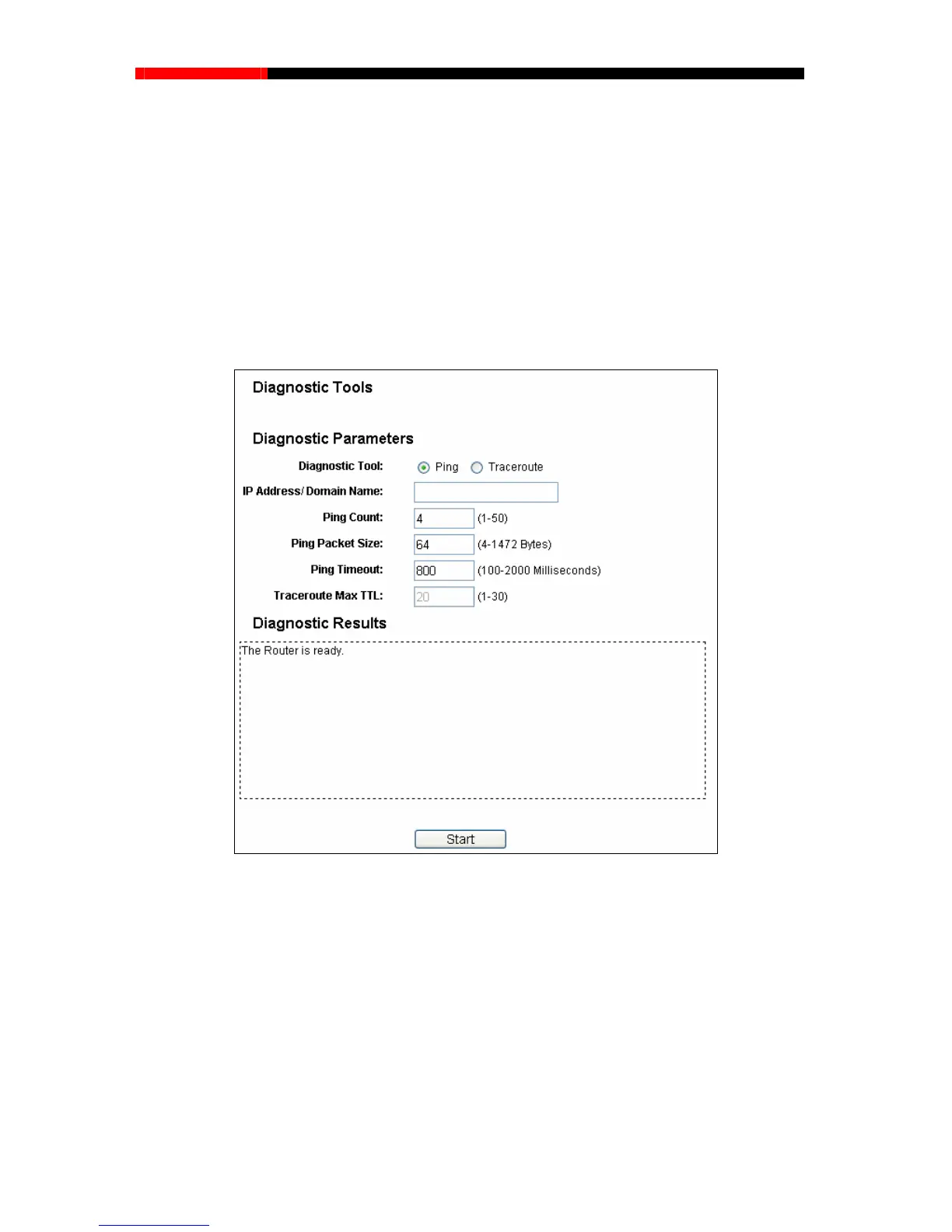
4.18.2 Diagnostic
Choose menu “System Tools→Diagnostic”, yo
check connectivity of your network in the following screen.
Figure 4-85 Diagnostic Tools
Diagnostic Tool-Check the radio button to select one diagnostic too.
Ping - This diagnostic tool troubleshoots connectivity, reachability, and name resolution to
a given host or gateway.
Traceroute - This diagnostic tool tests the performance of a connection.
Note:
You can use ping/tracerou domain name. If
cerouting the domain name is
te to test both numeric IP address or
pinging/tracerouting the IP address is successful, but pinging/tra
- 104 -



 To Next Page